

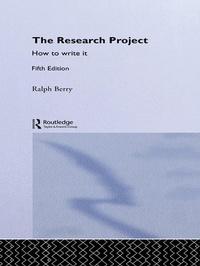
The Research Project
How to Write It, Edition 5
5th Edition
Published on 15. April 2013
136 pages
978-1-134-31363-1 (ISBN)
Description

Now in its fifth edition, this guide to project work continues to be an indispensable resource for all students undertaking research.
Guiding the reader right through from preliminary stages to completion, The Research Project: How to write it sets out in clear and concise terms the main tasks involved in doing a research project, covering:
* choosing a topic
* using the library effectively
* taking notes
* shaping and composing the project
* providing footnotes, documentation and a bibliography
* avoiding common pitfalls.
Fully updated throughout, this new edition features a chapter on making the most out of the Internet, from knowing where to start, to assessing the quality of the material found there.
Other features include a model example of a well researched, clearly written paper with notes and bibliography and a chapter on getting published in a learned journal for more advanced researchers.
Whether starting out or experienced in research, The Research Project: How to write it is an essential tool for success.
Guiding the reader right through from preliminary stages to completion, The Research Project: How to write it sets out in clear and concise terms the main tasks involved in doing a research project, covering:
* choosing a topic
* using the library effectively
* taking notes
* shaping and composing the project
* providing footnotes, documentation and a bibliography
* avoiding common pitfalls.
Fully updated throughout, this new edition features a chapter on making the most out of the Internet, from knowing where to start, to assessing the quality of the material found there.
Other features include a model example of a well researched, clearly written paper with notes and bibliography and a chapter on getting published in a learned journal for more advanced researchers.
Whether starting out or experienced in research, The Research Project: How to write it is an essential tool for success.
More details
Edition
5th edition
Language
English
Place of publication
London
United Kingdom
Publishing group
Taylor & Francis Ltd
Target group
College/higher education
Edition type
Revised edition
Product notice
Reflowable
File size
2,30 MB
ISBN-13
978-1-134-31363-1 (9781134313631)
Copyright in bibliographic data and cover images is held by Nielsen Book Services Limited or by the publishers or by their respective licensors: all rights reserved.
Schweitzer Classification
Other editions
Additional editions
Book
08/2004
5th Edition
Routledge
€185.20
Shipment within 15-20 days
Book
08/2004
5th Edition
Routledge
€44.10
Shipment within 15-20 days
Person
Ralph Berry has taught at universities around the world, including the University of Malaya, the University of Ottowa, the University of Massachusetts, Latrobe University (Melbourne), the University of Canterbury (New Zealand), the National University of Singapore and Kasetsart University in Bangkok, Thailand. He is the author of numerous scholarly books and articles.
Content
Introduction. 1. The choice of subject: using the library 2. Using the Internet for Research (by Robert Eaglestone) 3. Preparing a bibliography 4. Taking notes 5. Composing the paper 6. The final version 7. Specimen paper 8. Some errors to avoid 9. Publication in a learned journal Appendix: Some popular Search Engines. Index.
