

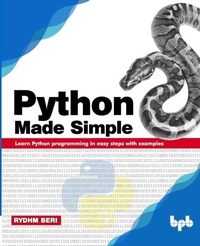
Python Made Simple
Learn Python programming in easy steps with examples
1st Edition
Published on 20. July 2019
366 pages
978-93-89328-08-0 (ISBN)
Description

No detailed description available for "Python Made Simple".
More details
Other editions
Additional editions
Rydhm Beri
Python Made Simple: Learn Python programming in easy steps with examples
Learn Python programming in easy steps with examples
Book
07/2019
BPB Publications
€29.30
Article not available for order
Content
- Cover Page
- Title Page
- Copyright Page
- Dedication
- About the Author
- Acknowledgements
- Preface
- Errata
- Table of Contents
- 1. Introduction to Python
- Introduction
- Structure
- Objective
- Relation between programming languages
- Low-level versus high-level language
- General-purpose language versus domain-specific language
- Compiled languages verses interpreted languages
- Computational problem solving
- Process of solving computational problems
- Problem solving
- Understanding the problem
- Specification
- Program design
- Program coding and implementation
- Program testing
- Introduction to Python
- Comparison of Python with other languages
- History of the Python programming language
- Development stages of Python
- Features of Python
- Execution of a Python program
- Memory management in Python
- Garbage collection in Python
- Automatic garbage collection of cycles
- Manual garbage collection
- Debugging
- 2. Python Fundamentals
- Introduction
- Structure
- Objective
- Structure of a Python program
- Tokens
- Identifiers
- Keywords
- Literals
- Numeric literals
- Integer literals
- Floating point literal
- String literal
- Boolean literal
- Special literals
- Objects immutability
- Variables
- Assigning values to the variable
- Determining the data type of the variable
- Data type in Python
- Basic data types
- int data type
- Long integers
- Boolean data type
- Float data type
- Complex data type
- Sequence data type
- Conclusion
- Questions
- 3. Expressions and Operators
- Introduction
- Objective:
- Statements
- Simple statements
- Control statements
- Expressions
- Operators
- Arithmetic operators
- Relational operators
- Logical operators
- Bitwise operators
- Assignment operators
- Unary operators
- Membership operators
- Identity operators
- Operator precedence and associativity
- Summary
- Questions
- 4. Control Statements
- Introduction
- Objectives
- Concept of indentation
- Decision control statements
- The if statement
- The if.else statement
- The if.elif statement
- Nested if...else statements
- Looping statements
- The while loop
- The for loop
- The else suit in a looping statement
- The nested loop
- Jump statements
- The break statement
- The continue statement
- The pass statement
- The assert statement
- Conclusion
- Questions
- 5. Functions
- Introduction
- Structure
- Objectives
- Introduction to functions
- Difference between functions and methods
- Advantages
- Classification of functions
- Library functions
- User-defined functions
- Components of user-defined functions
- Function definition
- Function call
- sum()
- Categories of functions
- Functions with no parameter and no return value
- Functions with parameters and no return value
- Functions with no parameters but returns value
- Functions with parameters and returns value
- Passing Arguments to a function
- Positional arguments
- Keyword parameters
- Default arguments
- Scope of a variable
- Recursion
- Anonymous or lambda functions
- Lambda functions using the filter function
- Lambda functions using the map function
- Lambda functions using the reduce function
- Conclusion
- Questions
- 6. List Processing
- Introduction
- Objectives
- Introduction to a list
- Advantages of a list
- Difference between a list and an array
- Creating a list
- Creation of a list by assigning values
- Input a list from the user
- The insert() function
- The split() funtion
- The append() method
- The range() function
- Accessing list elements
- Accessing elements from the particular index
- Accessing all elements of the list at once
- Operations of List
- Slicing the list
- Repeating the list
- Concatenation of the list
- Iterating over the list
- The for loop
- The while loop
- Functions of a list
- min(list)
- max(list)
- The len() method
- all(list)
- any(list)
- enumerate(list)
- sorted(list)
- Methods of list
- index()
- copy()
- count()
- remove()
- pop()
- sort()
- reverse()
- clear()
- Finding the biggest and smallest element from the list
- Sorting the list
- Nesting of a list
- Inputting nesting of a list
- List as a matrix
- The matrix operation
- Matrix transposition
- List comprehension
- Summary
- 7. Tuple Processing
- Objectives
- Introduction to a tuple
- Advantages of a tuple
- Difference between a tuple and list
- Creating a tuple
- Creation of a tuple by assigning values
- Input a tuple from a user
- Input a tuple by list
- The split() method
- The range() function
- Accessing tuple elements
- Accessing elements from a particular index
- Accessing all elements of the tuple at once
- Accessing all elements of the tuple one by one by iterating
- Tuple operations
- Slicing the tuple
- Repeating the tuple
- Concatenation of a tuple
- Checking the membership of the element
- Tuple updation
- Insert values in the tuple
- Update values of the tuple
- Delete values from the tuple
- Iterating over a tuple
- The for loop
- The while loop
- Function of a tuple
- min(tuple)
- max(tuple)
- len(tuple)
- all(tuple)
- any(tuple)
- sorted(list)
- index()
- count()
- Nesting of tuple
- Conclusion
- Questions
- 8. Dictionary Processing
- Objectives
- Introduction to a dictionary
- Advantages of the dictionary
- Creating a dictionary
- Creation of the dictionary by assigning values
- Input a dictionary from a user
- By assigning values to the keys entered by a user
- The split() method
- Input dictionary via lists and tuples
- Accessing dictionary elements
- Accessing value from a particular key
- Accessing all elements of the dictionary at once
- Dictionary operations
- Checking the membership of the element
- Dictionary updation
- Iterating over the dictionary
- The for loop
- Functions of the dictionary
- min(dictionary)
- max(dictionary)
- len(dictionary)
- all(dictionary)
- any(dictionary)
- sorted(dictionary)
- Methods of the dictionary
- copy()
- pop()
- clear()
- fromkeys()
- items()
- keys()
- values()
- update()
- get()
- Conclusion
- Questions
- 9. String Processing
- Introduction
- Structure
- Objectives
- Introduction to strings
- Creating a string
- Creation of a string by assigning values
- Input a string from the user
- Accessing a string
- Accessing characters from a particular index
- Accessing a string as a group of characters
- Accessing individual characters of the string by iterating over the string
- String operations
- Slicing the string
- Repeating the string
- Concatenation of strings
- Checking the membership of the element
- String methods
- Comparison of a string
- Remove spaces from strings
- Finding a substring from a string
- Counting a substring in a string
- Replacing a string with another string
- Split strings
- Joining a string
- Change case of a string
- Convert a string to uppercase
- Convert a string to lowercase
- Swap case of the string
- Title case of the string
- Checking the starting and ending of a string
- String testing methods
- Formatting strings
- Parameters of the format method
- Positional replacement
- Keyword replacement
- Conclusion
- Questions
- 10. File Processing
- Introduction
- Structure
- Objectives
- File processing
- Types of files
- A text file
- A binary file
- Opening of files
- Closing a file
- Writing data to the file
- Reading data from the file
- File built-in methods
- tell()
- seek()
- rename()
- remove()
- Knowing if a file exists or not
- Working with a binary file
- Conclusion
- Questions
- 11. Exception Handling
- Structure
- Objectives
- Types of errors
- Compile time error
- Runtime error
- Logical error
- Introduction to exception
- Types of exception
- Exception handling
- Structure of exception handling
- The try block
- The except block
- The finally block
- User-defined exception
- Logging the exception
- Conclusion
- Questions
- 12. Object-oriented Programming (OOP)
- Introduction
- Structure
- Objectives
- Introduction to the OOPs approach
- Evolution of the object-oriented approach
- Basic concepts of OOPs
- Objects
- Class
- Encapsulation and abstraction
- Inheritance
- Polymorphism
- Advantages of OOPs
- Class specification
- Class header
- Class body
- Data members and member functions
- Creation of objects
- Role of a self variable
- Constructors
- Conclusion
- Questions
- 13. Inheritance and Polymorphism
- Introduction
- Structure
- Objectives
- Implementing inheritance
- Constructors in inheritance
- Polymorphism
- Operator overloading
- Method overloading
- Method overriding
- Conclusion
- Questions
- 14. Database Design in Python
- Introduction
- Structure
- Objectives
- Introduction to a database
- Advantages of a database over a file system
- Database model
- Hierarchical model
- Network model
- Relational model
- Introduction to SQL
- Features of SQL
- Statements of SQL
- Data Definition Language (DDL)
- Data Manipulation Language (DML)
- Data Control Language (DCL)
- Transactional Control Statement (TCL)
- Types of databases used in Python
- Introduction to the SQLite Manager
- Features of the SQLite Manager
- Database programming connecting the SQLite Manager
- Creating a table
- Inserting records in the tables
- Update records in a table
- Deleting records from the database
- Getting records from the table
- Conclusion
- Questions
- Index
