

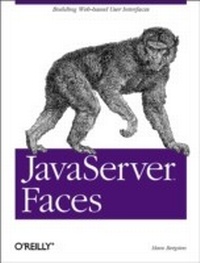
JavaServer Faces
Building Web-Based User Interfaces
1st Edition
Published on 22. April 2004
606 pages
978-0-596-52082-3 (ISBN)
Description

JavaServer Faces, or JSF, brings a component-based model to web application development that's similar to the model that's been used in standalone GUI applications for years. The technology builds on the experience gained from Java Servlets, JavaServer Pages, and numerous commercial and open source web application frameworks that simplify the development process.In JavaServer Faces, developers learn how to use this new framework to build real-world web applications. The book contains everything you'll need: how to construct the HTML on the front end; how to create the user interface components that connect the front end to your business objects; how to write a back-end that's JSF-friendly; and how to create the deployment descriptors that tie everything together.JavaServer Faces pays particular attention to simple tasks that are easily ignored, but crucial to any real application: working with tablular data, for example, or enabling and disabling buttons. And this book doesn't hide from the trickier issues, like creating custom components or creating renderers for different presentation layers. Whether you're experienced with JSF or a just starting out, you'll find everything you need to know about this technology in this book.Topics covered include:The JSF environmentCreating and rendering componentsValidating inputHandling user-generated eventsControlling page navigationWorking with tabular dataInternationalizationIntegration between JSF and StrutsDeveloping custom renderers and custom componentsJavaServer Faces is a complete guide to the crucial new JSF technology. If you develop web applications, JSF belongs in your toolkit, and this book belongs in your library.
More details
Other editions
Additional editions
Content
- Intro
- Table of Contents
- Preface
- In This Book
- Audience
- What You Need to Know
- Organization
- About the Examples
- Conventions Used in This Book
- How to Contact Us
- Acknowledgments
- Introducing JavaServer Faces
- What Is JavaServer Faces?
- How Does JSF Compare to Traditional Technologies?
- Less Code in the User Interface Templates
- More Modular User Interface Code
- Where Does JSF Fit in the Big Picture?
- Using JSF with JSP
- Using JSF with Struts and Other Application Frameworks
- Using JSF with Enterprise JavaBeans
- What You Need to Get Started
- JSF Development Process Overview
- Developing an Application with a JSF-Based User Interface
- Developing the Application Backend
- Developing Components and Integration Code
- Developing the User Interface Pages
- Setting Up the JSF Environment
- Installing the Java Software Development Kit
- Installing the Tomcat Server
- Windows Platforms
- Unix Platforms (Including Linux and Mac OS X)
- Testing Tomcat
- Installing the Book Examples
- Example Web Application Overview
- Servlet and JavaServer Pages Basics
- HTTP
- Requests in Detail
- Responses in Detail
- Request Parameters
- Request Methods
- Web Application Deployment and Runtime Environment
- Web Containers and Servlet Contexts
- Servlets, Filters, and Listeners
- Using Request Data
- Compiling, Installing, and Running a Servlet
- Generating Responses of Different Types
- Filters and Listeners
- Filters
- Listeners
- JavaServer Pages
- JSP Processing
- JSP Elements
- Directive elements
- Action elements
- Scripting elements
- Expression Language expressions
- JSP comments
- Creating, Installing, and Running a JSP Page
- Accessing Application Data
- Developing the Business Logic and Setting Up Authentication
- Sample Application Overview
- Implementing the Business Logic Classes
- The ReportEntry Class
- The Report Class
- The ReportRegistry and FileReportRegistry Classes
- Authentication and Authorization
- Authenticating the User
- Controlling Access to Web Resources
- Creating and Rendering Components
- The Basics
- Using JSF Components in a JSP Page
- Creating JSF Components
- Rendering the View
- Saving the View State
- Installing and Configuring a JSF Web Application
- Running a JSP Page Containing JSF Components
- Binding Components to Model Properties
- Using JSF EL Expressions
- Using Value Binding Expressions
- Converting Between Model and View Data Formats
- Creating Objects Automatically as They Are Needed
- Conditionally Render Components
- Conditionally Disable Components Using Bean Properties
- Conditionally Include Components Using Bean Properties
- Validating Input
- Dealing with Syntax Errors in User Input
- Using the Standard Validators
- Value Bindings for the Report Entry Fields
- Defining Custom Error Messages
- Using a Custom Validator
- Registering a Custom Validator
- Using a Custom Validator in a JSP Page
- Developing a Validator Custom Action
- Deploying the Custom Tag Library
- An Alternative for the Lazy
- Other Ways to Validate Input
- Handling Events
- Understanding the JSF Event Model
- The Request Processing Lifecycle Phases
- Handling Application Backend Events
- Using an Action Method and the Default ActionListener
- Using an Action Listener Method or Instance
- Specifying When to Fire an Event
- Handling User Interface Events
- Triggering an Event by Clicking a Button or a Link
- Triggering an Event by Changing a Value
- Controlling Navigation
- Moving Between JSF Views
- Choosing Between Redirect and Direct Rendering
- Using a Panel Component for Layout
- Returning a Non-JSF View Response
- Linking Non-JSF Resources
- Processing JSF Input and Generating a Non-JSF Response
- Returning a JSF View Response to a Non JSF Request
- Working with Tabular Data
- Displaying a Read-Only Table
- Using Facets
- A Word About JSF and Databases
- Processing Row-Specific Events
- Dealing with Large Tables
- Sorting the Data
- Scrolling Through the Data
- Giving the Table Some Style
- Editing Tabular Data
- Internationalization
- Localizing Application Output
- Selecting Localized Text
- Formatting Dates and Numbers
- Localizing Messages
- Handling Localized Application Input
- Dealing with Non-Western Languages
- Odds and Ends
- Building a View from Many JSP Files
- Using Static Includes for Pages with JSF Components
- Using one or multiple forms
- The included files
- Using Dynamic Includes for Pages with JSF Components
- Naming containers for included content
- Combining JSF Views with Other Content
- Dealing with Struts Applications and JSF
- Using the Struts-Faces Integration Package
- Migrating a Struts Application to JSF
- Picking the Right Technology for a New Application
- Programmatically Modifying Components
- Using a PhaseListener
- Debugging and Error Handling Ideas
- Using Standard Java Debugging Techniques
- Using Standard Web Application Error Handling
- Using Client-Side State Saving During Development
- Capturing State with a PhaseListener
- Developing Custom Renderers and Other Pluggable Classes
- Developing Custom Renderers
- A Renderer for Encoding Only
- The Renderer class
- Registering the renderer
- The JSP tag handler class
- Using the custom renderer
- A Renderer for Encoding and Decoding
- The Renderer class
- Registering the renderer
- The JSP tag handler class
- Using Other Custom Classes
- Packaging Custom Classes
- Developing Custom Components
- Extending an Existing Component
- The TabbedRenderer Class
- The UITabLabel Class
- Registering the Component
- The JSP Tag Handler Class
- Developing a New Component from Scratch
- The TreeModel Class
- The UITree Component Class
- The TreeRenderer Class
- Registering the Component and the Renderer
- The JSP Tag Handler Class
- Developing a Custom Presentation Layer
- The ViewHandler Class
- Using Java Classes as Views
- Developing the View Class
- Developing the ViewHandler
- Using Pure HTML Templates with XML View Definition Files
- Developing the HTML Template and the View Specification
- Developing the ViewHandler
- Standard JSF Tag Libraries
- JSF Tag Libraries URIs and Default Prefixes
- HTML Tag Library Actions
- Supported HTML 4.01 Attributes
- &h:column&
- &h:commandButton&
- &h:commandLink&
- &h:dataTable&
- &h:form&
- &h:graphicImage&
- &h:inputHidden&
- &h:inputSecret&
- &h:inputText&
- &h:inputTextarea&
- &h:message&
- &h:messages&
- &h:outputFormat&
- &h:outputLabel&
- &h:outputLink&
- &h:outputText&
- &h:panelGrid&
- &h:panelGroup&
- &h:selectBooleanCheckbox&
- &h:selectManyCheckbox&
- &h:selectManyListbox&
- &h:selectManyMenu&
- &h:selectOneListbox&
- &h:selectOneMenu&
- &h:selectOneRadio&
- Core Library Actions
- &f:actionListener&
- &f:attribute&
- &f:convertDateTime&
- &f:convertNumber&
- &f:converter&
- &f:facet&
- &f:loadBundle&
- &f:param&
- &f:selectItem&
- &f:selectItems&
- &f:subView&
- &f:validateDoubleRange&
- &f:validateLength&
- &f:validateLongRange&
- &f:validator&
- &f:valueChangeListener&
- &f:verbatim&
- &f:view&
- JSF Expression Language Reference
- Syntax
- Literals
- Keywords and Reserved Words
- Variables
- Implicit Variables
- Data Types
- Coercion Rules
- Expressions and Operators
- Operand Evaluation and Coercing Rules
- Property and array accessor operators
- Arithmetic operators
- Relational operators
- Logical operators
- Empty operator
- Standard JSF Components and Render Kits
- Component Class Categories
- Render-Independent Components
- Component Interfaces
- ActionSource
- EditableValueHolder
- NamingContainer
- StateHolder
- ValueHolder
- Component Classes
- UIColumn
- UICommand
- UIComponent and UIComponentBase
- UIData
- UIForm
- UIGraphic
- UIInput
- UIMessage
- UIMessages
- UINamingContainer
- UIOutput
- UIPanel
- UIParameter
- UISelectBoolean
- UISelectItem
- UISelectItems
- UISelectMany
- UISelectOne
- UIViewRoot
- Model Classes and Interfaces
- ArrayDataModel
- DataModel
- DataModelEvent
- DataModelListener
- ListDataModel
- ResultDataModel
- ResultSetDataModel
- ScalarDataModel
- SelectItem
- SelectItemGroup
- HTML Render Kit Classes
- Renderer Class
- Renderer
- Standard Renderer Behavior
- Command/Button
- Command/Link
- Data/Table
- Form/Form
- Graphic/Image
- Input/Hidden
- Input/Secret
- Input/Text
- Input/Textarea
- Message/Message
- Messages/Messages
- Output/Format
- Output/Label
- Output/Link
- Output/Text
- Panel/Grid
- Panel/Group
- SelectBoolean/Checkbox
- SelectMany/Checkbox
- SelectMany/Listbox
- SelectMany/Menu
- SelectOne/Listbox
- SelectOne/Menu
- SelectOne/Radio
- HTML-Specific Component Classes
- HtmlCommandButton
- HtmlCommandLink
- HtmlDataTable
- HtmlForm
- HtmlGraphicImage
- HtmlInputHidden
- HtmlInputSecret
- HtmlInputText
- HtmlInputTextarea
- HtmlMessage
- HtmlMessages
- HtmlOutputFormat
- HtmlOutputLabel
- HtmlOutputLink
- HtmlOutputText
- HtmlPanelGrid
- HtmlPanelGroup
- HtmlSelectBooleanCheckbox
- HtmlSelectManyCheckbox
- HtmlSelectManyListbox
- HtmlSelectManyMenu
- HtmlSelectOneListbox
- HtmlSelectOneMenu
- HtmlSelectOneRadio
- Request Processing Lifecycle
- Restore View
- Apply Request Values
- Process Validations
- Update Model Values
- Invoke Application
- Render Response
- Infrastructure API Reference
- Package javax.faces
- FacesException
- FactoryFinder
- Package javax.faces.application
- Application
- ApplicationFactory
- FacesMessage
- FacesMessage.Severity
- NavigationHandler
- StateManager
- StateManager.SerializedView
- ViewHandler
- Package javax.faces.context
- ExternalContext
- FacesContext
- FacesContextFactory
- ResponseStream
- ResponseWriter
- Package javax.faces.convert
- BigDecimalConverter
- BigIntegerConverter
- BooleanConverter
- ByteConverter
- CharacterConverter
- Converter
- ConverterException
- DateTimeConverter
- DoubleConverter
- FloatConverter
- IntegerConverter
- LongConverter
- NumberConverter
- ShortConverter
- Package javax.faces.el
- EvaluationException
- MethodBinding
- MethodNotFoundException
- PropertyNotFoundException
- PropertyResolver
- ReferenceSyntaxException
- ValueBinding
- VariableResolver
- Package javax.faces.event
- AbortProcessingException
- ActionEvent
- ActionListener
- FacesEvent
- FacesListener
- PhaseEvent
- PhaseId
- PhaseListener
- ValueChangeEvent
- ValueChangeListener
- Package javax.faces.lifecycle
- Lifecycle
- LifecycleFactory
- Package javax.faces.render
- Renderer
- RenderKit
- RenderKitFactory
- ResponseStateManager
- Package javax.faces.validator
- DoubleRangeValidator
- LengthValidator
- LongRangeValidator
- Validator
- ValidatorException
- Package javax.faces.webapp
- AttributeTag
- ConverterTag
- FacesServlet
- FacetTag
- UIComponentBodyTag
- UIComponentTag
- ValidatorTag
- Identifiers for Standard JSF Messages
- javax.faces.component.UIInput.CONVERSION
- javax.faces.component.UIInput.REQUIRED
- javax.faces.component.UISelectOne.INVALID
- javax.faces.component.UISelectMany.INVALID
- javax.faces.validator.NOT_IN_RANGE
- javax.faces.validator.DoubleRangeValidator.MAXIMUM
- javax.faces.validator.DoubleRangeValidator.MINIMUM
- javax.faces.validator.DoubleRangeValidator.TYPE
- javax.faces.validator.LengthRangeValidator.MAXIMUM
- javax.faces.validator.LengthRangeValidator.MINIMUM
- javax.faces.validator.LengthRangeValidator.TYPE
- javax.faces.validator.LongRangeValidator.MAXIMUM
- javax.faces.validator.LongRangeValidator.MINIMUM
- javax.faces.validator.LongRangeValidator.TYPE
- JSF Configuration File Reference
- &description&, &display-name&, and &icon&
- &application&
- &factory&
- &component&
- &converter&
- &lifecycle&
- &managed-bean&
- &navigation-rule&
- &referenced-bean&
- &render-kit&
- &validator&
- Web Application Structure and Deployment Descriptor Reference
- Web Application File Structure
- Placing Java Class Files in the Right Directory
- Web Application Deployment Descriptor
- &description&, &display-name&, and &icon&
- &distributable&
- &context-param&
- &filter&
- &filter-mapping&
- &listener&
- &servlet&
- &servlet-mapping&
- &session-config&
- &mime-mapping&
- &welcome-file-list&
- &error-page&
- &jsp-config&
- &resource-env-ref&
- &resource-ref&
- &security-constraint&
- &login-config&
- &security-role&
- &locale-encoding-mapping-list&
- &env-entry&
- &ejb-ref&
- &ejb-local-ref&
- &service-ref&
- &message-destination-ref&
- &message-destination&
- Example Application Deployment Descriptor
- Creating a WAR File
- Index
