

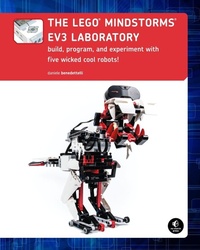
The LEGO® MINDSTORMS EV3 Laboratory
Build, Program, and Experiment with Five Wicked Cool Robots
Published on 13. October 2013
432 pages
978-1-59327-559-4 (ISBN)
Description

The LEGO® MINDSTORMS® EV3 set offers so many new and exciting features that it can be hard to know where to begin. Without the help of an expert, it could take months of experimentation to learn how to use the advanced mechanisms and numerous programming features.
In The LEGO MINDSTORMS EV3 Laboratory, author Daniele Benedettelli, robotics expert and member of the elite LEGO MINDSTORMS Expert Panel, shows you how to use gears, beams, motors, sensors, and programming blocks to create sophisticated robots that can avoid obstacles, walk on two legs, and even demonstrate autonomous behavior. You'll also dig into related math, engineering, and robotics concepts that will help you create your own amazing robots. Programming experiments throughout will challenge you, while a series of comics and countless illustrations inform the discussion and keep things fun.
As you make your way through the book, you'll build and program five wicked cool robots:
-ROV3R, a vehicle you can modify to do things like follow a line, avoid obstacles, and even clean a room
-WATCHGOOZ3, a bipedal robot that can be programmed to patrol a room using only the Brick Program App (no computer required!)
-SUP3R CAR, a rear-wheel-drive armored car with an ergonomic two-lever remote control
-SENTIN3L, a walking tripod that can record and execute color-coded sequences of commands
-T-R3X, a fearsome bipedal robot that will find and chase down prey
With The LEGO MINDSTORMS EV3 Laboratory as your guide, you'll become an EV3 master in no time.
Requirements: One LEGO MINDSTORMS EV3 set (LEGO SET #31313)
In The LEGO MINDSTORMS EV3 Laboratory, author Daniele Benedettelli, robotics expert and member of the elite LEGO MINDSTORMS Expert Panel, shows you how to use gears, beams, motors, sensors, and programming blocks to create sophisticated robots that can avoid obstacles, walk on two legs, and even demonstrate autonomous behavior. You'll also dig into related math, engineering, and robotics concepts that will help you create your own amazing robots. Programming experiments throughout will challenge you, while a series of comics and countless illustrations inform the discussion and keep things fun.
As you make your way through the book, you'll build and program five wicked cool robots:
-ROV3R, a vehicle you can modify to do things like follow a line, avoid obstacles, and even clean a room
-WATCHGOOZ3, a bipedal robot that can be programmed to patrol a room using only the Brick Program App (no computer required!)
-SUP3R CAR, a rear-wheel-drive armored car with an ergonomic two-lever remote control
-SENTIN3L, a walking tripod that can record and execute color-coded sequences of commands
-T-R3X, a fearsome bipedal robot that will find and chase down prey
With The LEGO MINDSTORMS EV3 Laboratory as your guide, you'll become an EV3 master in no time.
Requirements: One LEGO MINDSTORMS EV3 set (LEGO SET #31313)
More details
Other editions
Additional editions
Daniele Benedettelli
The LEGO® MINDSTORMS® EV3 Laboratory
Build, Program, and Experiment with Five Wicked Cool Robots!
Book
10/2013
1st Edition
No Starch Press
€41.50
Shipment within 3-4 weeks
Person
Daniele Benedettelli is known worldwide for his original LEGO robots, including his Rubik's Cube solvers and his humanoid robots. As a LEGO MINDSTORMS Community Partner (MCP), he helps to test and develop new MINDSTORMS products. He earned a master's degree in Robotics and Automation from the University of Siena in Italy. He holds educational presentations and workshops on Information and Communications Technology around the world and teaches robotics at the high school level.
Content
- Intro
- The Lego® Mindstorms® EV3 Laboratory: build, program, and experiment with five wicked cool robots!
- Dedication
- about the author
- about the technical reviewer
- about the comic designers
- acknowledgments
- introduction
- playing without a computer
- whom is this book for?
- what do I need to use this book?
- the EV3 software
- the structure of this book
- the companion website
- let's start already!
- comic: the EV3L scientist's apprentice
- 1. your LEGO MINDSTORMS EV3 set
- the studless way of building
- studless vs. studded: the structural differences
- naming the pieces
- beams
- straight beams
- angular beams
- frames
- thin beams and links
- connectors
- pins and axle pins
- axles and bushes
- axle, pin, and angle connectors
- cross blocks
- gears
- wheels, tires, and treads
- decorative pieces
- miscellaneous pieces
- electronic pieces
- the differences between the EV3 retail and education sets
- conclusion
- Comic: continued
- 2. building ROV3R
- base module
- ROV3R with wheels
- touch sensor bumper
- ROV3R with touch sensor bumper
- line-following module
- line-following ROV3R
- front IR sensor
- ROV3R with front IR sensor
- wall-following module
- wall-following ROV3R
- alternative: ROV3R with wall-following and line-following modules
- Dexter's cleaning tool
- ROV3R with cleaning tool
- alternative #1: ROV3R with cleaning tool and touch sensor bumper
- alternative #2: wall-following ROV3R with cleaning tool
- ROV3R with treads
- secret project: grabber module
- conclusion
- Comic continued
- 3. programming
- the building blocks of any program
- sequences
- choices
- loops
- programming with the brick program app
- your first brick program
- the block palette
- the action blocks
- the move block
- the large motor block
- the medium motor block
- the display block
- the sound block
- the brick status light block
- the wait blocks
- the wait touch sensor block
- the wait reflected light sensor block
- the wait color sensor block
- the wait brick buttons block
- the wait motor rotation block
- the wait time block
- the wait infrared sensor block
- the wait infrared remote block
- the loop block
- conclusion
- 4. advanced programming with the brick program app
- ROV3R with touch sensor bumper
- making ROV3R drive along geometric paths
- making ROV3R follow lines
- using the brick program to follow lines
- improving the motion
- making ROV3R follow walls
- improving the motion
- conclusion
- Comic continued
- 5. EV3 programming
- EV3 software setup
- EV3 software overview
- the lobby
- the programming interface
- the hardware page
- the tools menu
- the programming palettes
- the action blocks
- The Flow control blocks
- the sensor blocks
- the data operations blocks
- the advanced blocks
- My Blocks
- project properties
- connecting the EV3 brick to your computer
- importing a brick program
- analyzing the imported brick program
- editing the imported brick program
- going for precision
- traveling a precise distance
- turning a precise number of degrees
- experimenting with action blocks
- controlling the program flow
- the switch block
- conclusion
- Comic continued
- 6. experimenting with the EV3 infrared components
- remote IR beacon
- using the remote IR beacon as a remote
- using sensor blocks and data wires
- EV3 software features for debugging programs
- displaying data nicely with the text block
- understanding data types
- data type conversion
- following the remote IR beacon
- using the basic operations of the math block
- conclusion
- Comic continued
- 7. the math behind the magic!
- dealing with measurement noise
- the math block in advanced mode
- the round block
- the compare block
- converting numeric values to logic values
- embedded compare blocks
- the constant block
- improving our wall-following program
- conclusion
- Comic continued
- 8. LEGO recipes
- the angular beams unveiled
- triangles vs. rectangles
- extending beams
- bracing
- cross blocks
- gears revisited
- getting gears to mesh together well
- assembling gears
- gear combinations
- 90-degree-coupled gears
- gear trains
- the worm gear
- motion transformation
- building ideas for the motors
- medium motor with front output #1
- medium motor with front output #2
- medium motor with single lateral output
- medium motor with double lateral output
- medium motor with single geared-down lateral output
- medium motor with gearbox
- medium motor with multiple outputs
- large motor with horizontal output
- large motor gearing options
- conclusion
- Comic continued
- 9. building WATCHGOOZ3
- how does WATCHGOOZ3 walk?
- right leg assembly
- left leg assembly
- main assembly
- left foot assembly
- right foot assembly
- main assembly
- back bracket assembly
- front bracket assembly
- main assembly
- neck assembly
- main assembly
- Comic continued
- 10. programming WATCHGOOZ3
- the brick program for WATCHGOOZ3
- the program
- how it works
- running and troubleshooting the robot
- importing and editing the program in the EV3 software
- making a backup
- modifying the program
- creating My Blocks with the My Block Builder tool
- creating My Blocks with inputs and outputs
- automatically adding inputs and outputs to My Blocks
- additional configuration of a My Block
- creating an advanced program
- the ResetBody My Block
- creating the advanced My Block for walking
- the final program for WATCHGOOZ3
- the logic operations block
- the timer block
- conclusion
- Comic continued
- 11. building the SUP3R CAR
- main assembly
- hood assembly
- main assembly
- car roof assembly
- main assembly
- steering assembly
- main assembly
- building the R3MOTE
- conclusion
- Comic continued
- 12. programming the SUP3R CAR
- electronic vs. mechanical differentials
- using variables
- using arrays
- using the variable block with numeric and logic arrays
- using the array operations block
- using the switch block with multiple cases
- running parallel sequences (multitasking)
- building the My Blocks
- the ResetSteer My Block
- the Steer My Block
- the Drive My Block
- the ReadRemote2 My Block
- programming the car to drive around
- programming the car for remote control
- using arrays to clean up the Read Remote My Block
- programming the car to follow the beacon
- the Sign My Block
- the Saturation My Block
- the ReadBeacon My Block
- the range block
- the Followbeacon program
- adding a siren effect to the SUP3R CAR
- the loop interrupt block
- the stop program block
- conclusion
- Comic continued
- 13. building the SENTIN3L
- main assembly
- right leg assembly
- main assembly
- left leg assembly
- main assembly
- chest assembly
- main assembly
- left arm assembly
- right arm assembly
- main assembly
- back shield assembly
- back shield middle subassembly
- continuing the back shield assembly
- head subassembly
- completing the back shield assembly
- main assembly
- building the COLOR CUB3
- conclusion
- Comic continued
- 14. programming the SENTIN3L
- the file access block
- creating and deleting a file and writing data
- reading data from a file
- detecting the end of a file
- the random block
- building the My Blocks
- the ResetLegs My Block
- the WalkFWD My Block
- the Laser My Block
- the Turn My Block
- the PowerDownFX My Block
- the WaitButton My Block
- the SayColor My Block
- the ExeCode My Block
- the MakeProgram My Block
- the RunProgram My Block
- the MakePrgFile My Block
- the ParseFile My Block
- the RunPrgFile My Block
- programming the SENTIN3L to patrol
- color-programming the SENTIN3L at runtime
- making permanent runtime color programs
- conclusion
- Comic continued
- 15. building the T-R3X
- main assembly
- legs frame assembly
- main assembly
- left leg
- right leg assembly
- main assembly
- EV3 brick assembly
- main assembly
- head and torso assembly
- main assembly
- conclusion
- Comic continued
- 16. programming the T-R3X
- building the My Blocks for the Wander program
- the Reset My Block
- the MoveAbsolute and MoveAbsolute2 My Blocks
- the Step My Block
- the Roar My Block
- the Chew My Block
- the Look My Block
- the Right My Block
- the Left My Block
- the TurnUntil My Block
- programming the T-R3X to wander
- designing the behavior of the T-R3X
- Digging Deeper: Behavior Modeling Using State Machines
- implementing a state machine
- general structure
- starting state
- state variable
- transitions
- sensor events
- timer events
- timer-filtered events
- actions
- Digging Deeper: Computing Complex Logic Operations Using the Math Block
- making the My Blocks for the final program
- the Turn My Block
- the ReadBeacon My Block
- the INIT My Block
- the IDLE My Block
- the HUNGRY My Block
- the SEEK My Block
- the CHASE My Block
- programming the T-R3X's behavior
- conclusion
- Comic continued
- A. the EV3 31313 set bill of materials
- B. differences between the education set and retail set
- electronic devices
- the EV3 software
- turning the retail set into the education core set
- turning the education core set into the retail set
- turning the education expansion set into the retail set
- Comic end
- Index
- Copyright
