

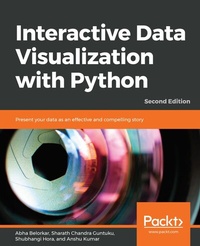
Interactive Data Visualization with Python
Present your data as an effective and compelling story
2nd Edition
Published on 14. April 2020
362 pages
978-1-80020-106-4 (ISBN)
Description

Create your own clear and impactful interactive data visualizations with the powerful data visualization libraries of Python
Key Features
Study and use Python interactive libraries, such as Bokeh and Plotly
Explore different visualization principles and understand when to use which one
Create interactive data visualizations with real-world data
Book DescriptionWith so much data being continuously generated, developers, who can present data as impactful and interesting visualizations, are always in demand. Interactive Data Visualization with Python sharpens your data exploration skills, tells you everything there is to know about interactive data visualization in Python. You'll begin by learning how to draw various plots with Matplotlib and Seaborn, the non-interactive data visualization libraries. You'll study different types of visualizations, compare them, and find out how to select a particular type of visualization to suit your requirements. After you get a hang of the various non-interactive visualization libraries, you'll learn the principles of intuitive and persuasive data visualization, and use Bokeh and Plotly to transform your visuals into strong stories. You'll also gain insight into how interactive data and model visualization can optimize the performance of a regression model. By the end of the course, you'll have a new skill set that'll make you the go-to person for transforming data visualizations into engaging and interesting stories.What you will learn
Explore and apply different interactive data visualization techniques
Manipulate plotting parameters and styles to create appealing plots
Customize data visualization for different audiences
Design data visualizations using interactive libraries
Use Matplotlib, Seaborn, Altair and Bokeh for drawing appealing plots
Customize data visualization for different scenarios
Who this book is forThis book intends to provide a solid training ground for Python developers, data analysts and data scientists to enable them to present critical data insights in a way that best captures the user's attention and imagination. It serves as a simple step-by-step guide that demonstrates the different types and components of visualization, the principles, and techniques of effective interactivity, as well as common pitfalls to avoid when creating interactive data visualizations. Students should have an intermediate level of competency in writing Python code, as well as some familiarity with using libraries such as pandas.
Key Features
Study and use Python interactive libraries, such as Bokeh and Plotly
Explore different visualization principles and understand when to use which one
Create interactive data visualizations with real-world data
Book DescriptionWith so much data being continuously generated, developers, who can present data as impactful and interesting visualizations, are always in demand. Interactive Data Visualization with Python sharpens your data exploration skills, tells you everything there is to know about interactive data visualization in Python. You'll begin by learning how to draw various plots with Matplotlib and Seaborn, the non-interactive data visualization libraries. You'll study different types of visualizations, compare them, and find out how to select a particular type of visualization to suit your requirements. After you get a hang of the various non-interactive visualization libraries, you'll learn the principles of intuitive and persuasive data visualization, and use Bokeh and Plotly to transform your visuals into strong stories. You'll also gain insight into how interactive data and model visualization can optimize the performance of a regression model. By the end of the course, you'll have a new skill set that'll make you the go-to person for transforming data visualizations into engaging and interesting stories.What you will learn
Explore and apply different interactive data visualization techniques
Manipulate plotting parameters and styles to create appealing plots
Customize data visualization for different audiences
Design data visualizations using interactive libraries
Use Matplotlib, Seaborn, Altair and Bokeh for drawing appealing plots
Customize data visualization for different scenarios
Who this book is forThis book intends to provide a solid training ground for Python developers, data analysts and data scientists to enable them to present critical data insights in a way that best captures the user's attention and imagination. It serves as a simple step-by-step guide that demonstrates the different types and components of visualization, the principles, and techniques of effective interactivity, as well as common pitfalls to avoid when creating interactive data visualizations. Students should have an intermediate level of competency in writing Python code, as well as some familiarity with using libraries such as pandas.
More details
Edition
2nd Revised edition
Language
English
Place of publication
Birmingham
United Kingdom
Target group
Professional and scholarly
US School Grade: College Graduate Student
Edition type
Revised edition
File size
23,09 MB
ISBN-13
978-1-80020-106-4 (9781800201064)
Copyright in bibliographic data and cover images is held by Nielsen Book Services Limited or by the publishers or by their respective licensors: all rights reserved.
Schweitzer Classification
Other editions
Additional editions
Abha Belorkar | Sharath Chandra Guntuku | Shubhangi Hora
Interactive Data Visualization with Python
Present your data as an effective and compelling story, 2nd Edition
Book
04/2020
2nd Edition
Packt Publishing
€85.20
Shipment within 3-4 weeks
Persons
Abha Belorkar is an educator and researcher in computer science. She received her bachelor's degree in computer science from Birla Institute of Technology and Science Pilani, India and her Ph.D. from the National University of Singapore. Her current research work involves the development of methods powered by statistics, machine learning, and data visualization techniques to derive insights from heterogeneous genomics data on neurodegenerative diseases. Sharath Chandra Guntuku is a researcher in natural language processing and multimedia computing. He received his bachelor's degree in computer science from Birla Institute of Technology and Science, Pilani, India and his Ph.D. from Nanyang Technological University, Singapore. His research aims to leverage large-scale social media image and text data to model social health outcomes and psychological traits. He uses machine learning, statistical analysis, natural language processing, and computer vision to answer questions pertaining to health and psychology in individuals and communities. Shubhangi Hora is a data scientist, Python developer, and published writer. With a background in computer science and psychology, she is particularly passionate about healthcare-related AI, including mental health. Shubhangi is also a trained musician. Anshu Kumar is a data scientist with over 5 years of experience in solving complex problems in natural language processing and recommendation systems. He has an M.Tech. from IIT Madras in computer science. He is also a mentor at SpringBoard. His current interests are building semantic search, text summarization, and content recommendations for large-scale multilingual datasets.
Content
Table of Contents
Introduction to Visualization with Python-Basic and Customized Plotting
Static Visualization - Global Patterns and Summary Statistics
From Static to Dynamic Visualization
Interactive Visualization of Data across Strata
Interactive Visualization of Data across Time
Interactive Visualization of Data across Geographical Regions
Avoiding Common Pitfalls to Create Interactive Visualization
Introduction to Visualization with Python-Basic and Customized Plotting
Static Visualization - Global Patterns and Summary Statistics
From Static to Dynamic Visualization
Interactive Visualization of Data across Strata
Interactive Visualization of Data across Time
Interactive Visualization of Data across Geographical Regions
Avoiding Common Pitfalls to Create Interactive Visualization
