

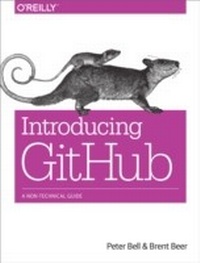
Introducing GitHub
A Non-Technical Guide
1st Edition
Published on 11. November 2014
142 pages
978-1-4919-4983-2 (ISBN)
Description

If youre new to GitHub, this concise book shows you just what you need to get started and no more. Its perfect for project and product managers, stakeholders, and other team members who want to collaborate on a development projectwhether its to review and comment on work in progress or to contribute specific changes. Its also great for developers just learning GitHub.GitHub has rapidly become the default platform for software development, but its also ideal for other text-based documents, from contracts to screenplays. This hands-on book shows you how to use GitHubs web interface to view projects and collaborate effectively with your team.Learn how and why people use GitHub to collaborateView the status of a projectrecent changes, outstanding work, and historic changesCreate and edit files through GitHub without learning GitSuggest changes to projects you dont have permission to edit directlyUse tools like issues, pull requests, and branches to specify and collaborate on changesCreate a new GitHub repository to control who has access to your project
More details
Other editions
New editions
E-Book
01/2018
2nd Edition
O'Reilly
€26.99
Available for download
Additional editions
Book
12/2014
1st Edition
O'Reilly
€20.00
Shipment within 10-20 days
Content
- Intro
- Table of Contents
- Preface
- Who This Book Is For
- Beyond Software
- Who This Book Is Not For
- How to Use This Book
- Conventions Used in This Book
- Safari® Books Online
- How to Contact Us
- Acknowledgments
- Chapter 1. Introduction
- What Is Git?
- What Is GitHub?
- Why Use Git?
- Why Use GitHub?
- Key Concepts
- Chapter 2. Viewing
- Introducing the Project Page
- Viewing the README.md File
- Viewing the Commit History
- Viewing Pull Requests
- Viewing Issues
- Viewing the Pulse
- Viewing GitHub Graphs
- The Contributors Graph
- The Commits Graph
- The Code Frequency Graph
- The Punch Card Graph
- The Network Graph
- The Members List
- The Traffic Graph
- Chapter 3. Editing
- Contributing via a Fork
- Adding a File
- Creating a Pull Request
- Editing a File
- Renaming or Moving a File
- Working with Folders
- Creating a Folder
- Renaming a Folder
- The Limits of Editing on GitHub
- Chapter 4. Collaboration
- Committing to a Branch
- Creating a Pull Request from a Branch
- Collaborating on Pull Requests
- Involving People with Pull Requests
- Reviewing Pull Requests
- Commenting on Pull Requests
- Adding Color to Comments
- Contributing to Pull Requests
- Testing a Pull Request
- Merging a Pull Request
- Who Should Merge a Pull Request?
- Pull Request Notifications
- Best Practices for Pull Requests
- Issues
- Creating a New Issue
- Managing Milestones for Issues
- Managing Labels for Issues
- Commenting on Issues
- Referencing Issues in a Commit
- Best Practices for Issues
- Wikis
- Getting Started with a Wiki
- Adding and Linking to a Page on Your Wiki
- GitHub Pages
- Creating a Website for Your Project
- Creating a Website for Yourself or Your Organization
- Chapter 5. Creating and Configuring
- Creating a Repository
- Adding Collaborators
- Configuring a Repository
- Integrating with Other Systems
- Personal Versus Organizational
- Creating an Organization
- Managing Teams
- Chapter 6. Downloading
- Why Clone a Repository?
- GitHub for Mac
- Making a Commit Using GitHub for Mac
- Viewing Changes in GitHub for Mac
- GitHub for Windows
- Making a Commit Using GitHub for Windows
- Configuring Command-Line Tools in GitHub for Windows
- Chapter 7. Next Steps
- Index
- About the Authors
