

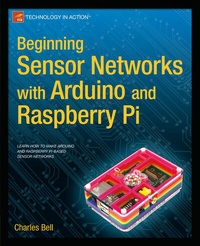
Beginning Sensor Networks with Arduino and Raspberry Pi
Published on 23. January 2014
XVII, 372 pages
978-1-4302-5825-4 (ISBN)
Description

Beginning Sensor Networks with Arduino and Raspberry Pi teaches you how to build sensor networks with Arduino, Raspberry Pi, and XBee radio modules, and even shows you how to turn your Raspberry Pi into a MySQL database server to store your sensor data! First you'll learn about the different types of sensors and sensor networks, including how to build a simple XBee network. Then you'll walk through building an Arduino-based temperature sensor and data collector, followed by building a Raspberry Pi-based sensor node. Next you'll learn different ways to store sensor data, including writing to an SD card, sending data to the cloud, and setting up a Raspberry Pi MySQL server to host your data. You even learn how to connect to and interact with a MySQL database server directly from an Arduino! Finally you'll learn how to put it all together by connecting your Arduino sensor node to your new Raspberry Pi database server. If you want to see how well Arduino and Raspberry Pi can get along, especially to create a sensor network, then Beginning Sensor Networks with Arduino and Raspberry Pi is just the book you need.
More details
Other editions
Additional editions
Book
11/2013
Apress
€48.14
Article exhausted; check for reprint
Person
Charles Bell conducts research in emerging technologies. He is a member of the Oracle MySQL Development team and is the team lead for the MySQL Utilities team. He lives in a small town in rural Virginia with his loving wife. He received his Doctor of Philosophy in Engineering from Virginia Commonwealth University in 2005. Dr. Bell is an expert in the database field and has extensive knowledge and experience in software development and systems engineering. His research interests include 3D printers, microcontrollers, three-dimensional printing, database systems, software engineering, and sensor networks. He spends his limited free time as a practicing Maker focusing on microcontroller projects and refinement of three-dimensional printers. Dr. Bell maintains a blog on his research projects and many other interests. You can find his blog at http://drcharlesbell.blogspot.com/.
Content
- Intro
- Contents at a Glance
- Contents
- About the Author
- About the Technical Reviewer
- Acknowledgments
- Chapter 1: Introduction to Sensor Networks
- Anatomy of a Sensor Network
- Examples of Sensor Networks
- Automotive
- Environment
- Atmospheric
- Security
- The Topology of a Sensor Network
- Communication Media
- Wired Networks
- Wireless Networks
- Hybrid Networks
- Types of Sensor Nodes
- Basic Sensor Nodes
- Data Nodes
- Aggregator Nodes
- Sensors
- How Sensors Measure
- Analog Sensors
- Digital Sensors
- Storing Sensor Data
- Examples of Sensors
- Summary
- Chapter 2: Tiny Talking Modules: An Introduction to XBee Wireless Modules
- What Is an XBee?
- XBee Primer
- Choosing XBee Modules
- Interacting with an XBee-ZB Module
- Pin Layout
- Configuring Modules
- Addresses
- ZigBee Networks
- Updating Firmware
- Changing Settings with a Terminal Application
- For More Information
- An XBee Wireless Chat Room
- Loading the Firmware for the Modules
- Capturing Serial Numbers
- Configuring the Coordinator
- Configuring the Router
- Let the Chat Begin
- For More Fun
- Building an XBee-ZB Mesh Network
- Loading the Firmware for the Modules
- Configuring the XBee Modules
- Forming Test Messages
- Testing the Network
- For More Fun
- Component Shopping List
- Troubleshooting Tips and Common Issues
- Things to Check
- Common Issues
- Summary
- Chapter 3: Arduino-Based Sensor Nodes
- What Is an Arduino?
- Arduino Models
- Leonardo
- Uno
- Due
- Mega 2560
- Mini
- Micro
- Nano
- Arduino Clones
- Arduino Pro
- Arduino Pro Mini
- Fio
- Seeeduino
- Sippino
- Prototino
- So, Which Do I Buy?
- Where to Buy
- Online Retailers
- Retail Stores (USA)
- Arduino Tutorial
- Learning Resources
- The Arduino IDE
- Project: Hardware "Hello, World!"
- Hardware Connections
- Writing the Sketch
- Compiling and Uploading
- Testing the Sensor
- Hosting Sensors with Arduino
- Project: Building an Arduino Temperature Sensor
- Hardware Setup
- Software Setup
- Writing the Sketch
- Test Execution
- Project: Using an Arduino as a Data Collector for XBee Sensor Nodes
- XBee Sensor Node
- Hardware Setup
- Configurin g the XBee
- Testing the XBee Sensor Node
- Arduino with XBee Shield
- Hardware Setup
- Software Setup
- Testing the Final Project
- For More Fun
- Component Shopping List
- Summary
- Chapter 4: Raspberry Pi-based Sensor Nodes
- What Is a Raspberry Pi?
- Noble Origins
- Models
- A Tour of the Board
- Required Accessories
- Recommended Accessories
- Pi Tin
- Pi Box
- Pibow
- Where to Buy
- Raspberry Pi Tutorial
- Getting Started
- Installing a Boot Image
- Choosing the Image
- Copying the Image to the SD Card
- Windows
- Mac OS X
- Linux
- Booting Up
- GPIO Pin Mapping
- Required Software
- Project: Hardware "Hello, World!"
- Hardware Connections
- Writing the Script
- Testing the Sensor
- For More Fun
- Hosting Sensors with Raspberry Pi
- Project: Building a Raspberry Temperature Sensor Node
- Hardware Setup
- Testing the Hardware
- Software Setup
- Testing the Sensor
- For More Fun
- Project: Building a Raspberry Barometric Pressure Sensor Node
- Hardware Setup
- Testing the Hardware
- Software Setup
- Testing the Sensor
- For More Fun
- Project: Creating a Raspberry Pi Data Collector for XBee Sensor Nodes
- XBee Sensor Node
- Hardware
- Software
- Testing the Final Project
- For More Fun
- Component Shopping List
- Summary
- Chapter 5: Where to Put It All: Storing Sensor Data
- Storage Methods
- Local Storage Options for the Arduino
- Nonvolatile Memory
- SD Card
- Project: Saving Data in Nonvolatile Memory
- Hardware Setup
- Software Setup
- Testing the Sketch
- For More Fun
- Project: Writing Data to an SD Card
- Hardware Setup
- Software Setup
- Testing the Sketch
- Local Storage Options for the Raspberry Pi
- Project: Writing Data to Files
- Remote Storage Options
- Storing Data in the Cloud
- Getting Started with Xively
- Using the Xively API
- Project: Writing Data to Xively with an Arduino
- Hardware Setup
- Software Setup
- Testing the Sketch
- For More Fun
- Project: Writing Data to Xively with a Raspberry Pi
- Hardware Setup
- Software Setup
- Testing the Script
- For More Fun
- Storing Sensor Data in a Database
- Component Shopping List
- Summary
- Chapter 6: Turning Your Raspberry Pi into a Database Server
- What Is MySQL?
- Getting Started with MySQL
- How and Where MySQL Stores Data
- The MySQL Configuration File
- How to Start, Stop, and Restart MySQL
- Creating Users and Granting Access
- MySQL and Python-MySQL Utilities
- Building a Raspberry Pi MySQL Server
- Partitioning and Formatting the Drive
- Setting Up Automatic Drive Mounting
- Project: Installing MySQL Server on a Raspberry Pi
- Installing MySQL
- Moving the Data Directory to the External Drive
- Advanced Project: Using MySQL Replication to Back Up Your Sensor Data
- What Is Replication, and How Does It Work?
- How to Set Up Replication
- Preparing the Master
- Preparing the Slave
- Component Shopping List
- Summary
- Chapter 7: MySQL and Arduino: United at Last!
- Introducing Connector/Arduino
- Hardware Requirements
- What About Memory ?
- How to Get MySQL Connector/Arduino
- Downloading the Library
- Limitations
- Building Connector/Arduino-Enabled Sketches
- Database Setup
- Setting Up the Arduino
- Starting a New Sketch
- Include Files
- Preliminary Setup
- Connecting to a MySQL Server
- Running a Query
- Testing the Sketch
- Troubleshooting Connector/Arduino
- MySQL Server Configuration
- Server Is Not Using Networking
- Cannot Connect, and Correct IP Address Is Used
- I Can Connect Locally but Not Remotely
- MySQL User Account Problems
- Networking Configuration
- Connector Installation
- Compilation Errors Related to "No Module Named"
- Compilation Errors Related to Include File
- I Copied the mysql.* Files to My Project Folder but Still Get Errors
- Other
- Strange Characters Appear in the Serial Monitor
- No Output in the Serial Monitor
- My Sketch Is Too Big
- None of These Solved My Problem-What Next?
- A Tour of the MySQL Connector/Arduino Code
- Library Files
- Field Structure
- Public Methods
- Example Uses
- Queries without Results
- Queries Returning Results
- Project: Building a MySQL Arduino Client
- Hardware Setup
- Software Setup
- Setting Up the Sensor Database
- Writing the Code
- Test Execution
- For More Fun
- Project Example: Inserting Data from Variables
- Project Example: How to Perform SELECT Queries
- Displaying a Result Set in the Serial Monitor
- Writing Your Own Display Method
- Example: Getting a Lookup Value from the Database
- Component Shopping List
- Summary
- Chapter 8: Building Your Network: Arduino Wireless Aggregator + Wireless Sensor Node + Raspberry Pi Server
- Data-Aggregate Nodes
- Local-Storage Data Aggregator
- Project: Data-Aggregate Node with Local Storage
- Hardware
- Data-Aggregate Node
- Sensor Nodes
- Software
- Overview
- Lightweight Web Server
- Local Storage Using the Onboard EEPROM
- Reading Data from Sensor Nodes via XBee
- Putting It All Together
- Testing the Project
- For More Fun
- Remote-Storage Data Aggregator
- Project: Arduino Data-Aggregate Node with Database Storage
- Hardware
- Software
- Adding the MySQL Connector Code to the Sketch
- Setting Up the MySQL Database
- Testing the Project
- For More Fun
- Project: Raspberry Pi Data-Aggregate Node with Database Storage
- Hardware
- Software
- Testing the Project
- For More Fun
- Component Shopping List
- Summary
- Chapter 9: Planning Wireless Sensor Networks
- Sensor Networks Best Practices
- Considerations for Data-Aggregate Nodes
- Network Type and Node Placement
- Storing Data
- Considerations for Sensor Network Databases
- How Data Is Organized
- Table Design Notes
- Adding Indexes for Query Efficiency
- Other Considerations
- Stay within Range of XBee Modules
- Keep an Engineering Logbook
- Putting It All Together: Testing and Deploying Your Sensor Network
- Choosing Sensor Nodes
- Wired Or Wireless?
- Arduino or Raspberry Pi?
- Cost
- Security
- Functionality
- Expandability
- Connectivity
- Alternative Hosts
- Seeed Studio Wireless Sensor Kit
- Raspberry Pi Alamode
- Project: Home Temperature-Monitoring Network
- Planning Considerations
- Planning the Nodes
- Cost Considerations
- What About Implementation?
- Conclusion
- For More Fun
- Optional Component Shopping List
- Summary
- Appendix: Shopping List
- Index
