

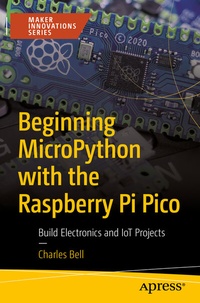
Beginning MicroPython with the Raspberry Pi Pico
Build Electronics and IoT Projects
Published on 23. July 2022
XXX, 628 pages
978-1-4842-8135-2 (ISBN)
Description

Program the Raspberry Pi Pico, the latest microcontroller board from raspberrypi.org, with MicroPython. This book will take you on a tour of the Raspberry Pi Pico, including how to get started using the microcontroller, seeing which alternative microcontrollers are available, and how to connect and run simple code examples.
You'll program example projects in MicroPython using Python on your PC as a learning platform. Then build your hardware skillset working with electronics and breadboard circuits. You'll implement example projects with all steps explained, including hardware connections and executing the project. Then apply them to real-world, approachable projects using the accessible Raspberry Pi Pico!
The book shows how the cloud is used for IoT data and find out what popular cloud systems currently exist for IoT. Finally, you'll use ThingSpeak for hosting IoT data including connecting your Pico to the Internet.
Beginning MicroPython with the Raspberry Pi Pico allows you to build up your skills to more advanced IoT projects and Cloud systems!
What You Will Learn
Who This Book Is For
Beginners interested in learning to work with the Raspberry Pi Pico using MicroPython on microcontrollers with little to no experience in programming, hardware, or electronics. The book should also appeal to those who wanting to gain experience with building electronic solutions with microcontrollers.
You'll program example projects in MicroPython using Python on your PC as a learning platform. Then build your hardware skillset working with electronics and breadboard circuits. You'll implement example projects with all steps explained, including hardware connections and executing the project. Then apply them to real-world, approachable projects using the accessible Raspberry Pi Pico!
The book shows how the cloud is used for IoT data and find out what popular cloud systems currently exist for IoT. Finally, you'll use ThingSpeak for hosting IoT data including connecting your Pico to the Internet.
Beginning MicroPython with the Raspberry Pi Pico allows you to build up your skills to more advanced IoT projects and Cloud systems!
What You Will Learn
-
Build valuable programming skills with MicroPython
-
Explore the Raspberry Pi Pico and similar boards
-
Develop your own electronics and IOT projects
-
Incorporate the Grove component system with the Raspberry Pi Pico
Who This Book Is For
Beginners interested in learning to work with the Raspberry Pi Pico using MicroPython on microcontrollers with little to no experience in programming, hardware, or electronics. The book should also appeal to those who wanting to gain experience with building electronic solutions with microcontrollers.
More details
Series
Edition
1st ed.
Language
English
Place of publication
Berkeley
United States
Publishing group
APRESS
Target group
Professional and scholarly
Product notice
Reflowable
Illustrations
XXX, 628 p. 191 illus.
File size
17,44 MB
ISBN-13
978-1-4842-8135-2 (9781484281352)
DOI
10.1007/978-1-4842-8135-2
Schweitzer Classification
Other editions
Additional editions
Book
07/2022
APress
€64.19
Shipment within 15-20 days
Person
Charles Bell
conducts research in emerging technologies. He is a member of the Oracle MySQL Development team and is one of the principal developers for the MySQL Database Service (MDS) team supporting MySQL as a service in the Oracle Cloud Infrastructure (OCI). He lives in a small town in rural Virginia with his loving wife. He received his Doctor of Philosophy in Engineering from Virginia Commonwealth University in 2005. Dr. Bell is an expert in the database field and has extensive knowledge and experience in software development and systems engineering. His research interests include 3D printers, microcontrollers, three-dimensional printing, database systems, cloud systems, software engineering, Internet of Things, and sensor networks. He spends his limited free time as a practicing Maker focusing on microcontroller projects and refinement of three-dimensional printers.
Content
Chapter 1: Introducing the Raspberry Pi Pico.- Chapter 2: Introducing MicroPython.- Chapter 3: How to Program in MicroPython.- Chapter 4: Low-Level Hardware Support.- Chapter 5: Electronics for Beginners.- Chapter 6: Project: Hello, World! MicroPython Style.- Chapter 7: Project: Pedestrian Crossing.- Chapter 8: Project: Soil Moisture Monitor.- Chapter 9: Introducing Grove.- Chapter 10: Project: Sound Activated Lights.- Chapter 11: Project: Simon Game.- Chapter 12: Example: Monitoring your Environment.- Chapter 13. Introducing IoT for the Cloud.- Chapter 14. Using ThingSpeak.
