

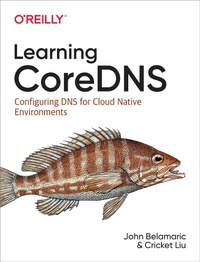
Learning Coredns
Configuring DNS for Cloud Native Environments
Published on 30. August 2019
206 pages
978-1-4920-4793-3 (ISBN)
Description

Until recently, learning CoreDNS required reading the code or combing through the skimpy documentation on the website. No longer. With this practical book, developers and operators working with Docker or Linux containers will learn how to use this standard DNS server with Kubernetes.
John Belamaric, senior staff software engineer at Google, and Cricket Liu, chief DNS architect at Infoblox, show you how to configure CoreDNS using real-world configuration examples to achieve specific purposes. You'll learn the basics of DNS, including how it functions as a location broker in container environments and how it ties into Kubernetes.
- Dive into DNS theory: the DNS namespace, domain names, domains, and zones
- Learn how to configure your CoreDNS server
- Manage and serve basic and advanced zone data with CoreDNS
- Configure CoreDNS service discovery with etcd and Kubernetes
- Learn one of the most common use cases for CoreDNS: the integration with Kubernetes
- Manipulate queries and responses as they flow through the plug-in chain
- Monitor and troubleshoot the availability and performance of your DNS service
- Build custom versions of CoreDNS and write your own plug-ins
More details
Language
English
Place of publication
Sebastopol
United States
File size
7,68 MB
ISBN-13
978-1-4920-4793-3 (9781492047933)
Copyright in bibliographic data and cover images is held by Nielsen Book Services Limited or by the publishers or by their respective licensors: all rights reserved.
Schweitzer Classification
Other editions
Additional editions
Book
09/2019
O'Reilly
€56.00
Article not available at the moment
Content
- Intro
- Copyright
- Table of Contents
- Preface
- Why a New DNS Server?
- Who Needs CoreDNS?
- Who This Book Is For
- What You Will Learn
- Conventions Used in This Book
- Using Code Examples
- O'Reilly Online Learning
- How to Contact Us
- Acknowledgments
- Chapter 1. Introduction
- What Is CoreDNS?
- CoreDNS, Containers, and Microservices
- CoreDNS Limitations
- CoreDNS, Kubernetes, and the Cloud Native Computing Foundation
- Chapter 2. A DNS Refresher
- What Is the Domain Name System?
- Domain Names and the Namespace
- Domains, Delegation, and Zones
- Resource Records
- DNS Servers and Authority
- Resolvers
- Resolution and Recursion
- Caching
- Resource Records
- NAME
- TTL
- CLASS
- Resource Record Types
- The A Record
- The AAAA Record
- The CNAME Record
- The MX Record
- The NS Record
- The SRV Record
- The PTR Record
- The SOA Record
- An Annotated Zone Data File
- Chapter 3. Configuring CoreDNS
- Getting CoreDNS
- CoreDNS Command-Line Options
- Corefile Syntax
- Environment Variables
- Reusable Snippets
- Import
- Server Blocks
- Query Processing
- Plug-ins
- Root
- File
- Secondary
- Forward
- Cache
- Errors
- Log
- Common Configuration Options
- fallthrough
- tls
- transfer to
- Sample DNS Server Configurations
- Caching-Only DNS Server
- Primary DNS Server
- Secondary DNS Server
- Chapter 4. Managing Zone Data
- The file Plug-in
- The auto Plug-in
- Using the auto Plug-in with Git
- The hosts Plug-in
- The route53 plug-in
- Chapter 5. Service Discovery
- Introduction to Service Discovery
- Solving the Service Discovery Problem
- Service Discovery with CoreDNS and etcd
- The etcd Plug-in
- Other Service Discovery Options
- Service Discovery and Container Orchestration
- Chapter 6. Kubernetes
- Basic Concepts
- Kubernetes Networking
- Cluster IP Services
- Headless Services
- Kubernetes DNS Specification
- CoreDNS Integration
- Default Configuration
- Stub Domains and Federations
- Cluster DNS Deployment Resources
- Role-Based Access Control
- Service
- Deployment
- Autoscaling
- A Better Configuration
- The kubernetes Plug-in
- CoreDNS Extensions
- Pod Options
- Wildcard Queries
- Autopath and the Dreaded ndots:5
- Zone Transfer Support
- Exposing Services Externally
- Modifying the Available Records
- Chapter 7. Manipulating Queries and Responses
- The template Plug-in
- The rewrite Plug-in
- Using the rewrite Plug-in for EDNS0 Options
- Multiple rewrite Rules
- The metadata Plug-in
- Signing Responses with the DNS Security Extensions
- Managing a DNSSEC-Signed Primary Zone
- On-the-Fly DNSSEC Signing with the dnssec Plug-in
- Case Study: Infoblox's BloxOne Threat Defense
- Identifying Users
- Applying Policy
- Chapter 8. Monitoring and Troubleshooting
- The prometheus Plug-in
- The log Plug-in
- The dnstap Plug-in
- The errors Plug-in
- The trace Plug-in
- The debug Plug-in
- Chapter 9. Building a Custom Server
- Compiling CoreDNS with an External Plug-in
- Building Using Docker
- Building on Your Workstation
- Modifying plugin.cfg
- Replacing main
- Writing a Custom Plug-in
- There Can Be Only One
- Integrating with Metrics, Trace, and Metadata
- Index
- About the Authors
- Colophon
