

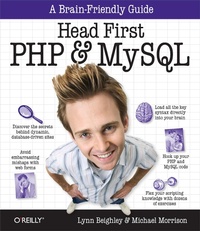
Head First PHP & MySQL
A Brain-Friendly Guide
Published on 22. December 2008
814 pages
978-1-4493-3155-9 (ISBN)
Description

If you're ready to create web pages more complex than those you can build with HTML and CSS, Head First PHP & MySQL is the ultimate learning guide to building dynamic, database-driven websites using PHP and MySQL. Packed with real-world examples, this book teaches you all the essentials of server-side programming, from the fundamentals of PHP and MySQL coding to advanced topics such as form validation, session IDs, cookies, database queries and joins, file I/O operations, content management, and more.Head First PHP & MySQL offers the same visually rich format that's turned every title in the Head First series into a bestseller, with plenty of exercises, quizzes, puzzles, and other interactive features to help you retain what you've learned.Use PHP to transform static HTML pages into dynamic web sitesCreate and populate your own MySQL database tables, and work with data stored in filesPerform sophisticated MySQL queries with joins, and refine your results with LIMIT and ORDER BYUse cookies and sessions to track visitors' login information and personalize the site for usersProtect your data from SQL injection attacksUse regular expressions to validate information on formsDynamically display text based on session info and create images on the flyPull syndicated data from other sites using PHP and XMLThroughout the book, you'll build sophisticated examples -- including a mailing list, a job board, and an online dating site -- to help you learn how to harness the power of PHP and MySQL in a variety of contexts. If you're ready to build a truly dynamic website, Head First PHP & MySQL is the ideal way to get going.
More details
Other editions
Additional editions

Lynn Beighley | Michael Morrison
Head First PHP & MySQL
Book
01/2009
1st Edition
O'Reilly
€37.00
Article not available at the moment
Content
- Intro
- Author(s) of Head First PHP & MySQL
- Table of Contents
- How to Use This Book: Intro
- Who is this book for?
- We know what you're thinking
- We know what your brain is thinking
- Metacognition: thinking about thinking
- Here's what WE did:
- Here's what YOU can do to bend your brain into submission
- Read Me
- The technical review team
- Acknowledgments
- Safari(R) Books Online
- Chapter 1: Add Life to Your Static Pages: It's Alive
- HTML is static and boring
- PHP brings web pages to life
- Dogs in space
- A form helps Owen get the whole story
- Forms are made of HTML
- The HTML form has problems
- HTML acts on the CLIENT
- PHP acts on the SERVER
- PHP scripts run on the server
- Use PHP to access the form data
- PHP scripts must live on a server!
- Get your PHP scripts to the server
- The server turns PHP into HTML
- Deconstructing Owen's PHP script
- A few PHP rules to code by
- Finding the perfect variable name
- Variables are for storing script data
- $_POST is a special variable that holds form data
- $_POST transports form data to your script
- Creating the email message body with PHP
- Even plain text can be formatted... a little
- Newlines need double-quoted strings
- Assemble an email message for Owen
- Variables store the email pieces and parts
- Sending an email message with PHP
- Owen starts getting emails
- Owen starts losing emails
- Your PHP & MySQL Toolbox
- Chapter 2: Connecting to MySQL: How It Fits Together
- Owen's PHP form works well. Too well...
- MySQL excels at storing data
- Owen needs a MySQL database
- Create a MySQL database and table
- The INSERT statement in action
- Use SELECT to get table data
- Let PHP handle the tedious SQL stuff
- PHP lets data drive Owen's web form
- Connect to your database from PHP
- Insert data with a PHP script
- Use PHP functions to talk to the database
- Get connected with mysqli_connect()
- Build the INSERT query in PHP
- Query the MySQL database with PHP
- Close your connection with mysqli_close()
- $_POST provides the form data
- Owen needs help sifting through his data
- Owen's on his way to finding Fang
- Chapter 3: Create and Populate a Database: Creating Your Own Data
- The Elvis store is open for business
- Elmer needs an application
- Visualize Elmer's application design
- It all starts with a table
- Make contact with the MySQL server
- Create a database for Elmer's emails
- Create a table inside the database
- We need to define our data
- Take a meeting with some MySQL data types
- Create your table with a query
- Getting the table in front of the database
- USE the database before you use it
- DESCRIBE reveals the structure of tables
- Elmer's ready to store data
- Create the Add Email script
- The other side of Elmer's application
- The nuts and bolts of the Send Email script
- First things first, grab the data
- mysqli_fetch_array() fetches query results
- Looping for a WHILE
- Looping through data with while
- You've got mail...from Elmer!
- Sometimes people want out
- Removing data with DELETE
- Use WHERE to DELETE specific data
- Minimize the risk of accidental deletions
- MakeMeElvis.com is a web application
- Your PHP & MySQL Toolbox
- Chapter 4: Realistic and Practical Applications: Your Application on the Web
- Elmer has some irritated customers
- Protecting Elmer from... Elmer
- Demand good form data
- The logic behind Send Email validation
- Your code can make decisions with IF
- Testing for truth
- IF checks for more than just equality
- The logic behind Send Email validation
- PHP functions for verifying variables
- Test multiple conditions with AND and OR
- Form users need feedback
- Ease in and out of PHP as needed
- Use a flag to avoid duplicate code
- Code the HTML form only once
- A form that references itself
- Point the form action at the script
- Check to see if the form has been submitted
- Some users are still disgruntled
- Table rows should be uniquely identifiable
- What Elmer's table contains now:
- What Elmer's table should contain:
- Primary keys enforce uniqueness
- The five rules of primary keys:
- From checkboxes to customer IDs
- Loop through an array with foreach
- Your PHP & MySQL Toolbox
- Chapter 5: Working with Data Stored in Files: When a Database Just Isn't Enough
- Virtual guitarists like to compete
- Text can't be trusted
- The proof is in the picture
- The application needs to store images
- Planning for image file uploads in Guitar Wars
- The high score database must be ALTERed
- How do we get an image from the user?
- Insert the image filename into the database
- Find out the name of the uploaded file
- Where did the uploaded file go?
- Create a home for uploaded image files
- Shared data has to be shared
- Shared script data is required
- Think of require_once as "insert
- Order is everything with high scores
- Honoring the top Guitar Warrior
- Format the top score with HTML and CSS
- Only small images allowed
- File validation makes the app more robust
- Plan for an Admin page
- Generate score removal links on the Admin page
- Scripts can communicate with each other
- Of GETs and POSTs
- GET, POST, and high score removal
- Isolate the high score for deletion
- Control how much you delete with LIMIT
- Your PHP & MySQL Toolbox
- Chapter 6: Securing Your Application: Assume They're All Out to Get You
- The day the music died
- Where did the high scores go?
- Securing the teeming hordes
- Protecting the Guitar Wars Admin page
- HTTP authentication requires headers
- Take control of headers with PHP
- Authenticating with headers
- OK, so maybe Guitar Wars is NOT secure
- Create an Authorize script
- Guitar Wars Episode II : Attack of the High Score Clones
- Subtraction by addition
- Security requires humans
- Plan for moderation in Guitar Wars
- Make room for approvals with ALTER
- Unapproved scores aren't worthy
- The million-point hack
- Everything in moderation... ?
- How exactly did she do it?
- Tricking MySQL with comments
- The Add Score form was SQL injected
- Protect your data from SQL injections
- A safer INSERT (with parameters)
- Form validation can never be too smart
- Cease fire!
- Your PHP & MySQL Toolbox
- Chapter 7: Building Personalized Web Apps: Remember Me?
- They say opposites attract
- Mismatch is all about personal data
- Mismatch needs user log-ins
- Come up with a user log-in gameplan
- Prepping the database for log-ins
- Constructing a log-in user interface
- Encrypt passwords with SHA()
- Comparing passwords
- Making room for the encrypted password
- Authorizing users with HTTP
- Logging In Users with HTTP Authentication
- A form for signing up new users
- Give users a chance to sign up
- Sometimes you just need a cookie
- What's in a cookie?
- Use cookies with PHP
- Rethinking the flow of log-ins
- A cookie-powered log-in
- Navigating the Mismatch application
- Logging out means deleting cookies
- Sessions aren't dependent on the client
- The life and times of sessions
- Keeping up with session data
- Renovate Mismatch with sessions
- Log out with sessions
- Complete the session transformation
- Users aren't feeling welcome
- Sessions are short-lived...
- ... but cookies can last forever!
- Sessions + Cookies = Superior log-in persistence
- Your PHP & MySQL Toolbox
- Chapter 7 1/2: Eliminate Duplicate Code: Sharing Is Caring
- Mismatch is in pieces
- Rebuilding Mismatch from a template
- Rebuild Mismatch with templates
- Mismatch is whole again... and much better organized
- Chapter 8: Control Your Data, Control Your World: Harvesting Data
- Making the perfect mismatch
- Mismatching is all about the data
- Break down the Mismatch data
- Model a database with a schema
- Wire together multiple tables
- Foreign keys in action
- Tables can match row for row
- One row leads to many
- Matching rows many-to-many
- Build a Mismatch questionnaire
- Get responses into the database
- We can drive a form with data
- Speaking of efficiency...
- Generate the Mismatch questionnaire form
- The data is now driving the form
- Strive for a bit of normalcy
- When normalizing, think in atoms
- Why be normal, really?
- Three steps to a normal database
- Altering the Mismatch database
- So is Mismatch really normal?
- A query within a query within a query...
- Let's all join tables
- Connect with dots
- Surely we can do more with inner joins
- Simplifying ON with USING
- Nicknames for tables and columns
- Joins to the rescue
- Love is a numbers game
- Five steps to a successful mismatch
- Prepare for the mismatch search
- Compare users for "mismatchiness
- All we need is a FOR loop
- Finishing the mismatching
- Your PHP & MySQL Toolbox
- Chapter 9: String and Custom Functions: Better Living Through Functions
- A good risky job is hard to find
- The search leaves no margin for error
- SQL queries can be flexible with LIKE
- Explode a string into individual words
- implode() builds a string from substrings
- Preprocess the search string
- Replace unwanted search characters
- The query needs legit search terms
- Copy non-empty elements to a new array
- Sometimes you just need part of a string
- Extract substrings from either end
- Multiple queries can sort our results
- Functions let you reuse code
- Build a query with a custom function
- SWITCH makes far more decisions than IF
- Give build query() the ability to sort
- We can paginate our results
- Get only the rows you need with LIMIT
- Control page links with LIMIT
- Keep track of the pagination data
- Set up the pagination variables
- Revise the query for paginated results
- Generate the page navigation links
- Putting together the complete Search script
- The complete Search script, continued...
- Your PHP & MySQL Toolbox
- Chapter 10: Regular Expressions: Rules for Replacement
- Risky Jobs lets users submit resumes
- Decide what your data should look like
- Formulate a pattern for phone numbers
- Match patterns with regular expressions
- Build patterns using metacharacters
- Fine-tune patterns with character classes
- Check for patterns with preg_match()
- Standardize the phone number data
- Get rid of the unwanted characters
- Matching email addresses can be tricky
- Domain suffixes are everywhere
- Use PHP to check the domain
- Email validation: putting it all together
- Your PHP & MySQL Toolbox
- Chapter 11: Visualizing Your Data... and More!: Drawing Dynamic Graphics
- Guitar Wars Reloaded: Rise of the Machines
- No input form is safe
- We need to separate man from machine
- We can defeat automation with automation
- Generate the CAPTCHA pass-phrase text
- Visualizing the CAPTCHA image
- Inside the GD graphics functions
- The GD graphics functions continued...
- Drawing text with a font
- Generate a random CAPTCHA image
- Returning sanity to Guitar Wars
- Add CAPTCHA to the Add Score script
- Five degrees of opposability
- Charting mismatchiness
- Storing bar graph data
- From one array to another
- Build an array of mismatched topics
- Formulating a bar graphing plan
- Crunching categories
- Doing the category math
- Bar graphing basics
- Draw and display the bar graph image
- Individual bar graph images for all
- Mismatch users are digging the bar graphs
- Your PHP & MySQL Toolbox
- Chapter 12: Syndication and Web Services: Interfacing to the World
- Owen needs to get the word out about Fang
- Push alien abduction data to the people
- RSS pushes web content to the people
- RSS is really XML
- From database to newsreader
- Visualizing RSS
- Dynamically generate an RSS feed
- Link to the RSS feed
- A video is worth a million words
- Pulling web content from others
- Syndicating YouTube videos
- Make a YouTube video request
- Owen is ready to build a REST request
- YouTube speaks XML
- Deconstruct a YouTube XML response
- Visualize the XML video data
- Access XML data with objects
- From XML elements to PHP objects
- Drill into XML data with objects
- Not without a namespace!
- Fang sightings are on the rise
- Lay out videos for viewing
- Format video data for display
- Your PHP & MySQL Toolbox
- The End.
- Appendix i: Leftovers: The Top Ten Topics (We Didn't Cover)
- #1. Retrofit this book for PHP4 and mysql functions
- #2. User permissions in MySQL
- #3. Error reporting for MySQL
- #4. Exception handling PHP errors
- #4. Exception handling PHP errors (cont.)
- #5. Object-oriented PHP
- #5. Object-oriented PHP (cont.)
- So two big advantages of using Object Oriented PHP are:
- #6. Securing your PHP application
- #6. Securing your PHP application (cont.)
- #7. Protect your app from cross-site scripting
- #7. Protect your app from cross-site scripting (cont.)
- Validate everything
- Built-in PHP functions can help
- Data is guilty until proven innocent
- #8. Operator precedence
- #9. What's the difference between PHP 5 and PHP 6
- More Unicode support
- #9. What's the difference between PHP 5 and PHP 6 (cont.)
- OO refinements, XML support, and other changes
- #10. Reusing other people's PHP
- Drupal
- phpBB
- Coppermine Gallery
- WordPress
- Appendix ii: Set Up a Development Environment: A Place to Play
- Create a PHP development environment
- Find out what you have
- Do you have a web server?
- Do you have PHP? Which version?
- Do you have MySQL? Which version?
- Start with the Web Server
- Apache installation... concluded
- PHP installation
- PHP installation steps
- PHP installation steps... concluded
- Installing MySQL
- Instructions and Troubleshooting
- Steps to Install MySQL on Windows
- Download your installer
- Pick a destination folder
- Click "Install" and you're done!
- Enabling PHP on Mac OS X
- Steps to Install MySQL on Mac OS X
- Moving from production to a live site
- Dump your data (and your tables)
- Prepare to use your dumped data
- Move dumped data to the live server
- Connect to the live server
- Appendix iii: Extend Your PHP: Get Even More
- Extending your PHP
- If you're using Windows, you're in luck
- And on the Mac...
- Index
- Symbols
- A
- B
- C
- D
- E
- F
- G
- H
- I
- J
- K
- L
- M
- N
- O
- P
- Q
- R
- S
- T
- U
- V
- W
- X
- Y
