

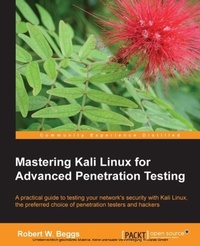
Mastering Kali Linux for Advanced Penetration Testing
This book will make you an expert in Kali Linux penetration testing. It covers all the most advanced tools and techniques to reproduce the methods used by sophisticated hackers. Full of real-world examples - an indispensable manual.
1st Edition
Published on 17. June 2024
356 pages
978-1-78216-313-8 (ISBN)
Description

Key FeaturesBook DescriptionThis book provides an overview of the kill chain approach to penetration testing, and then focuses on using Kali Linux to provide examples of how this methodology is applied in the real world. After describing the underlying concepts, step-by-step examples are provided that use selected tools to demonstrate the techniques.If you are an IT professional or a security consultant who wants to maximize the success of your network testing using some of the advanced features of Kali Linux, then this book is for you. This book will teach you how to become an expert in the pre-engagement, management, and documentation of penetration testing by building on your understanding of Kali Linux and wireless concepts.What you will learn - Employ the methods used by real hackers effectively, to ensure the most effective penetration testing of your network
- Select and configure the most effective tools from Kali Linux to test network security
- Employ stealth to avoid detection in the network being tested
- Recognize when stealthy attacks are being used against your network
- Exploit networks and data systems using wired and wireless networks as well as web services
- Identify and download valuable data from target systems
- Maintain access to compromised systems
- Use social engineering to compromise the weakest part of the network-the end users
Who this book is for
- Select and configure the most effective tools from Kali Linux to test network security
- Employ stealth to avoid detection in the network being tested
- Recognize when stealthy attacks are being used against your network
- Exploit networks and data systems using wired and wireless networks as well as web services
- Identify and download valuable data from target systems
- Maintain access to compromised systems
- Use social engineering to compromise the weakest part of the network-the end users
Who this book is for
All prices
More details
Other editions
New editions
Vijay Kumar Velu | Robert Beggs
Mastering Kali Linux for Advanced Penetration Testing.
Secure your network with Kali Linux 2019.1 - the ultimate white hat hackers' toolkit
E-Book
06/2024
3rd Edition
Packt Publishing Limited
€39.99
Available for download
Additional editions
Book
05/2014
Packt Publishing
€69.30
Shipment within 3-4 weeks
Person
Beggs Robert :
Robert Beggs is the founder and CEO of DigitalDefence, a Canadian-focused company that specializes in preventing and responding to information security incidents. Robert is a security practitioner with more than 15 years of experience. He has been responsible for the technical leadership and project management of more than 300 consulting engagements, including policy development and review, standards compliance, penetration testing of wired and wireless networks, third party security assessments, incident response and data forensics, and other consulting projects. Previously, he provided security services for a major Canadian financial institution and Netigy, a global network and security infrastructure firm based in San Jose.
Robert Beggs is the founder and CEO of DigitalDefence, a Canadian-focused company that specializes in preventing and responding to information security incidents. Robert is a security practitioner with more than 15 years of experience. He has been responsible for the technical leadership and project management of more than 300 consulting engagements, including policy development and review, standards compliance, penetration testing of wired and wireless networks, third party security assessments, incident response and data forensics, and other consulting projects. Previously, he provided security services for a major Canadian financial institution and Netigy, a global network and security infrastructure firm based in San Jose.
Content
Table of Contents - Kali quickstart
- Passive enumeration?
- Active enumeration (including vulnerability scanning)
- Exploitation
- Post Compromise - Data Harvesting, Priv Escalation
- Post Compromise - Maintaining Access, Exfiltration
- Physical security
- Attacking Wireless Communications
- Attacking web-based applications?
- Attacking remote access???
- Client-side exploitation
- Appendix: Creating a test environment?
- Passive enumeration?
- Active enumeration (including vulnerability scanning)
- Exploitation
- Post Compromise - Data Harvesting, Priv Escalation
- Post Compromise - Maintaining Access, Exfiltration
- Physical security
- Attacking Wireless Communications
- Attacking web-based applications?
- Attacking remote access???
- Client-side exploitation
- Appendix: Creating a test environment?

