

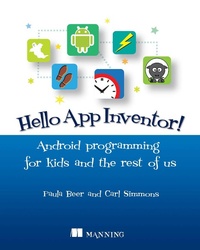
Hello App Inventor!
Android programming for kids and the rest of us
1st Edition
Published on 26. October 2014
360 pages
978-1-63835-309-6 (ISBN)
Description

Summary
Hello App Inventor! introduces creative young readers to the world of mobile programming?no experience required! Featuring more than 30 fun invent-it-yourself projects, this full-color, fun-to-read book starts with the building blocks you need to create a few practice apps. Then you'll learn the skills you need to bring your own app ideas to life.
Purchase of the print book includes a free eBook in PDF, Kindle, and ePub formats from Manning Publications.
About the Book
Have you ever wondered how apps are made? Do you have a great idea for an app that you want to make reality? This book can teach you how to create apps for any Android device, even if you have never programmed before. With App Inventor, if you can imagine it, you can create it. Using this free, friendly tool, you can decide what you want your app to do and then click together colorful jigsaw-puzzle blocks to make it happen. App Inventor turns your project into an Android app that you can test on your computer, run on your phone, share with your friends, and even sell in the Google Play store.
Hello App Inventor! introduces young readers to the world of mobile programming. It assumes no previous experience. Featuring more than 30 invent-it-yourself projects, this book starts with basic apps and gradually builds the skills you need to bring your own ideas to life. We've provided the graphics and sounds to get you started right away. And a special Learning Points feature connects the example you're following to important computing concepts you'll use in any programming language.
App Inventor is developed and maintained by MIT.
What's Inside
Hello App Inventor! introduces creative young readers to the world of mobile programming?no experience required! Featuring more than 30 fun invent-it-yourself projects, this full-color, fun-to-read book starts with the building blocks you need to create a few practice apps. Then you'll learn the skills you need to bring your own app ideas to life.
Purchase of the print book includes a free eBook in PDF, Kindle, and ePub formats from Manning Publications.
About the Book
Have you ever wondered how apps are made? Do you have a great idea for an app that you want to make reality? This book can teach you how to create apps for any Android device, even if you have never programmed before. With App Inventor, if you can imagine it, you can create it. Using this free, friendly tool, you can decide what you want your app to do and then click together colorful jigsaw-puzzle blocks to make it happen. App Inventor turns your project into an Android app that you can test on your computer, run on your phone, share with your friends, and even sell in the Google Play store.
Hello App Inventor! introduces young readers to the world of mobile programming. It assumes no previous experience. Featuring more than 30 invent-it-yourself projects, this book starts with basic apps and gradually builds the skills you need to bring your own ideas to life. We've provided the graphics and sounds to get you started right away. And a special Learning Points feature connects the example you're following to important computing concepts you'll use in any programming language.
App Inventor is developed and maintained by MIT.
What's Inside
- Covers MIT App Inventor 2
- How to create animated characters, games, experiments, magic tricks, and a Zombie Alarm clock
- Use advanced phone features like:
- Movement sensors
- Touch screen interaction
- GPS
- Camera
- Text
- Web connectivity
About the Authors
Paula Beerand Carl Simmons are professional educators and authors who spend most of their time training new teachers and introducing children to programming.
Table of Contents- Getting to know App Inventor
- Designing the user interface
- Using the screen: layouts and the canvas
- Fling, touch, and drag: user interaction with the touch screen
- Variables, decisions, and procedures
- Lists and loops
- Clocks and timers
- Animation
- Position sensors
- Barcodes and scanners
- Using speech and storing data on your phone
- Web-enabled apps
- Location-aware apps
- From idea to app
- Publishing and beyond
More details
Other editions
Additional editions
Book
11/2014
Manning Publications
€37.50
Article exhausted; check different version
Persons
Paula Beer is a professional educator who spends most of her time training new teachers and introducing children to programming. Paula is the author of The Process of Technology Learning and Applying Theory to Educational Research.
Carl Simmons is a professional educator who spends most of his time training new teachers and introducing children to programming. Carl co-authored a popular textbook about teaching computers to high school children: Teaching ICT.
Carl Simmons is a professional educator who spends most of his time training new teachers and introducing children to programming. Carl co-authored a popular textbook about teaching computers to high school children: Teaching ICT.
Content
- Intro
- Copyright
- Brief Table of Contents
- Table of Contents
- Preface
- Acknowledgments
- About this book
- Chapter 1. Getting to know App Inventor
- Chapter 2. Designing the user interface
- Chapter 3. Using the screen: layouts and the canvas
- Chapter 4. Fling, touch, and drag: user interaction with the touch screen
- Chapter 5. Variables, decisions, and procedures
- Chapter 6. Lists and loops
- Chapter 7. Clocks and timers
- Chapter 8. Animation
- Chapter 9. Position sensors
- Chapter 10. Barcodes and scanners
- Chapter 11. Using speech and storing data on your phone
- Chapter 12. Web-enabled apps
- Chapter 13. Location-aware apps
- Chapter 14. From idea to app
- Chapter 15. Publishing and beyond
- Index
