

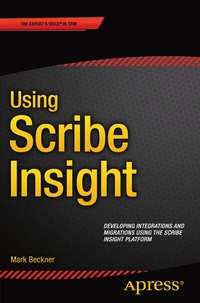
Using Scribe Insight
Description

Understand how to utilize the workbench, console, adapters, publisher, and other components in Scribe to ensure you have a rapid development toolkit that will drastically reduce your workload and timeline. In Using Scribe Insight , you'll learn to build your integrations and migrations with the minimal amount of effort, what shortcuts can be taken to simplify and reduce your labor, and what techniques can be used to keep your solutions as simple as possible.
You'll find discussions that span the full product, from installation and configuration of the core product and use of the development workbench to advanced concepts around mapping, administration, troubleshooting, and optimization of packages. You'll also be introduced to Scribe Online, how to do basic development within the environment, and how to determine when to develop solutions in Online vs. Insight.
What You Will Learn:
Build rapid solutions for complex migration and integration requirements
Approaches to advanced mapping techniques
Ways to optimize packages and increase performance
Utilize the Publisher and MSMQ
Understand troubleshooting and administration
Target Audience:
All developers or solution architects working within the CRM space, including Salesforce and Dynamics CRM, will eventually need to either migrate or integrate data from previous versions or external systems. Scribe is the leading platform for these integrations and migrations.
More details
Other editions
Additional editions
Person
Mark Beckner is a technical consultant specializing in business development and enterprise application integration. He runs his own consulting firm, Inotek Consulting Group, LLC, delivering innovative solutions to large corporations and small businesses. His projects have included engagements with numerous clients throughout the U.S., and range in nature from mobile application development to complete integration solutions. He has previously authored BizTalk 2010 Recipes, Pro EDI in BizTalk Server 2006 R2, and Pro RFID in BizTalk Server 2009 , and has spoken at a number of venues including Microsoft TechEd. In addition to BizTalk, he works with SharePoint, MSCRM, and custom .NET development. He was the lead on Apress' SharePoint development team. Beckner, his wife Sara, and his boys Ciro and Iyer live in New Mexico.
Content
1:Installing and Configuring Scribe Insight.- 2: Building and Testing Packages with the Workbench.- 3: Data Mapping Techniques.- 4: Advanced Development Techniques.- 5: Deploying and Scheduling Packages in the Console.- 6: Adapters, Publishers, and Queues.- 7: Performance and Optimization of Solutions.- 8:Administration and Troubleshooting.
