

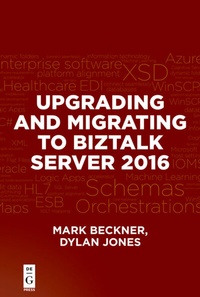
Upgrading and Migrating to BizTalk Server 2016
Description

There are a variety of considerations you'll need to take into account when migrating your solutions to BizTalk 2016. In this book, you'll find detailed information about how to migrate your components "as-is", as well as recompile them with the latest version of Visual Studio. You'll look at ways to improve your components pre-migration, as well as troubleshoot issues within these components. You'll learn how to make intelligent mapping updates, especially with XSLT, and how to simplify your overall architecture. Additionally, working with BizTalk 2016 in an Azure environment and building BizTalk Azure Services are covered.
Readers will look at migrating maps, orchestrations, .NET assemblies, database components, EDI parties and configurations, and other artifacts found in BizTalk solutions. They will also be able to quickly come to an understanding of what will be involved in a migration and what will be required for resourcing and costs associated with a migration. Readers will find information that will cover virtually every aspect of their upgrade to BizTalk 2016, and should come away with a simpler solution once that migration is complete.
More details
Other editions
Additional editions
Persons
Content
Migration Considerations ? 1
BizTalk 2016 Licensing and Installation ? 6
The Simple Standard Edition Solution ? 7
The Simple Multi-Server Enterprise Edition Solution ? 10
The Highly Available Enterprise Edition Solution with SQL Clustering ? 11
Notes on Web Services ? 11
Exercise: BizTalk 2016 Installation and Configuration ? 13
Installation ? 13
Configuration Options ? 14
Configuring Enterprise SSO ? 16
Configuring the BizTalk Group ? 17
Configuring the BizTalk Runtime ? 18
Configuring the Business Rules Engine ? 19
Configuring Business Activity Monitoring (BAM) ? 19
Configuring EDI and AS2 ? 19
Notes on Configurations within a Multi-Server Environment ? 20
Notes on SQL Server Maintenance ? 22
Summary ? 23
Chapter 2: Migrating Your Solution ? 25
Planning Your Deployment ? 25
Manual Deployments ? 26
MSI Deployments ? 31
Exporting the MSI ? 32
Importing the MSI ? 38
Validating Your Deployment ? 43
Summary ? 45
Chapter 3: Visual Studio and Maps ? 47
Recompiling Your Code in Visual Studio 2015 ? 47
Restructuring Your Code in Visual Studio 2015 ? 53
Testing Upgraded Maps ? 55
Making Code Changes to Maps ? 56
Inline XSLT Basics ? 58
Passing Input Parameters to XSLT ? 65
Calling .NET Assemblies from XSLT ? 68
Summary ? 70
Chapter 4: Orchestrations and C# ? 71
Revisiting SQL Server Integrations ? 71
Simplifying SQL Server Integrations ? 77
SQL and XML ? 86
Oracle and XML ? 88
Revisiting WCF and SOAP Integrations ? 89
Summary ? 93
Chapter 5: Migrating to Azure ? 95
Hosted Azure Servers ? 95
Azure BizTalk Services ? 99
Developing and Deploying a BizTalk Azure Solution ? 99
Starting Your BizTalk Service ? 111
Monitoring Your Azure BizTalk Service ? 113
Summary ? 116
Appendix: Managing Your Migration ? 117
Creating a TFS Project ? 117
Agile, CMMI, and Scrum ? 122
Features, Requirements, and Tasks ? 125
Summary ? 135
Index ? 137
