

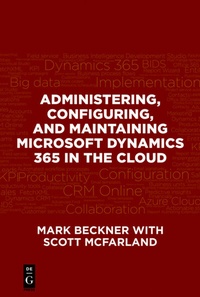
Administering, Configuring, and Maintaining Microsoft Dynamics 365 in the Cloud
Description

More details
Other editions
Additional editions
Persons
Mark Beckner is a technical consultant specializing in business strategy and enterprise application integration. In addition to running his own firm, Inotek Consulting Group, LLC, he advises developers on how to launch their own independent practices. Beckner has been in the industry for over 16 years, and formed Inotek Consulting Group in 2007. Under his leadership, the firm delivers innovative solutions to large corporations and small businesses, and their projects range in nature from mobile application development to complete integration solutions. He has authored numerous technical books including Upgrading and Migrating to BizTalk Server 2016 , BizTalk 2013 EDI for Health Care , and Microsoft Dynamics CRM API Development , and has spoken at a number of venues, including Microsoft TechEd.
Content
Setting Up Dynamics 365 Online ? 1
Basic Navigation of D365 ? 7
Advanced Find ? 10
System Settings and Auditing ? 14
Auto-Numbering ? 22
Summary ? 22
Chapter 2: Security ? 23
Business Units ? 23
Security Roles ? 25
Users ? 30
Teams ? 34
Field Level Security ? 36
Summary ? 40
Chapter 3: Customizations ? 41
Adding Fields ? 41
Publishing Your Changes ? 47
Option Sets ? 49
Lookups ? 50
Relationships ? 54
Creating New Entities ? 57
Modifying the Navigation (Site Map Revisions) ? 62
IFrames ? 65
JavaScript ? 67
Creating a Personal View ? 77
Customizing a View ? 80
Creating an Editable View ? 84
Summary ? 90
Chapter 4: Reporting ? 91
Using the Report Wizard ? 92
Using Business Intelligence Development Studio (BIDS) ? 100
Creating a Report Project ? 102
System Report Settings ? 112
Summary ? 113
Chapter 5: Importing Data ? 115
Using the CRM Import Wizard ? 115
Reviewing Data Import Status ? 121
Deleting Imported Data ? 123
Using Data Import Maps ? 126
Using Scribe to Import Data ? 128
Data Integration ? 134
Summary ? 135
Chapter 6: Business Process Flows and Business Rules ? 137
Business Process Flows ? 137
Business Rules ? 148
Summary ? 153
Chapter 7: Workflows and Other Processes ? 155
Accessing Workflows ? 155
Creating a Basic Workflow ? 157
Monitoring Workflow Status ? 164
On-Demand Workflows ? 165
Adding Logic to a Workflow ? 167
Creating Custom Workflow Activities ? 170
Dialogs ? 175
Actions ? 180
Summary ? 182
Chapter 8: Solutions ? 183
Creating a Solution ? 183
Exporting a Solution ? 188
Importing a Solution ? 192
Solutions and Versioning ? 195
Summary ? 196
Chapter 9: Templates ? 197
Creating a Global Email Template ? 197
Creating an Entity-Specific Email Template ? 200
Using an Email Template ? 202
Summary ? 206
Setting Your Landing Page ? 207
Customizing an Existing Dashboard ? 208
Creating a New Chart ? 213
Creating a New Dashboard ? 215
Summary ? 220
Chapter 11: Plugins and Workflow Activities ? 221
Developing a Plugin ? 221
Developing a Workflow Activity ? 229
Deploying Plugins and Workflow Activities ? 236
Administering Assemblies ? 241
Summary ? 242
Chapter 12: Ribbons ? 243
Using the Ribbon Workbench ? 244
Summary ? 250
Index ? 251
