

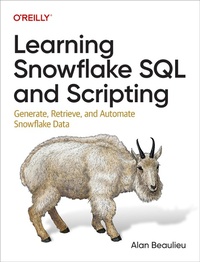
Learning Snowflake SQL and Scripting
Description

To help you on the path to becoming a Snowflake pro, this concise yet comprehensive guide reviews fundamentals and best practices for Snowflake''s SQL and Scripting languages. Developers and data professionals will learn how to generate, modify, and query data in the Snowflake relational database management system as well as how to apply analytic functions for reporting.
Author Alan Beaulieu also shows you how to create scripts, stored functions, and stored procedures to return data sets using Snowflake Scripting. This book is ideal whether you''re new to databases and need to run queries or reports against a Snowflake database, or transitioning from databases such as Oracle, SQL Server, or MySQL to cloud-based platforms.
With this book, you will:
- Generate and modify Snowflake data using INSERT, UPDATE, DELETE
- Query data in Snowflake using SELECT, including joining multiple tables, using subqueries, and grouping
- Apply analytic functions for performing subtotals, grand totals, row comparisons, and other reporting functionality
- Build scripts combining SQL statements with looping, if-then-else, and exception handling
- Learn how to build stored procedures and functions
- Use stored procedures to return data sets
More details
Other editions
Additional editions
Content
- Cover
- Copyright
- Table of Contents
- Preface
- Relational Database Primer
- Snowflake
- What Is SQL?
- What Is SQL Scripting?
- Setting Up a Sample Database
- Sample Database Setup
- Sample Database Option #1: Copy from TPCH_SF1
- Sample Database Option #2: Load Data from GitHub Files
- Conventions Used in This Book
- Using Code Examples
- O'Reilly Online Learning
- How to Contact Us
- Acknowledgments
- Chapter 1. Query Primer
- Query Basics
- Query Clauses
- The select Clause
- The from Clause
- The where Clause
- The group by Clause
- The having Clause
- The qualify Clause
- The order by Clause
- The limit Clause
- Wrap-Up
- Test Your Knowledge
- Exercise 1-1
- Exercise 1-2
- Exercise 1-3
- Exercise 1-4
- Chapter 2. Filtering
- Condition Evaluation
- Using Parentheses
- Using the not Operator
- Condition Components
- Equality Conditions
- Inequality Conditions
- Range Conditions
- Membership Conditions
- Matching Conditions
- Null Values
- Filtering Using Snowsight
- Wrap-Up
- Test Your Knowledge
- Exercise 2-1
- Exercise 2-2
- Exercise 2-3
- Exercise 2-4
- Chapter 3. Joins
- What Is a Join?
- Table Aliases
- Inner Joins
- Outer Joins
- Cross Joins
- Joining Three or More Tables
- Joining a Table to Itself
- Joining the Same Table Twice
- Wrap-Up
- Test Your Knowledge
- Exercise 3-1
- Exercise 3-2
- Exercise 3-3
- Exercise 3-4
- Chapter 4. Working with Sets
- Set Theory Primer
- The union Operator
- The intersect Operator
- The except Operator
- Set Operation Rules
- Sorting Compound Query Results
- Set Operation Precedence
- Wrap-Up
- Test Your Knowledge
- Exercise 4-1
- Exercise 4-2
- Exercise 4-3
- Exercise 4-4
- Chapter 5. Creating and Modifying Data
- Data Types
- Character Data
- Numeric Data
- Temporal Data
- Other Data Types
- Creating Tables
- Populating and Modifying Tables
- Deleting Data
- Modifying Data
- Merging Data
- Wrap-Up
- Test Your Knowledge
- Exercise 5-1
- Exercise 5-2
- Exercise 5-3
- Exercise 5-4
- Chapter 6. Data Generation, Conversion, and Manipulation
- Working with Character Data
- String Generation and Manipulation
- String Searching and Extracting
- Working with Numeric Data
- Numeric Functions
- Numeric Conversion
- Number Generation
- Working with Temporal Data
- Date and Timestamp Generation
- Manipulating Dates and Timestamps
- Date Conversion
- Wrap-Up
- Test Your Knowledge
- Exercise 6-1
- Exercise 6-2
- Exercise 6-3
- Exercise 6-4
- Chapter 7. Grouping and Aggregates
- Grouping Concepts
- Aggregate Functions
- count() Function
- min(), max(), avg(), and sum() Functions
- listagg() Function
- Generating Groups
- Multicolumn Grouping
- Grouping Using Expressions
- Generating Rollups
- Filtering on Grouped Data
- Filtering with Snowsight
- Wrap-Up
- Test Your Knowledge
- Exercise 7-1
- Exercise 7-2
- Exercise 7-3
- Exercise 7-4
- Chapter 8. Subqueries
- Subqueries Defined
- Subquery Types
- Uncorrelated Subqueries
- Correlated Subqueries
- Subqueries as Data Sources
- Subqueries in the from Clause
- Common Table Expressions
- Wrap-Up
- Test Your Knowledge
- Exercise 8-1
- Exercise 8-2
- Exercise 8-3
- Exercise 8-4
- Chapter 9. From Clause Revisited
- Hierarchical Queries
- Time Travel
- Pivot Queries
- Random Sampling
- Full Outer Joins
- Lateral Joins
- Table Literals
- Wrap-Up
- Test Your Knowledge
- Exercise 9-1
- Exercise 9-2
- Exercise 9-3
- Chapter 10. Conditional Logic
- What Is Conditional Logic?
- Types of Case Expressions
- Searched Case Expressions
- Simple Case Expressions
- Uses for Case Expressions
- Pivot Operations
- Checking for Existence
- Conditional Updates
- Functions for Conditional Logic
- iff() Function
- ifnull() and nvl() Functions
- decode() Function
- Wrap-Up
- Test Your Knowledge
- Exercise 10-1
- Exercise 10-2
- Exercise 10-3
- Chapter 11. Transactions
- What Is a Transaction?
- Explicit and Implicit Transactions
- Related Topics
- Finding Open Transactions
- Isolation Levels
- Locking
- Transactions and Stored Procedures
- Wrap-Up
- Test Your Knowledge
- Exercise 11-1
- Chapter 12. Views
- What Is a View?
- Creating Views
- Using Views
- Why Use Views?
- Data Security
- Data Aggregation
- Hiding Complexity
- Considerations When Using Views
- Wrap-Up
- Test Your Knowledge
- Exercise 12-1
- Exercise 12-2
- Chapter 13. Metadata
- information_schema
- Working with Metadata
- Schema Discovery
- Deployment Verification
- Generating Administration Scripts
- get_ddl() Function
- account_usage
- Wrap-Up
- Test Your Knowledge
- Exercise 13-1
- Exercise 13-2
- Chapter 14. Window Functions
- Windowing Concepts
- Data Windows
- Partitioning and Sorting
- Ranking
- Ranking Functions
- Top/Bottom/Nth Ranking
- Qualify Clause
- Reporting Functions
- Positional Windows
- Other Window Functions
- Wrap-Up
- Test Your Knowledge
- Exercise 14-1
- Exercise 14-2
- Exercise 14-3
- Exercise 14-4
- Chapter 15. Snowflake Scripting Language
- A Little Background
- Scripting Blocks
- Scripting Statements
- Value Assignment
- if
- case
- Cursors
- Loops
- Exceptions
- Wrap-Up
- Test Your Knowledge
- Exercise 15-1
- Exercise 15-2
- Exercise 15-3
- Exercise 15-4
- Chapter 16. Building Stored Procedures
- Why Use Stored Procedures?
- Turning a Script into a Stored Procedure
- Stored Procedure Execution
- Stored Procedures in Action
- Returning Result Sets
- Dynamic SQL
- Wrap-Up
- Test Your Knowledge
- Exercise 16-1
- Exercise 16-2
- Chapter 17. Table Functions
- User-Defined Functions
- What Is a Table Function?
- Writing Your Own Table Functions
- Using Built-In Table Functions
- Data Generation
- Flattening Rows
- Finding and Retrieving Query Results
- Wrap-Up
- Test Your Knowledge
- Exercise 17-1
- Exercise 17-2
- Exercise 17-3
- Exercise 17-4
- Chapter 18. Semistructured Data
- Generating JSON from Relational Data
- Storing JSON Documents
- Querying JSON Documents
- Wrap-Up
- Test Your Knowledge
- Exercise 18-1
- Exercise 18-2
- Exercise 18-3
- Appendix A. Sample Database
- Appendix B. Solutions to Exercises
- Chapter 1
- Solution to Exercise 1-1
- Solution to Exercise 1-2
- Solution to Exercise 1-3
- Solution to Exercise 1-4
- Chapter 2
- Solution to Exercise 2-1
- Solution to Exercise 2-2
- Solution to Exercise 2-3
- Solution to Exercise 2-4
- Chapter 3
- Solution to Exercise 3-1
- Solution to Exercise 3-2
- Solution to Exercise 3-3
- Solution to Exercise 3-4
- Chapter 4
- Solution to Exercise 4-1
- Solution to Exercise 4-2
- Solution to Exercise 4-3
- Solution to Exercise 4-4
- Chapter 5
- Solution to Exercise 5-1
- Solution to Exercise 5-2
- Solution to Exercise 5-3
- Solution to Exercise 5-4
- Chapter 6
- Solution to Exercise 6-1
- Solution to Exercise 6-2
- Solution to Exercise 6-3
- Solution to Exercise 6-4
- Chapter 7
- Solution to Exercise 7-1
- Solution to Exercise 7-2
- Solution to Exercise 7-3
- Solution to Exercise 7-4
- Chapter 8
- Solution to Exercise 8-1
- Solution to Exercise 8-2
- Solution to Exercise 8-3
- Solution to Exercise 8-4
- Chapter 9
- Solution to Exercise 9-1
- Solution to Exercise 9-2
- Solution to Exercise 9-3
- Chapter 10
- Solution to Exercise 10-1
- Solution to Exercise 10-2
- Solution to Exercise 10-3
- Chapter 11
- Solution to Exercise 11-1
- Chapter 12
- Solution to Exercise 12-1
- Solution to Exercise 12-2
- Chapter 13
- Solution to Exercise 13-1
- Solution to Exercise 13-2
- Chapter 14
- Solution to Exercise 14-1
- Solution to Exercise 14-2
- Solution to Exercise 14-3
- Solution to Exercise 14-4
- Chapter 15
- Solution to Exercise 15-1
- Solution to Exercise 15-2
- Solution to Exercise 15-3
- Solution to Exercise 15-4
- Chapter 16
- Solution to Exercise 16-1
- Solution to Exercise 16-2
- Chapter 17
- Solution to Exercise 17-1
- Solution to Exercise 17-2
- Solution to Exercise 17-3
- Solution to Exercise 17-4
- Chapter 18
- Solution to Exercise 18-1
- Solution to Exercise 18-2
- Solution to Exercise 18-3
- Index
- About the Author
- Colophon
