

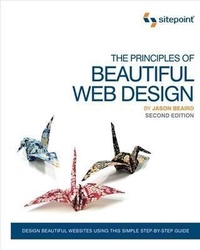
Principles of Beautiful Web Design
2nd Edition
Published on 28. November 2010
170 pages
978-1-4571-9244-9 (ISBN)
Description

This second edition of The Principles of Beautiful Web Design is the ideal book for people who can build websites, but are seeking the skills and knowledge to visually enhance their sites.
This book will teach you how to:
- Understand the process of what makes "good design," from discovery through to implementation
- Use color effectively, develop color schemes, and create a palette
- Create pleasing layouts using grids, the rule of thirds, and symmetry
- Employ textures: lines, points, shapes, volumes, and depth
- Apply typography to make ordinary designs look great
- Choose, edit, and position effective imagery
And lots more...
This revised, easy-to-follow guide is illustrated with beautiful, full-color examples, and leads readers through the process of creating great designs from start to finish.
It also features:
- Updated information about grid-based design
- How to design for mobile resolutions
- Information about the future of web fonts including @font-face
- Common user-interface patterns and resources
More details
Other editions
New editions
Additional editions

Jason Beaird
The Principles of Beautiful Web Design
Book
11/2010
SitePoint Pty Ltd
€52.18
Article exhausted; check for reprint
Person
Jason Beaird dual-majored in graphic design and digital media at the University of California Florida. When he's not working on websites, he enjoys disassembling electronics and using them in his artwork. Jason writes about his adventures in design and technology on his personal site, jasongraphix.com.
Content
- Intro
- The Principles of Beautiful Web Design
- Table of Contents
- Preface
- Who Should Read This Book
- What's in This Book
- Where to Find Help
- The SitePoint Forums
- The Book's Website
- Updates and Errata
- The SitePoint Newsletters
- The SitePoint Podcast
- Your Feedback
- Acknowledgments
- Conventions Used in This Book
- Code Samples
- Tips, Notes, and Warnings
- Layout and Composition
- The Design Process
- Discovery
- Exploration
- Implementation
- Defining Good Design
- Web Page Anatomy
- Grid Theory
- The Rule of Thirds
- 960 Grid System
- Balance
- Symmetrical Balance
- Asymmetrical Balance
- Unity
- Proximity
- Repetition
- Emphasis
- Placement
- Continuance
- Isolation
- Contrast
- Proportion
- Bread-and-butter Layouts
- Left-column Navigation
- Right-column Navigation
- Three-column Navigation
- Finding Inspiration
- Using a Morgue File
- Fresh Trends
- Navigationless Magazine Style
- Expansive Footers
- Bare-bones Minimalism
- Resizing: Fixed, Fluid, or Responsive Layouts
- Fixed Width
- Fluid Width
- An Alternative: Responsive Layouts
- Screen Resolution
- Application: Southern Savers
- Getting Started
- Color
- The Psychology of Color
- Color Associations
- Color Temperature
- Chromatic Value
- Saturation
- Color Theory 101
- Red, Yellow, and Blue, or CMYK
- The Scheme of Things
- A Monochromatic Color Scheme
- Monochromatic Color Scheme Examples
- An Analogous Color Scheme
- Analogous Color Scheme Examples
- A Complementary Color Scheme
- Complementary Color Scheme Examples
- Common Complementary Pitfalls
- Split-complementary, Triadic, and Tetradic
- Other Variants
- Creating a Palette
- Hexadecimal Notation
- Color Tools and Resources
- Color Scheme Designer 3
- Adobe Kuler
- COLOURlovers
- Color Stream iPhone App
- Pictaculous
- Colour Contrast Check
- Application: the Color of Coupons
- Texture
- Point
- Line
- Shape
- Rounded Corners
- Rotation
- Shapes and Layout
- Volume and Depth
- Perspective
- Proportion
- Light and Shadow
- Pattern
- Building Texture
- Aged, Weathered, Worn, and Nostalgic Style
- Clean and Grainy
- Handcrafted Scrapbook
- Whimsical Cartoon Style
- Minimal Texture
- Starting Your Own Textural Trends
- Application: Clipping and Saving
- Typography
- Taking Type to the Web
- Text Image Replacement
- Web Fonts with @font-face
- Self-hosted Web Fonts
- Web Font Services
- sIFR and Cufón
- Anatomy of a Letterform
- Text Spacing
- Horizontal Spacing
- Vertical Spacing
- Text Alignment
- Typeface Distinctions
- Serif Fonts
- Sans-serif Fonts
- Handwritten Fonts
- Fixed-width Fonts
- Novelty Fonts
- Dingbat Fonts
- Finding Fonts
- Free Font Galleries
- Commercial Font Galleries
- Individual Artists and Foundries
- Choosing the Right Fonts
- Setting Font Size and Line Height
- Using Punctuation and Special Characters
- Application: The Fine Print
- Imagery
- What to Look For
- Legitimate Image Sources
- Take It or Make It
- Stock Photography
- Free Images
- Royalty-free Images
- Rights-managed Images
- Getting Professional Help
- How Not to Impress
- Google Ganking
- Hotlinking
- Clipart
- Creative Cropping
- Photoshop Adjustments
- File Formats and Resolutions
- Creative Image Treatments
- Using Images to Enhance Images
- Using Pure CSS to Enhance Images
- Application: the Fine Print
- Onward and Upward
- Index
