

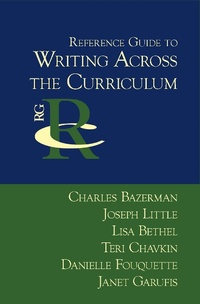
Reference Guide to Writing Across the Curriculum
Published on 4. July 2005
188 pages
978-1-932559-44-6 (ISBN)
Description

This reference guide traces the writing across the curriculum movement from its origins in British secondary education through its flourishing in American higher education and extension to American primary and secondary education.
More details
Other editions
Additional editions
Charles Bazerman | Joseph Little | Lisa Bethel
Reference Guide to Writing Across the Curriculum
Book
04/2005
Parlor Press
€34.20
Shipment within 3-4 weeks
Persons
Charles Bazerman is Professor and Chair of the Department of Education at the University of California, Santa Barbara, His most recent books are Writing Selves and Societies (co-edited with David Russell; http://wac.colostate.edu/books/selves_societies/ ) and What Writing Does and How It Does It (co-edited with Paul Prior). His The Languages of Edison's Light, won the Association of American Publisher's award for the best scholarly book of 1999 in the History of Science and Technology. Joseph Little is a writer and teacher of writing who lives and works in Toronto, having earned his PhD at UCSB in Language, Literacy, and Composition Studies. His work has been published in Written Communication, Rhetoric Society Quarterly, and the Journal of Technical Writing and Communication. Lisa Bethel teaches writing in the Los Angeles area. Teri Chavkin is a doctoral student in the Gevirtz Graduate School of Education at UCSB, specializing in the teaching of writing and researching the writing processes of students with high functioning autism. Danielle Fouquette is Instructor of English at Fullerton College, where she teaches writing and researches the assumptions and perspectives of teacher commentary on student writing. Janet Garufis is adding graduate studies in writing to a successful career in the banking industry. Her interests include business writing, writing and identity, and social justice.
Content
- Front Cover
- Series Page
- Title Page
- Copyright Page
- Table of Contents
- Preface
- Part 1: The WAC Movement
- Chapter 1: Introduction to Key Concepts
- Chapter 2: History of the WAC Movement
- Chapter 3: Programs in Writing Across the Curriculum
- Part 2: Approaches to Theory and Research
- Chapter 4: Research on WAC Teaching and Learning
- Chapter 5: Writing to Learn
- Chapter 6: Rhetoric of Science, Rhetoric of Inquiry, and Writing in the Disciplines
- Chapter 7: On-Going Concerns: The Particularity of Disciplinary Discourses
- Chapter 8: On-Going Concerns: The Place of Students in Disciplinary Discourses
- Part 3: Practical Guidelines
- Chapter 9: New Programmatic Directions
- Chapter 10: Assessment in Writing Across the Curriculum
- Chapter 11: WAC Classroom Practices--For Further Reading
- Bibliography
- About the Authors
- Index
- Back Cover
