

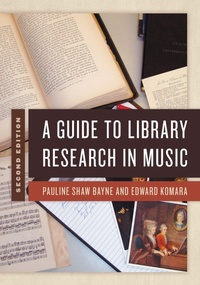
A Guide to Library Research in Music
2nd Edition
Published on 20. February 2020
288 pages
979-8-8818-7382-0 (ISBN)
Description

A Guide to Library Research in Music introduces students to the process and techniques for researching and writing about music. It provides examples of different types of writing, offers a thorough introduction to music literature, describes various information-searching methods and library-based organizational systems, and explores the wide array of music resources.
This second edition discusses the latest innovations in library catalog searching, new matters in digital technology, and the expansion in musical genres for library research. The book's organization allows for three independent tracks of study.
Part 1 treats essentials of the research process, explaining starting-point resources such as library catalogs, dictionaries, and bibliographies. It addresses scholarly documentation, the use of style manuals, and basics of copyright.
Part 2 develops skills and strategies for library- and Internet-based research, describing database structures and library catalogs, subject searching in catalogs and journal indexes, keyword searching techniques, related-record searching and citation databases, and the use of experts and thematic catalogs.
Part 3 discusses the organization of a music library, emphasizing score collections, books and journals in music literature, and music teaching publications.
This second edition discusses the latest innovations in library catalog searching, new matters in digital technology, and the expansion in musical genres for library research. The book's organization allows for three independent tracks of study.
Part 1 treats essentials of the research process, explaining starting-point resources such as library catalogs, dictionaries, and bibliographies. It addresses scholarly documentation, the use of style manuals, and basics of copyright.
Part 2 develops skills and strategies for library- and Internet-based research, describing database structures and library catalogs, subject searching in catalogs and journal indexes, keyword searching techniques, related-record searching and citation databases, and the use of experts and thematic catalogs.
Part 3 discusses the organization of a music library, emphasizing score collections, books and journals in music literature, and music teaching publications.
More details
Edition
2nd edition
Language
English
Place of publication
United States
Publishing group
Bloomsbury Publishing Plc
Illustrations
3 b/w illustrations; 2 b/w photos; 13 tables; 21 textboxes
ISBN-13
979-8-8818-7382-0 (9798881873820)
Copyright in bibliographic data and cover images is held by Nielsen Book Services Limited or by the publishers or by their respective licensors: all rights reserved.
Schweitzer Classification
Other editions
Additional editions
Pauline Shaw Bayne | Edward Komara
A Guide to Library Research in Music
Book
02/2020
2nd Edition
Rowman & Littlefield Publishers
€119.90
Shipment within 3-4 weeks
Persons
Pauline Shaw Bayne is retired assistant dean of libraries and professor at the University of Tennessee, Knoxville. Two web-based resources created by her-UT Song Index and UT Analysis Index-continue to be maintained by the staff of the George F. DeVine Music Library, which Bayne managed for 36 years. She has also written articles about moving library collections, digital audio reserves, delivering instructional media, and computer-based training for library staff.
Edward Komara is Distinguished Librarian at the Crane Music Library, the State University of New York at Potsdam. His contributions to music research have been in jazz, blues, rock, and other kinds of music for which recordings are the primary sources. His previous book for Rowman and Littlefield, 100 Books Every Blues Fan Should Own (with Greg Johnson), received the 2016 Vincent Duckles Award from the Music Library Association for the best book-length bibliography or reference work in music.
Edward Komara is Distinguished Librarian at the Crane Music Library, the State University of New York at Potsdam. His contributions to music research have been in jazz, blues, rock, and other kinds of music for which recordings are the primary sources. His previous book for Rowman and Littlefield, 100 Books Every Blues Fan Should Own (with Greg Johnson), received the 2016 Vincent Duckles Award from the Music Library Association for the best book-length bibliography or reference work in music.
Content
Preface
How to Use This Book
Acknowledgments
Part 1 The Short Course: Music Research and Writing
Chapter 1 The Research Process
Chapter 2 Starting-Point Resources: Reference Books
Chapter 3 Starting-Point Resources: Journals
Chapter 4 Starting-Point Resources: Bibliographies
Chapter 5 A Case Study
Chapter 6 Scholarly Writing
Chapter 7 Writing Samples
Part 2 How To: Discover and Use Resources
Chapter 8 Browsing as a Discovery Strategy
Chapter 9 Databases: Structured for Searching
Chapter 10 Subject Searching in Library Catalogs: Controlled Vocabulary
Chapter 11 Subject Searching in Indexes and Abstracts
Chapter 12 Keyword Searching
Chapter 13 Related-Record Searching and Citation Indexes
Chapter 14 Other Discovery Methods: Experts and the Internet
Chapter 15 Using Thematic Catalogs
Part 3 Resources: The Literature of Music
Chapter 16 M: The Music-Scores and Recordings
Chapter 17 ML: Music Literature
Chapter 18 MT: Instruction and Study
Appendix 1 Form Subdivisions: A Selective List from the Library of Congress Subject Headings
Appendix 2 Outline of the Library of Congress M-Class
Appendix 3 Topical Guide to Music in the Library of Congress Classification
Appendix 4 Bibliographies by Topic in ML128
Bibliography
How to Use This Book
Acknowledgments
Part 1 The Short Course: Music Research and Writing
Chapter 1 The Research Process
Chapter 2 Starting-Point Resources: Reference Books
Chapter 3 Starting-Point Resources: Journals
Chapter 4 Starting-Point Resources: Bibliographies
Chapter 5 A Case Study
Chapter 6 Scholarly Writing
Chapter 7 Writing Samples
Part 2 How To: Discover and Use Resources
Chapter 8 Browsing as a Discovery Strategy
Chapter 9 Databases: Structured for Searching
Chapter 10 Subject Searching in Library Catalogs: Controlled Vocabulary
Chapter 11 Subject Searching in Indexes and Abstracts
Chapter 12 Keyword Searching
Chapter 13 Related-Record Searching and Citation Indexes
Chapter 14 Other Discovery Methods: Experts and the Internet
Chapter 15 Using Thematic Catalogs
Part 3 Resources: The Literature of Music
Chapter 16 M: The Music-Scores and Recordings
Chapter 17 ML: Music Literature
Chapter 18 MT: Instruction and Study
Appendix 1 Form Subdivisions: A Selective List from the Library of Congress Subject Headings
Appendix 2 Outline of the Library of Congress M-Class
Appendix 3 Topical Guide to Music in the Library of Congress Classification
Appendix 4 Bibliographies by Topic in ML128
Bibliography
