

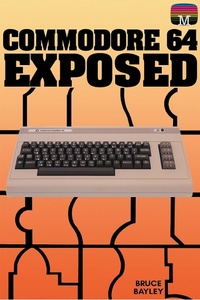
Commodore 64 Exposed
Published on 31. March 2022
201 pages
978-1-78982-545-9 (ISBN)
Description

First published in 1983, this outstanding reference work about the Commodore 64 helped many owners of the much-loved home computer understand their machine to a whole new level. The details within the book enabled users to perfect their coding skills in both BASIC and advanced machine code. To this day it remains a highly useful guide for those interested in retro games programming on the classic machine.* * *As the original publisher Melbourne House wrote:Here is the definitive book for the Commodore owner.A complete and comprehensive guide to make you total master of your Commodore 64.Commodore 64 Exposed is an encyclopedia of solutions from Basic programming through to machine language, and includes vital tables of memory locations and system variables.The step-by-step format is designed to ensure that every owner will understand exactly how their Commodore 64 works. Every feature and program variable is carefully explained with the aid of simple demonstration programs that can be entered in minutes.Whether you are a first-time computer user or a serious programmer, if you want to take full advantage of your Commodore 64's impressive capabilities, then this is the book for you.* * *Acorn Books is proud to present its Retro Reproduction Series, a collection of classic computing works from the 1980s and 90s, lovingly reproduced in the 21st century. From standards of programming reference no self-respecting microcomputer programmer would be without, to obscure works not found in print anywhere else, these modern reprints are perfect for any connoisseur of retro computing.
More details
Other editions
Additional editions
Content
- Cover
- Contents
- Front Matter
- Title Page
- Publisher Info
- Commodore 64 Exposed
- Chapter 1
- Programming in Basic
- Immediate and Program modes
- Control Structures
- Data Structures
- Bits and Bytes
- Characters
- Variables
- Arrays
- Operators
- Arithmetic Operators
- String Operators
- Relational Operators
- Binary and Hexadecimal number systems
- Masks
- Chapter 2
- Commodore 64 BASIC Commands
- Chapter 3
- Compressing BASIC Programs
- Abbreviations for BASIC keywords
- Appending BASIC programs
- BASIC program storage format
- Commodore 64 BASIC keyword codes
- Clearing the keyboard buffer
- Merge routine
- Block delete routine
- Chapter 4
- Sound
- Waveforms
- The ADSR envelope
- Controlling the sound chip
- Playing tunes
- Using multiple voices
- Using filters and resonance
- Putting it all together
- Special sound effects
- The sound chip registers
- Music note values
- Chapter 5
- Graphics
- Graphics memory
- Low resolution graphics
- Screen background and border colours
- Character colour
- Screen memory
- Character memory
- Designing your own characters
- Where to put the new character set
- High resolution graphics
- Multicolour characters
- Extended background colour mode
- Multicolour bit map mode
- Sprites
- Sprite pointers
- Turning sprites on
- Sprite colour
- Multicolour sprites
- Expanding sprites
- Sprite movements
- Sprite display priorities
- Sprite collisions
- Selecting a video bank
- VIC-II Chip register map
- Chapter 6
- Machine Language programming on the commodore 64
- Introduction
- Binary and Hexadecimal numbering system
- Registers and addressing modes
- Machine code and instruction mnemonics
- 6510 Micoprocessor set
- Simple machine language programs
- MON- Simple machine code monitor
- Commodore 65 memory map and management
- Program entry
- BASIC Statements
- Machine language monitor
- Editor / Assembler package
- Program execution
- Basic control program
- Machine language monitor
- Substitution of system handling routines
- Some commodore 64 useful routines
- Commodore 64 Kernal
- Concepts of Kernal and Operating system
- Power up initialisations
- Using Kernal routines
- Some useful kernal routines
- Simple programs that call kernal routines
- Graphics using machine code
- Raster interrupts
- Chapter 7
- External Devices
- Datasette
- Floppy disk drives
- Disk drive memory manipulation
- The 1515 graphic printer
- Games controls
- Keyboard
- Joystick
- Paddles
- Back Matter
- Appendices
- A- CHR$ value codes
- B- Complete memory map
- C- Keyboard graphics and how to get them
- D- Useful ROM routines
- E- BASIC error messages
- F- Current key pressed
- Also Available
