

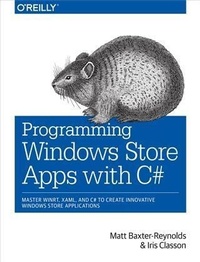
Programming Windows Store Apps with C#
Published on 13. February 2014
508 pages
978-1-4493-3324-9 (ISBN)
Description

If youre a .NET developer looking to build tablet apps, this practical book takes you step-by-step through the process of developing apps for the Windows Store. Youll learn how to use Microsofts Modern UI design language with Windows 8.1 and WinRT 8.1.1 by building a line-of-business mobile app with C# through the course of the book.To develop the app, youll work with the same system details and design specs that apply to retail apps, such as persistence, backend service, and Windows 8 features for sharing and search. Youll learn how to develop the code, incorporate third-party open source products, and package your app for the Windows Store.Build a UI with XAML and the Model/View/View-Model patternUnderstand asynchronyand rediscover threads and parallelismStore data and system settings locally with SQLiteUse app bars for commands and the settings charm for Help optionsPresent notifications as tile updates, badges, or toast popupsHelp users visualize locations and tag activities to a mapEnable apps to share data and run side-by-side in the UIImplement functionality for running tasks in the background
More details
Other editions
Additional editions
Matthew Baxter-Reynolds | Iris Classon
Programming Windows Store Apps with C#
Master Winrt, Xaml, and C# to Create Innovative Windows 8 Applications
Book
04/2014
1st Edition
O'Reilly
€47.00
Shipment within 10-20 days
Content
- Intro
- Copyright
- Table of Contents
- Preface
- Audience
- The Application
- The Chapters
- Prerequisites
- Source Code
- Using git
- Contacting the Authors
- Let's Go!
- Conventions Used in This Book
- Using Code Examples
- Safari® Books Online
- How to Contact Us
- Acknowledgments
- Chapter 1. Making the Transition from .NET (Part 1)
- Why WinRT?
- Philosophical Differences
- Objectives
- The New Project Templates
- WinRT Metadata
- Project Settings and Adding References
- Building a Basic User Interface
- UI Tracks
- XAML Parsing Basics
- Building a Basic Page
- Implementing MVVM
- WPF and Silverlight
- MVVM Structure and Inversion of Control
- Creating the View-Model and Running the App
- Chapter 2. Making the Transition from .NET (Part 2)
- Inversion of Control
- Installing TinyIoC
- Initializing IoC Defaults
- Understanding Asynchrony
- How Asynchrony Works in WinRT
- Calling the Server
- Building the Service Proxies
- Building the Register Method
- Finishing the UI to Call the Register Server Function
- Logon
- Building LogonServiceProxy
- Building the Logon Page
- Busy Indicators
- Positioning the Indicator
- Showing the Indicator
- Chapter 3. Local Persistent Data
- SQLite and sqlite-net
- Working with SQLite
- A Primer on Object-Relational Mapping
- Using the Micro-ORM in sqlite-net
- Storing Settings
- The SettingItem Class
- Linking in sqlite-net
- Creating the Database Table for SettingItem
- Reading and Writing Values
- Modifying LogonPageViewModel
- Caching Data Locally
- Local Caching
- Mapping JSON to Database Entities
- Creating Test Reports
- Setting Up the User Database
- Creating ReportsPage
- Using Templates
- Building a Local Cache
- Updating the Cache
- Returning Reports from the Server
- The Items Property
- Chapter 4. The App Bar
- Adding a Simple App Bar
- Getting Started with an App Bar
- App Bar Behavior
- App Bar with Single-Select Grid
- App Bar with Multiselect Grid
- A More Complex App Bar Implementation
- Showing the App Bar on Multiple Selections
- Checking Touch Operations
- Showing the App Bar on Right-Click
- Showing Context Options
- App Bar Images
- The Glyph Method
- Using Images
- Chapter 5. Notifications
- Local Notifications
- Turning Notifications On and Off
- XML Templates
- Toast
- Badges
- Tiles
- Other Notification Features
- Push Notifications
- WNS Process
- Handling User Accounts
- Obtaining a Notification URI
- Sending to WNS
- Troubleshooting Tips
- Chapter 6. Working with Files
- The File Picker
- File Associations
- Launching the App
- Handling the Launch
- Sandboxed File Access
- Walking and Copying Pictures
- Roaming Files
- Multiple Devices
- Setting Up the Remote Debugging Client
- Syncing Files
- Roaming Settings
- Using Files with StreetFoo
- Getting Report Images
- Migrating to ReportViewItem
- Implementing ReportImageCacheManager
- Chapter 7. Sharing
- Sharing Data
- Basic Sharing
- Pull Requests/Deferrals
- Acting as a Share Target
- Sharing Text
- Sharing Text (and Troubleshooting)
- Long-Running Operations
- Sharing Images
- Quick Links
- Chapter 8. Searching
- Implementing Search
- Creating the Search Results Page
- Creating SearchResultsPageViewModel
- Implementing the Search Operation
- Refining Search
- Placeholder Text
- Suggestions
- Remembering Where We Were
- Using the SearchBox
- Other Best-Practice Notes
- Chapter 9. Settings
- Adding Options
- Standard Options
- Adding Custom Options
- Implementing the Settings Flyout
- Building a Settings Pane
- Building MySettingsFlyout
- Developing a Help Screen
- Creating a Help Pane
- Handling the F1 Key
- Rendering Markup
- Chapter 10. Location
- Creating a Singleton View
- Creating the View-Model
- Creating the View
- Navigating to the View
- Retrieving a Current Location
- Using the Simulator with Location
- Integrating Maps
- Adding the Bing Maps Control
- Handling Input with the View
- Packaging Points for Display
- Showing Points on the Map
- Shelling to the Maps App
- Chapter 11. Using the Camera
- Capturing Photos
- Creating EditReportPage
- Building EditReportPageViewModel and Its View-Model
- Saving and Canceling
- Adding the New Option
- Handling Temporary Files
- Changing the Manifest
- Taking Pictures
- Implementing Save
- Validating and Saving
- Resizing Images
- Chapter 12. Responsive Design
- Updating the Grid View
- The VisualStateManager
- Creating MyListView
- Modifying the App Bar
- Updating Singleton Views
- Adding a More Button to the App Bar
- Handling Views That Don't Support 320-Pixel Width
- Chapter 13. Resources and Localization
- .pri Files
- Adding Strings
- Localizing Strings
- Default Project Locales
- Localizing Strings in XAML
- Conventions
- Changing Other Properties
- Explicitly Loading Strings
- Localizing Images
- Varying Images by Locale
- Varying Images by Display DPI
- Chapter 14. Background Tasks and App Lifetime
- App Lifetime
- Background Tasks API
- CPU Usage Quota
- Triggers and Conditions
- Execution Model
- Implementing a Sync Background Task
- Building the Façade
- Debugging the Task
- Troubleshooting Background Tasks
- Restricting the Run Period
- Implementing the Sync Function
- Sending Changes
- Receiving New Work
- Signaling the App from the Background Task
- Putting the App on the Lock Screen
- Chapter 15. Sideloading and Distribution
- Using the Windows App Certification Kit
- Distribution Through Production Sideloading
- Turning on Sideloading on Windows 8
- Installing Apps
- Distribution Through the Windows Store
- Appendix A. Cryptography and Hashing
- SSL
- Device Security
- SQLite
- Hashing
- Generating Random Data
- Symmetric Encryption
- Appendix B. Unit Testing Basics for Windows Store Apps
- Unit Testing for Newbies
- Creating a Test Project
- Testing RegisterServiceProxy
- Starting the Runtime and Handling async Methods
- Testing the View-Models
- Index
- About the Authors
