

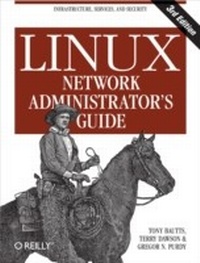
Linux Network Administrator's Guide
1st Edition
Published on 3. February 2005
362 pages
978-0-596-51723-6 (ISBN)
Description

The Linux Network Administrator's Guide, Third Edition dispenses all the practical advice you need to join a network. Along with some hardware considerations, this highly acclaimed guide takes an in-depth look at all of the essential networking software that comes with the operating system--including basic infrastructure (TCP/IP, wireless networking, firewalling) and the most popular services on Linux systems.But as the follow-up to a classic, the third edition of the Linux Network Administrator's Guide does more than just spruce up the basics. It also provides the very latest information on the following cutting-edge services:Wireless hubsOpenLDAPFreeS/WANIMAPSpam filteringOpenSSHBINDIPv6Featuring a litany of insider tips and techniques, the Linux Network Administrator's Guide, Third Edition is an invaluable companion for any network administrator interested in integrating Linux into their Windows environmentAuthored by Terry Dawson, Tony Bautts, and Gregor N. Purdy, the Linux Network Administrator's Guide, Third Edition emerged from the Linux Documentation Project (LDP). The LDP's goal is to centralize all of the issues of Linux documentation, ranging from online documentation topics such as installing, using, and running Linux.
More details
Other editions
Additional editions
Tony Bautts | Terry Dawson | Gregor N. Purdy
Linux Network Administrator's Guide
Book
03/2005
3rd Edition
O'Reilly
€33.00
Shipment within 10-20 days
Content
- Intro
- Table of Contents
- Preface
- Purpose and Audience for This Book
- Sources of Information
- Linux Documentation Project Guides
- Books
- HOWTO documents
- Linux Frequently Asked Questions
- Documentation Available via WWW
- Documentation Available Commercially
- Linux Journal and Linux Magazine
- Linux Usenet Newsgroups
- Linux Mailing Lists
- Linux User Groups
- Obtaining Linux
- Filesystem Standards
- Standard Linux Base
- About This Book
- The Official Printed Version
- Overview
- Conventions Used in This Book
- Safari Enabled
- How to Contact Us
- Acknowledgments
- Introduction to Networking
- History
- TCP/IP Networks
- Introduction to TCP/IP Networks
- Ethernets
- Other Types of Hardware
- The Internet Protocol
- IP over Serial Lines
- The Transmission Control Protocol
- The User Datagram Protocol
- More on Ports
- The Socket Library
- Linux Networking
- Different Streaks of Development
- Where to Get the Code
- Maintaining Your System
- System Security
- Issues of TCP/IP Networking
- Networking Interfaces
- IP Addresses
- Classless Inter-Domain Routing
- Address Resolution
- IP Routing
- IP networks
- Subnetworks
- Gateways
- The Routing Table
- Metric Values
- The Internet Control Message Protocol
- Resolving Hostnames
- Configuring the Serial Hardware
- Communications Software for Modem Links
- Introduction to Serial Devices
- Accessing Serial Devices
- The Serial Device Special Files
- Serial Hardware
- Using the Configuration Utilities
- The setserial Command
- The stty Command
- Serial Devices and the login: Prompt
- Configuring the mgetty Daemon
- Configuring TCP/IP Networking
- Understanding the /proc Filesystem
- Installing the Tools
- Setting the Hostname
- Assigning IP Addresses
- Using DHCP to Obtain an IP Address
- Running a DHCP server
- Creating Subnets
- Writing Hosts and Networks Files
- Interface Configuration for IP
- The Loopback Interface
- Ethernet Interfaces
- Routing Through a Gateway
- Configuring a Gateway
- The Point-to-Point Interface
- The PPP Interface
- IP Alias
- All About ifconfig
- The netstat Command
- Displaying the routing table
- Displaying interface statistics
- Displaying connections
- Testing Connectivity with traceroute
- Checking the ARP Tables
- Name Service and Configuration
- The Resolver Library
- The nsswitch.conf File
- Configuring Nameserver Lookups Using resolv.conf
- Resolver Robustness
- How DNS Works
- Name Lookups with DNS
- Types of Nameservers
- The DNS Database
- The BIND named.conf File
- The DNS Database Files
- Caching-Only named Configuration
- Writing the Master Files
- Verifying the Nameserver Setup
- Using nslookup
- Other Useful Tools
- Alternatives to BIND
- Installing djbdns
- Adding Hosts
- Installing an External DNS Cache
- The Point-to-Point Protocol
- PPP on Linux
- Running pppd
- Using Options Files
- Using chat to Automate Dialing
- IP Configuration Options
- Choosing IP Addresses
- Routing Through a PPP Link
- Link Control Options
- General Security Considerations
- Authentication with PPP
- PAP Versus CHAP
- The CHAP Secrets File
- The PAP Secrets File
- Debugging Your PPP Setup
- More Advanced PPP Configurations
- PPP Server
- Demand Dialing
- Persistent Dialing
- PPPoE Options in Linux
- PPPoE Clients
- PPPoE manual client configuration
- TCP/IP Firewall
- Methods of Attack
- What Is a Firewall?
- What Is IP Filtering?
- Netfilter and iptables
- Example iptables Commands
- A packet-filtering example
- A Masquerading example
- A network translation example
- iptables Concepts
- Packet Flow
- Three Ways We Can Do Filtering
- Tables
- Chains
- Rules
- Matches
- Targets
- Setting Up Linux for Firewalling
- Loading the Kernel Module
- Backward Compatibility with ipfwadm and ipchains
- Using iptables
- Getting Help
- The iptables Subcommands
- Basic iptables Matches
- Internet Protocol (IPv4) Matches
- Ethernet Media Access Controller (MAC) Match
- Internet Control Message Protocol Match
- User Datagram Protocol Match
- Transmission Control Protocol Match
- A Naive Example
- A Sample Firewall Configuration
- References
- IP Accounting
- Configuring the Kernel for IP Accounting
- Configuring IP Accounting
- Accounting by Address
- Accounting by Service Port
- Accounting of ICMP Packets
- Accounting by Protocol
- Using IP Accounting Results
- Listing Accounting Data
- Resetting the Counters
- Flushing the Rule Set
- Passive Collection of Accounting Data
- IP Masquerade and Network Address Translation
- Side Effects and Fringe Benefits
- Configuring the Kernel for IP Masquerade
- Configuring IP Masquerade
- Handling Nameserver Lookups
- More About Network Address Translation
- Important Network Features
- The inetd Super Server
- The tcpd Access Control Facility
- The xinetd Alternative
- The Services and Protocols Files
- Remote Procedure Call
- Configuring Remote Login and Execution
- Disabling the r Commands
- Installing and Configuring ssh
- The ssh daemon
- The ssh client
- Using ssh
- Administration Issues with Electronic Mail
- What Is a Mail Message?
- How Is Mail Delivered?
- Email Addresses
- RFC 822
- Obsolete Mail Formats
- How Does Mail Routing Work?
- Mail Routing on the Internet
- sendmail
- Installing the sendmail Distribution
- Downloading sendmail Source Code
- Compiling sendmail
- Installing the sendmail Binary
- sendmail Configuration Files
- Comments
- Typically Used sendmail.mc Commands
- VERSIONID
- OSTYPE
- DOMAIN
- FEATURE
- define
- MAILER
- LOCAL_*
- sendmail.cf Configuration Language
- sendmail.cf R and S Commands
- The Left Side
- The Right Side
- A Simple Rule Pattern Example
- A Complete Rewrite Rule Example
- Creating a sendmail Configuration
- The linux.m4 OSTYPE File
- The generic.m4 DOMAIN File
- Creating a Sample Linux sendmail Configuration
- Building the sendmail.cf File
- sendmail Databases
- The aliases Database
- The local-host-names File
- The bestmx_is_local feature
- The relay-domains File
- The genericstable Database
- The access Database
- Other Databases
- The mailertable
- The virtusertable
- Testing Your Configuration
- Running sendmail
- Tips and Tricks
- Managing the Mail Spool
- Forcing a Remote Host to Process Its Mail Queue
- Mail Statistics
- mailstats
- hoststat
- More Information
- Configuring IPv6 Networks
- The IPv4 Problem and Patchwork Solutions
- CIDR
- NAT
- IPv6 as a Solution
- IPv6 Addressing
- IPv6 Advantages
- IPv6 Configuration
- Kernel and system configuration
- Interface configuration
- Establishing an IPv6 Connection via a Tunnel Broker
- Building your tunnel
- IPv6-Aware Applications
- Apache web server
- Configuring Apache v2.0.x for IPv6 support
- OpenSSH
- Troubleshooting
- Configuring the Apache Web Server
- Apache HTTPD Server-An Introduction
- Configuring and Building Apache
- Getting and Compiling the Software
- Configuration File Options
- Binding Addresses and Ports
- Logging and Path Configuration Options
- Server Identification Strings
- Performance Configuration
- Starting and Stopping Apache with apachectl
- VirtualHost Configuration Options
- IP-Based Virtual Hosts
- Name-Based Virtual Hosting
- Apache and OpenSSL
- Generating an SSL Certificate
- Compiling mod_ssl for Apache
- Configuration File Changes
- Troubleshooting
- Testing the Configuration File with apachectl
- Page Not Found Errors
- SSL problems
- IMAP
- IMAP-An Introduction
- IMAP and POP
- Which IMAP to Choose?
- Getting an IMAP client
- Installing UW-IMAP
- IMAP configuration
- Advanced UW IMAP configuration options
- Using alternate mailbox formats
- Configuring IMAP to use OpenSSL
- Cyrus IMAP
- Getting Cyrus IMAP
- Configuring Cyrus IMAP
- Troubleshooting Cyrus IMAP
- Samba
- Samba-An Introduction
- SMB, CIFS, and Samba
- Obtaining Samba
- Building from source
- Getting Started with Samba
- Basic configuration options
- Configuring Samba user accounts
- Additional Samba Options
- Access control
- Logging with Samba
- Logging with syslog
- Printing with Samba
- BSD Printing
- Printing with CUPS
- Using SWAT
- Enabling SWAT
- SWAT and SSL
- Troubleshooting Samba
- Configuration file woes
- Account problems
- OpenLDAP
- Understanding LDAP
- Data Naming Conventions
- Obtaining OpenLDAP
- Dependencies
- Compiling OpenLDAP
- Configuring the OpenLDAP Server
- Running OpenLDAP
- Adding entries to your directory
- Using OpenLDAP
- Adding access control lists (ACLs)
- Migrating to LDAP authentication
- Client LDAP configurations
- Adding SSL to OpenLDAP
- Testing SSL availability
- LDAP GUI Browsers
- Troubleshooting OpenLDAP
- Wireless Networking
- History
- The Standards
- 802.11b Security Concerns
- Hardware
- 801.11g versus 802.11b on Linux
- Chipsets
- Client Configuration
- Drivers
- Using the Linux Wireless Exension Tools
- Linux Access Point Configuration
- Installing the HostAP driver
- Obtaining and building the HostAP driver
- Configuring HostAP
- Additional options
- Troubleshooting
- Bridging Your Networks
- Example Network: The Virtual Brewery
- Connecting the Virtual Subsidiary Network
- Index
