

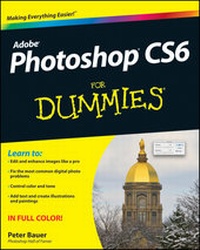
Photoshop CS6 For Dummies
Published on 21. March 2012
432 pages
978-1-118-22706-0 (ISBN)
Description

The bestselling guide to the leading image-editing software,Photoshop CS6, fully updated!
Want picture-perfect photos, every time? Get up to speed on themost popular professional photo-editing software on the market:Photoshop. In this new edition of Photoshop CS6 For Dummies,expert Peter Bauer shows you how to use the latest Photoshop toolsto change a background, adjust brightness, improve color, or fixflaws. Richly illustrated in full color, this edition covers allthe updates in Photoshop CS6, the gold standard for image-editingprograms.
Used by professional photographers, graphic designers, Webdesigners, and serious hobbyists, Photoshop has more than fourmillion users worldwide.
* Photoshop is the image-editing software preferred byprofessional photographers and designers around the world; thelatest version includes new functionality and enhanced tools
* Teaches all the basics for first-time users and advancedtechniques for more experienced digital imaging professionals,including how to work with the menus, panels, tools, options, andessential shortcuts
* Covers how to fix red-eye, remove blemishes and wrinkles,remove people or objects from a photo, adjust brightness, improvecolor, add shadows and highlights, work with Camera Raw, decreasedigital noise, create composite images, use channels and masks,work with HDR tools, and optimize images for the web
Photoshop CS6 For Dummies helps both amateur andprofessional Photoshop users take advantage of all the program hasto offer.
Want picture-perfect photos, every time? Get up to speed on themost popular professional photo-editing software on the market:Photoshop. In this new edition of Photoshop CS6 For Dummies,expert Peter Bauer shows you how to use the latest Photoshop toolsto change a background, adjust brightness, improve color, or fixflaws. Richly illustrated in full color, this edition covers allthe updates in Photoshop CS6, the gold standard for image-editingprograms.
Used by professional photographers, graphic designers, Webdesigners, and serious hobbyists, Photoshop has more than fourmillion users worldwide.
* Photoshop is the image-editing software preferred byprofessional photographers and designers around the world; thelatest version includes new functionality and enhanced tools
* Teaches all the basics for first-time users and advancedtechniques for more experienced digital imaging professionals,including how to work with the menus, panels, tools, options, andessential shortcuts
* Covers how to fix red-eye, remove blemishes and wrinkles,remove people or objects from a photo, adjust brightness, improvecolor, add shadows and highlights, work with Camera Raw, decreasedigital noise, create composite images, use channels and masks,work with HDR tools, and optimize images for the web
Photoshop CS6 For Dummies helps both amateur andprofessional Photoshop users take advantage of all the program hasto offer.
All prices
More details
Other editions
Additional editions
Peter Bauer
Photoshop CS6 For Dummies
Book
05/2012
Wiley
€47.22
Article exhausted; check different version
Person
Peter Bauer, a member of the Photoshop Hall of Fame, is an award-winning photographer and contributing writer for Photoshop User magazine. He is best known as the Help Desk Director for the National Association of Photoshop Professionals (NAPP) and has authored or coauthored more than a dozen books on Photoshop, Illustrator, and photography.
Content
Introduction 1
Part I: Breezing through Basic Training 7
Chapter 1: Welcome to Photoshop! 9
Chapter 2: Knowing Just Enough about Digital Images 21
Chapter 3: Taking the Chef's Tour of Your PhotoshopKitchen 41
Chapter 4: Getting Images into and out of Photoshop 63
Part II: Easy Enhancements for Digital Images 85
Chapter 5: Adding Dark Shadows and Sparkling Highlights 87
Chapter 6: Making Color Look Natural 107
Chapter 7: The Adobe Camera Raw 7 Plug-In 135
Chapter 8: Fine-Tuning Your Fixes 161
Chapter 9: Common Problems and Their Cures 189
Part III: Creating "Art" in Photoshop 203
Chapter 10: Combining Images 205
Chapter 11: Precision Edges with Vector Paths 221
Chapter 12: Dressing Up Images with Layer Styles 243
Chapter 13: Giving Your Images a Text Message 263
Chapter 14: Painting in Photoshop 287
Chapter 15: Filters: The Fun Side of Photoshop 311
Part IV: Power Photoshop 333
Chapter 16: Streamlining Your Work in Photoshop 335
Chapter 17: Working with Video and Animation 357
Part V: The Part of Tens 371
Chapter 18: Ten (or so) Things to Do with Photoshop CS6 Extended373
Chapter 19: Ten Reasons to Love Your Wacom Tablet 383
Chapter 20: Ten Things to Know about HDR 389
Index 399
Part I: Breezing through Basic Training 7
Chapter 1: Welcome to Photoshop! 9
Chapter 2: Knowing Just Enough about Digital Images 21
Chapter 3: Taking the Chef's Tour of Your PhotoshopKitchen 41
Chapter 4: Getting Images into and out of Photoshop 63
Part II: Easy Enhancements for Digital Images 85
Chapter 5: Adding Dark Shadows and Sparkling Highlights 87
Chapter 6: Making Color Look Natural 107
Chapter 7: The Adobe Camera Raw 7 Plug-In 135
Chapter 8: Fine-Tuning Your Fixes 161
Chapter 9: Common Problems and Their Cures 189
Part III: Creating "Art" in Photoshop 203
Chapter 10: Combining Images 205
Chapter 11: Precision Edges with Vector Paths 221
Chapter 12: Dressing Up Images with Layer Styles 243
Chapter 13: Giving Your Images a Text Message 263
Chapter 14: Painting in Photoshop 287
Chapter 15: Filters: The Fun Side of Photoshop 311
Part IV: Power Photoshop 333
Chapter 16: Streamlining Your Work in Photoshop 335
Chapter 17: Working with Video and Animation 357
Part V: The Part of Tens 371
Chapter 18: Ten (or so) Things to Do with Photoshop CS6 Extended373
Chapter 19: Ten Reasons to Love Your Wacom Tablet 383
Chapter 20: Ten Things to Know about HDR 389
Index 399
