

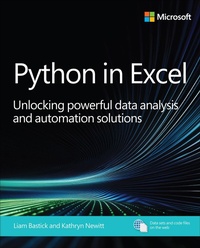
Python in Excel
Description

Seasoned Experts Liam Bastick and Kathryn Newitt unveil a groundbreaking guide to mastering data analysis and automation with Python in Excel
Python in Excel: Unlocking powerful data analysis and automation solutions is a hands-on, practical guide that leverages the authors' decades of expertise to teach you how to harness the newly integrated Python capabilities within Microsoft Excel, mapping familiar Excel concepts to Python foundations. Covering essential topics such as Python syntax, data structures, data analysis with pandas, visualization, and the use of complementary tools such as Power Query and Copilot (AI), this book empowers you to elevate your data analysis and automation skills. Readers will gain the ability to perform advanced forecasting, build predictive models, and streamline workflows, making you more efficient and competitive in today's data-driven workplace.
By reading this book, you will:
- Understand the fundamentals of Python programming directly within Excel
- Map your existing Excel skills to Python concepts for easier learning
- Automate repetitive tasks and workflows
- Analyze and visualize data with powerful Python libraries like pandas
- Build advanced forecasting and predictive models without leaving Excel
- Explore and manipulate data efficiently using Python's concise syntax
- Integrate AI tools such as Copilot to assist with coding and analysis
- Connect Excel with external data sources using Python and Power Query
- Develop custom solutions for business modeling and data science
- Prepare for further study and mastery of Python in Excel
More details
Other editions
Additional editions
Content
Chapter 1 Introduction to Python and Python in Excel
Chapter 2 Getting to know Python in Excel
Chapter 3 Using Python libraries
Chapter 4 Using the Python Editor
Chapter 5 Introduction to AI and Copilot
Chapter 6 Using Copilot with Python in Excel
Chapter 7 Using Copilot and Power Query with Python in Excel
Epilogue
