

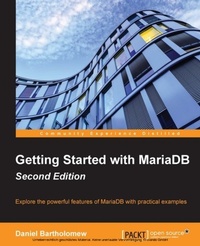
Getting Started with MariaDB
Explore the powerful features of MariaDB with practical examples
Published on 8. July 2025
140 pages
978-1-78217-571-1 (ISBN)
Description

Explore the powerful features of MariaDB with practical examples
Key Features
Book DescriptionMariaDB is a database that has become very popular in the few short years that it has been around. It does not require a big server or expensive support contract. It is also powerful enough to be the database of choice for some of the biggest and most popular websites in the world, taking full advantage of the latest computing hardware available. From installing and configuring through basic usage and maintenance, each chapter in this revised and expanded guide leads on sequentially and logically from the one before it, introducing topics in their natural order so you learn what you need, when you need it. The book is based on the latest release of MariaDB and covers all the latest features and functions. By the end of this beginner-friendly book, not only will you have a running installation of MariaDB, but you will have practical, hands-on experience in the basics of how to install, configure, administer, use, and maintain it.What you will learn
Install MariaBD on Windows, Mac OS X, and Linux
Configure MariaDB for better performance using the features of version 10
Get familiar with the usage of operators for retrieving rows more selectively
Use MariaDB 10 s powerful tools to store, retrieve, and analyze data
Secure MariaDB from unauthorized access
Maintain the databases associated with MariaDB to ensure efficient and optimum functioning
Retrieve data and learn how to sort, summarize, group, and manipulate it
Who this book is forThis book is for anyone who wants to learn more about databases in general and wants to get started with MariaDB. Prior database experience is not required.
Key Features
Book DescriptionMariaDB is a database that has become very popular in the few short years that it has been around. It does not require a big server or expensive support contract. It is also powerful enough to be the database of choice for some of the biggest and most popular websites in the world, taking full advantage of the latest computing hardware available. From installing and configuring through basic usage and maintenance, each chapter in this revised and expanded guide leads on sequentially and logically from the one before it, introducing topics in their natural order so you learn what you need, when you need it. The book is based on the latest release of MariaDB and covers all the latest features and functions. By the end of this beginner-friendly book, not only will you have a running installation of MariaDB, but you will have practical, hands-on experience in the basics of how to install, configure, administer, use, and maintain it.What you will learn
Install MariaBD on Windows, Mac OS X, and Linux
Configure MariaDB for better performance using the features of version 10
Get familiar with the usage of operators for retrieving rows more selectively
Use MariaDB 10 s powerful tools to store, retrieve, and analyze data
Secure MariaDB from unauthorized access
Maintain the databases associated with MariaDB to ensure efficient and optimum functioning
Retrieve data and learn how to sort, summarize, group, and manipulate it
Who this book is forThis book is for anyone who wants to learn more about databases in general and wants to get started with MariaDB. Prior database experience is not required.
All prices
More details
Edition
Digital original
Language
English
Place of publication
Birmingham
United Kingdom
Target group
Professional and scholarly
US School Grade: College Graduate Student
Edition type
Digital original
File size
3,82 MB
ISBN-13
978-1-78217-571-1 (9781782175711)
Copyright in bibliographic data and cover images is held by Nielsen Book Services Limited or by the publishers or by their respective licensors: all rights reserved.
Schweitzer Classification
Other editions
Additional editions
Daniel Bartholomew
Getting Started with MariaDB
Explore the powerful features of MariaDB with practical examples
Book
06/2015
Packt Publishing
€31.90
Shipment within 3-4 weeks
Person
Bartholomew Daniel :
Daniel Bartholomew has been using Linux since 1997 and databases since 1998. In addition to this book, he has also written MariaDB Cookbook, Packt Publishing, and dozens of articles for various magazines, including The Linux Journal, Linux Pro, Ubuntu User, and Tux. He became involved with the MariaDB project shortly after it began in early 2009 and continues to be involved to this day. He currently works for MariaDB, Inc. and splits his time between managing MariaDB releases, documentation, and maintaining various bits and pieces that keep the MariaDB project running smoothly.
Daniel Bartholomew has been using Linux since 1997 and databases since 1998. In addition to this book, he has also written MariaDB Cookbook, Packt Publishing, and dozens of articles for various magazines, including The Linux Journal, Linux Pro, Ubuntu User, and Tux. He became involved with the MariaDB project shortly after it began in early 2009 and continues to be involved to this day. He currently works for MariaDB, Inc. and splits his time between managing MariaDB releases, documentation, and maintaining various bits and pieces that keep the MariaDB project running smoothly.
Content
Table of Contents
Installing MariaDB
Configuring MariaDB
Securing MariaDB
Administering MariaDB
Using MariaDB - Databases & Tables
Using MariaDB - Inserting, Updating, & Deleting Data
Using MariaDB - Selecting, Sorting, & Searching Data
Maintaining MariaDB
Appendix A_ MariaDB Next Steps
Installing MariaDB
Configuring MariaDB
Securing MariaDB
Administering MariaDB
Using MariaDB - Databases & Tables
Using MariaDB - Inserting, Updating, & Deleting Data
Using MariaDB - Selecting, Sorting, & Searching Data
Maintaining MariaDB
Appendix A_ MariaDB Next Steps

