

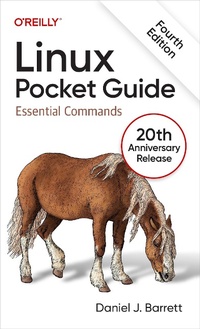
Linux Pocket Guide
Published on 1. March 2024
352 pages
978-1-0981-5792-0 (ISBN)
Description

If you use Linux in your day-to-day work, then Linux Pocket Guide is the perfect on-the-job reference. This thoroughly updated 20th anniversary edition explains more than 200 Linux commands, including new commands for file handling, package management, version control, file format conversions, and more.
In this concise guide, author Daniel Barrett provides the most useful Linux commands grouped by functionality. Whether you''re a novice or an experienced user, this practical book is an ideal reference for the most important Linux commands.
You''ll learn:
- Essential concepts?commands, shells, users, and the filesystem
- File commands-creating, organizing, manipulating, and processing files of all kinds
- Sysadmin basics-superusers, processes, user management, and software installation
- Filesystem maintenance-disks, RAID, logical volumes, backups, and more
- Networking commands-working with hosts, network connections, email, and the web
- Getting stuff done-everything from math to version control to graphics and audio
More details
Other editions
Additional editions
Book
03/2024
4th Edition
O'Reilly
€30.00
Shipment within 15-20 days
Content
- Cover
- Copyright
- Table of Contents
- First Things First
- What's in This Book?
- What's New in the Fourth Edition?
- Conventions Used in This Book
- Commands, Prompts, and Output
- Your Friend, the echo Command
- Long Command Lines
- Keystrokes
- Downloading the Practice Files
- Conventions Used in This Book
- O'Reilly Online Learning
- How to Contact Us
- Acknowledgments
- Chapter 1. Essential Concepts
- What's Linux?
- Launching a Shell
- Command-Line Warm-Up
- The Structure of Commands
- Users and Superusers
- The Filesystem
- Home Directories
- System Directories
- Kernel-Related Directories
- File Permissions
- Selected Features of Bash
- Which Shell Are You Running?
- Pattern Matching
- Brace Expansion
- Shell Variables
- Search Path
- Aliases
- Built-in Commands
- Input, Output, and Redirection
- Combined Commands
- Preventing Evaluation
- Command-line Editing
- Command History
- Filename Completion
- Shell Job Control
- Running Multiple Shells at Once
- Killing a Command in Progress
- Terminating a Shell
- Tailoring Shell Behavior
- Getting Help
- Chapter 2. File Commands
- Basic File Operations
- Directory Operations
- Viewing Files
- Creating and Editing Files
- Creating a File Quickly
- Your Default Editor
- Properties of Files
- Locating Files
- Manipulating Text in Files
- awk
- sed
- m4
- Perl, PHP, Python, Ruby
- Compressing, Packaging, and Encrypting
- Comparing Files
- Converting Files to Other Formats
- PDF and PostScript File Handling
- Printing
- Spellchecking
- Chapter 3. System Administration Basics
- Becoming the Superuser
- Viewing Processes
- Controlling Processes
- Scheduling Jobs
- Logins, Logouts, and Shutdowns
- Users and Their Environment
- User Account Management
- Group Management
- Installing Software Packages
- Installing Software from Source Code
- Downloading the Source Code
- Building and Installing the Code
- Chapter 4. Filesystem Maintenance
- Using Disks and Filesystems
- Creating and Modifying Filesystems
- RAID Arrays for Redundancy
- Create a RAID Array
- Replace a Device in a RAID Array
- Destroy a RAID Array
- Logical Volumes for Flexible Storage
- Create a First Logical Volume
- View LVM Details
- Add a Logical Volume
- Add Disks to a Volume Group
- Enlarge a Logical Volume
- Shrink a Logical Volume
- Delete a Logical Volume
- Reduce a Volume Group
- Delete a Volume Group
- Delete a Physical Volume
- ZFS: A Modern, Do-It-All Filesystem
- Create a ZFS Pool
- Create a ZFS Dataset
- Create an Encrypted ZFS Dataset
- Set Size Limits on ZFS Datasets
- Enable Compression on ZFS Datasets
- Snapshot a ZFS Dataset
- Destroy a ZFS Dataset or Snapshot
- Destroy a ZFS Pool
- Backups and Remote Storage
- Chapter 5. Networking Commands
- Host Information
- Host Location
- Network Connections
- Email in Daily Use
- Email Servers
- Postfix: A Full-Featured Mail Server
- Nullmailer: Simple Outgoing Email
- Web Browsing
- Chapter 6. Getting Stuff Done
- Screen Output
- Copy and Paste
- Math and Calculations
- Dates and Times
- Version Control
- Containers
- Common Docker Operations
- Displaying and Processing Images
- Audio and Video
- Programming with Shell Scripts
- Creating and Running Shell Scripts
- Whitespace and Linebreaks
- Variables
- Input and Output
- Booleans and Exit Codes
- The test Command
- Conditionals
- Loops
- Command-Line Arguments
- Exiting with an Exit Code
- Piping to bash
- Beyond Shell Scripting
- Final Words
- Index
