
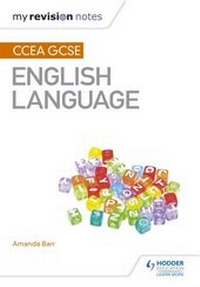
My Revision Notes: CCEA GCSE English Language
Description
Alles über E-Books | Antworten auf Fragen rund um E-Books, Kopierschutz und Dateiformate finden Sie in unserem Info- & Hilfebereich.
Exam board: CCEA
Level: GCSE
Subject: English
First teaching: September 2015
First exams: Summer 2017
Target success in CCEA GCSE English Language with this proven formula for effective, structured revision; clear guidance is combined with exam-style tasks and practical tips to create a revision guide that students can rely on to review, strengthen and test their skills.
With My Revision Notes every student can:
- Plan and manage a successful revision programme using the topic-by-topic planner
- Feel confident tackling each question type by completing tasks for Reading and Writing in Units 1 and 4
- Practise exam skills with 'Test Yourself' activities, supported by easy-to-understand mark schemes and annotated example responses
- Improve exam technique through expert tips, examples of typical mistakes to avoid and exam preparation advice
- Check their progress and identify areas for improvement using the online answers for every practice question
More details
Other editions
Additional editions

Person
System requirements
File format: ePUB
Copy protection: Adobe-DRM (Digital Rights Management)
System requirements:
- Computer (Windows; MacOS X; Linux): Install the free reader Adobe Digital Editions prior to download (see eBook Help).
- Tablet/smartphone (Android; iOS): Install the free app Adobe Digital Editions or the app PocketBook before downloading (see eBook Help).
- E-reader: Bookeen, Kobo, Pocketbook, Sony, Tolino and many more (not Kindle).
The file format ePub works well for novels and non-fiction books – i.e., „flowing” text without complex layout. On an e-reader or smartphone, line and page breaks automatically adjust to fit the small displays.
This eBook uses Adobe-DRM, a „hard” copy protection. If the necessary requirements are not met, unfortunately you will not be able to open the eBook. You will therefore need to prepare your reading hardware before downloading.
Please note: We strongly recommend that you authorise using your personal Adobe ID after installation of any reading software.
For more information, see our ebook Help page.