

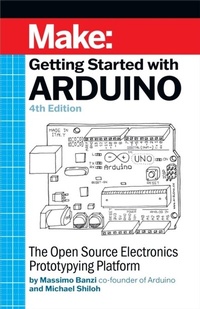
Getting Started With Arduino
Description

Arduino is the open source electronics prototyping platform that has taken the Maker Movement by storm. This thorough introduction, updated for the latest Arduino release, helps you start prototyping right away. From obtaining the required components to putting the final touches on your project, all the information you need is here! Getting started with Arduino is a snap. To use the introductory examples in this guide, all you need is an Arduino Uno or Leonardo, along with a USB cable and an LED. The easy-to-use, free Arduino development environment runs on Mac, Windows, and Linux. In Getting Started with Arduino, you''ll learn about: Interaction design and physical computingThe Arduino board and its software environmentBasics of electricity and electronicsPrototyping on a solderless breadboardDrawing a schematic diagramTalking to a computer--and the cloud--from ArduinoBuilding a custom plant-watering system
More details
Other editions
Additional editions
Content
- Cover
- Copyright
- Table of Contents
- Preface to the 4th Edition
- Preface
- Acknowledgments for Massimo Banzi
- Acknowledgments for Michael Shiloh
- Conventions Used in This Book
- Using Code Examples
- O'Reilly Online Learning
- How to Contact Us
- Chapter 1. Introduction
- Intended Audience
- What Is Interaction Design?
- What Is Physical Computing?
- Chapter 2. The Arduino Way
- Prototyping
- Tinkering
- We Love Junk!
- Hacking Toys
- Collaboration
- Chapter 3. The Arduino Platform
- The Arduino Hardware
- The Software Integrated Development Environment (IDE)
- Installing Arduino on Your Computer
- Installing the IDE: MacOS
- Configuring the Drivers: MacOS
- Port Identification: MacOS
- Installing the IDE: Windows
- Configuring the Drivers: Windows
- Port Identification: Windows
- Installing the IDE: Linux
- Configuring the Drivers: Linux
- Granting Permission on the Serial Ports: Linux
- Chapter 4. Really Getting Started with Arduino
- Anatomy of an Interactive Device
- Sensors and Actuators
- Blinking an LED
- Pass Me the Parmesan
- Arduino Is Not for Quitters
- Real Tinkerers Write Comments
- The Code, Step by Step
- What We Will Be Building
- What Is Electricity?
- Using a Pushbutton to Control the LED
- How Does This Work?
- One Circuit, a Thousand Behaviours
- Chapter 5. Advanced Input and Output
- Trying Out Other On/Off Sensors
- Homemade (DIY) Switches
- Controlling Light with PWM
- Use a Light Sensor Instead of the Pushbutton
- Analogue Input
- Try Other Analogue Sensors
- Serial Communication
- Driving Bigger Loads (Motors, Lamps, and the Like)
- Complex Sensors
- The Arduino Alphabet
- Chapter 6. Processing with an Arduino Lamp
- Planning
- Coding
- Assembling the Circuit
- Here's How to Assemble It
- Chapter 7. The Arduino Cloud
- Chapter 8. Automatic Garden-Irrigation System
- Planning
- Testing the Real Time Clock (RTC)
- Testing the Relays
- Electronic Schematic Diagrams
- Testing the Temperature and Humidity Sensor
- Coding
- Setting the On and Off Times
- Assembling the Circuit
- Laying Out Your Project on the Proto Shield
- Things to Try on Your Own
- Irrigation Project Shopping List
- Chapter 9. The Arduino ARM Family
- What's the difference between AVR and ARM?
- What difference does 32 bits really make?
- What's the difference between a microcontroller and a microprocessor?
- Which is better: AVR or ARM?
- Introducing the Arduino ARM based boards
- The Nano and MKR footprints
- Chapter 10. Talking to the internet with ARM: An Internet Connected "Fistbump"
- An internet connected "fistbump"
- Introducing MQTT: the Message Queueing Telemetry Transfer protocol
- Internet Connected Fistbump: The hardware
- Internet Connected Fistbump: MQTT Broker on Shiftr.io
- Chapter 11. Troubleshooting
- Understanding
- Simplification and Segmentation
- Exclusion and Certainty
- Testing the Arduino Board
- Testing Your Breadboarded Circuit
- Isolating Problems
- Problems Installing Drivers on Windows
- Problems with the IDE on Windows
- Identifying the Arduino COM Port on Windows
- Other Debugging Techniques
- How to Get Help Online
- Appendix A. The Breadboard
- Appendix B. Reading Resistors and Capacitors
- Appendix C. Arduino Quick Reference
- Structure
- Special Symbols
- Constants
- Variables
- Variable Scope
- Control Structures
- Arithmetic and Formulas
- Comparison Operators
- Boolean Operators
- Compound Operators
- increment and decrement (-- and ++)
- Input and Output Functions
- Time Functions
- Math Functions
- Random Number Functions
- Serial Communication
- The Arduino Family
- Appendix D. Reading Schematic Diagrams
- Index
- About the Authors
