

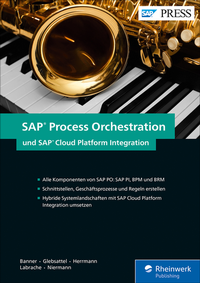
SAP Process Orchestration und SAP Cloud Platform Integration
Description

Nutzen Sie alle Werkzeuge von SAP Process Orchestration (PO) für eine reibungslose Systemintegration! Dieses Buch zeigt Ihnen, wie Sie die einzelnen Komponenten SAP Process Integration (PI), SAP Business Process Management (BPM) und SAP Business Rules Management (BRM) einrichten und anwenden, um Ihre Geschäftsprozesse über die gesamte Systemlandschaft hinweg zu steuern. Ihre Landschaft soll auch Cloud-Lösungen integrieren? Kein Problem! Die Autoren vermitteln Ihnen an einem umfassenden Beispiel , wie Sie hybride Landschaften mithilfe der Integration Services der SAP HANA Cloud Platform (HCI) aufsetzen können.
Aus dem Inhalt:
- Integrationskonzepte und Lösungsansätze
- Konfiguration, Komponenten und Funktionen von SAP Process Orchestration
- SAP Process Integration (PI)
- SAP Business Process Management (BPM)
- SAP Business Rules Management (BRM)
- SAP HANA Cloud Platform, Integration Services
- System Landscape Directory (SLD)
- Advanced Adapter Engine Extended (AEX)
- Enterprise Services Repository
- Integration Flows (Integrationsflüsse) anlegen
- Geschäftsprozesse und -regeln definieren und testen
- Hybride Systemlandschaften umsetzen
- Administration und Betrieb integrierter Landschaften
More details
Other editions
Additional editions
Persons
ISNI:
Content
Einleitung ... 17
TEIL I Integrationskonzepte und technologien ... 23
1. Integrationskonzepte ... 25
1.1 ... Herausforderungen für moderne Integrationslandschaften ... 25
1.2 ... Einführung in Enterprise Application Integration ... 25
2. Integrationsarchitekturen und Vorgehensweisen ... 35
2.1 ... Punkt-zu-Punkt-Integration ... 35
2.2 ... Hub-and-Spoke-Integration ... 37
2.3 ... Integration-Bus ... 38
2.4 ... Systemanforderungen ... 39
2.5 ... Typische Phasen eines Integrationsprojektes ... 40
2.6 ... Neue Ansätze und Möglichkeiten in SAP ... 44
2.7 ... Fallbeispiel und Beispielunternehmen ... 51
TEIL II Komponenten einer Integrationslandschaft ... 53
3. SAP Process Orchestration ... 55
3.1 ... SAP NetWeaver ... 56
3.2 ... Entwicklung von SAP Process Integration ... 57
3.3 ... Entwicklung von SAP Composition Environment als Entwicklungsumgebung für SAP BPM und BRM ... 60
4. System Landscape Directory ... 63
4.1 ... Common Interface Model ... 63
4.2 ... Zugriff und Konfiguration ... 64
4.3 ... SLD-Objekte in der SAP-Systemlandschaft ... 70
4.4 ... SLD-Konzept ... 79
5. Entwicklungsumgebungen ... 97
5.1 ... SAP NetWeaver Developer Studio für SAP Process Orchestration ... 97
5.2 ... Swing-Oberfläche für SAP Process Orchestration ... 109
5.3 ... SAP Cloud Platform Integration Tools ... 116
6. SAP Process Integration (AEX) ... 121
6.1 ... Enterprise Services Repository ... 121
6.2 ... Basiselemente einer Schnittstelle ... 122
6.3 ... Service Interface ... 123
6.4 ... Mapping ... 128
6.5 ... Integration Directory ... 148
6.6 ... Integration Flow ... 176
7. SAP Business Process Management ... 187
7.1 ... SAP Process Orchestration und BPM ... 190
7.2 ... Business Process Model and Notation (BPMN) ... 190
7.3 ... Konfiguration von SAP BPM ... 192
7.4 ... Prozessmodellierung ... 202
8. SAP Business Rules Management ... 243
8.1 ... Vorbereitungen ... 243
8.2 ... SAP BRM mit SAP NetWeaver Developer Studio einrichten und nutzen ... 244
9. Einführung in SAP Cloud Platform Integration ... 271
9.1 ... Grundlagen der SAP Cloud Platform Integration ... 271
9.2 ... Arbeitsumgebung der SAP Cloud Platform Integration ... 288
9.3 ... Zusammenspiel von SAP Cloud Platform Integration und SAP Process Orchestration ... 317
TEIL III Implementierung einer hybriden Systemlandschaft ... 327
10. Hybride Szenarien ... 329
10.1 ... SAP Cloud Platform Cloud Connector als Bindeglied zwischen SAP Cloud Platform & On Premise ... 330
11. Umsetzung in SAP Process Integration ... 345
11.1 ... Implementierung von Mappings im ESR ... 345
11.2 ... Allgemeine Konfiguration ... 358
11.3 ... Konfiguration von SAP ERP und Lieferant ... 360
11.4 ... Konfiguration mit Business Process Management und SAP Cloud Platform Integration Services ... 370
12. Umsetzung der BPM- und BRM-Szenarien ... 379
12.1 ... SAP-BRM-Implementierung und Ausführung ... 379
12.2 ... SAP-BPM-Implementierung und -Ausführung ... 389
13. Umsetzung in der SAP Cloud Platform Integration ... 407
13.1 ... Anforderung an die SAP Cloud Platform Integration ... 407
13.2 ... Implementierung ... 408
TEIL IV Betrieb einer integrierten Systemlandschaft ... 433
14. Administration und Überwachung von SAP Process Integration ... 435
14.1 ... Administration der Advanced Adapter Engine Extended (AEX) ... 435
14.2 ... Betrieb und Überwachung ... 440
14.3 ... Komponentenbasiertes Message Alerting ... 455
14.4 ... Berechtigung und Sicherheit ... 465
15. Betrieb der SAP Cloud Platform Integration ... 483
15.1 ... Monitoring ... 483
15.2 ... Alerting ... 495
15.3 ... Berechtigungs- und Sicherheitskonzepte ... 496
16. Zentrales Monitoring mit dem SAP Solution Manager ... 509
16.1 ... Monitoring von SAP Process Integration ... 510
16.2 ... Schnittstellen- und Verbindungs-Monitoring (IC Mon) ... 514
16.3 ... Nachrichtenfluss-Monitor ... 519
17. Administration und Überwachung von SAP Business Process Management ... 533
17.1 ... Berechtigungen ... 533
17.2 ... Überwachung von Prozessen und Aufgaben ... 535
17.3 ... Administration ... 547
18. Ausblick: SAP Operational Process Intelligence ... 555
18.1 ... Einführung ... 555
18.2 ... Installation des SAP-HANA-Add-ons ... 557
18.3 ... Datenreplikation mit SAP Landscape Transformation Server ... 557
18.4 ... Modellierung mit dem SAP HANA Studio ... 558
18.5 ... Überwachung ... 563
Anhang ... 565
Die Autoren ... 569
Index ... 571
