

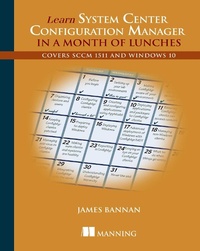
Learn System Center Configuration Manager in a Month of Lunches
Covers SCCM 1511 and Windows 10
1st Edition
Published on 26. June 2016
320 pages
978-1-63835-317-1 (ISBN)
Description

Summary
Learn System Center Configuration Manager in a Month of Lunches is a super-practical guide to Microsoft System Center Configuration Manager. In this book, you'll cut to the chase and learn the administrative procedures and techniques that will keep your systems humming smoothly.
Purchase of the print book comes with an offer of a free PDF, ePub, and Kindle eBook from Manning. Also available is all code from the book.
About the Technology
Businesses rely on a complex patchwork of client computers, physical and virtual servers, middleware, mobile devices, and cloud services. Microsoft System Center Configuration Manager (SCCM) sits in the middle of this mix, providing a single administrative control center to deploy and manage Windows servers and applications across your entire infrastructure, including cross-platform management of Mac OS X, Linux, and UNIX. To get up to speed with the day-to-day tasks of managing a system with ConfigMgr, all you need is this book?and a quiet place to eat your lunch.
About the Book
Learn System Center Configuration Manager in a Month of Lunches is a super-practical guide to Microsoft System Center Configuration Manager. In this book, you'll cut to the chase and learn the administrative procedures and techniques that will keep your systems humming smoothly. Whether you're a new sysadmin or you already understand the inner workings of Active Directory and Windows Server, you'll be productive immediately as you work through the 22 self-contained lessons in this handy tutorial.
What's Inside
About the Reader
No prior experience with System Center Configuration Manager needed.
About the Author
James Bannan is a Cloud and Datacenter Management MVP based in Australia.
Table of Contents
Learn System Center Configuration Manager in a Month of Lunches is a super-practical guide to Microsoft System Center Configuration Manager. In this book, you'll cut to the chase and learn the administrative procedures and techniques that will keep your systems humming smoothly.
Purchase of the print book comes with an offer of a free PDF, ePub, and Kindle eBook from Manning. Also available is all code from the book.
About the Technology
Businesses rely on a complex patchwork of client computers, physical and virtual servers, middleware, mobile devices, and cloud services. Microsoft System Center Configuration Manager (SCCM) sits in the middle of this mix, providing a single administrative control center to deploy and manage Windows servers and applications across your entire infrastructure, including cross-platform management of Mac OS X, Linux, and UNIX. To get up to speed with the day-to-day tasks of managing a system with ConfigMgr, all you need is this book?and a quiet place to eat your lunch.
About the Book
Learn System Center Configuration Manager in a Month of Lunches is a super-practical guide to Microsoft System Center Configuration Manager. In this book, you'll cut to the chase and learn the administrative procedures and techniques that will keep your systems humming smoothly. Whether you're a new sysadmin or you already understand the inner workings of Active Directory and Windows Server, you'll be productive immediately as you work through the 22 self-contained lessons in this handy tutorial.
What's Inside
- Covers the latest build of Configuration Manager
- How to simplify updates, operating system deployment, and reporting
- Cross-platform and mobile management including Linux, OS X, and Windows
- Smart application delivery
About the Reader
No prior experience with System Center Configuration Manager needed.
About the Author
James Bannan is a Cloud and Datacenter Management MVP based in Australia.
Table of Contents
- Before you begin
- Setting up your lab environment
- Making ConfigMgr aware of your environment
- Managing ConfigMgr devices and users
- Organizing devices and users
- Configuring ConfigMgr clients
- Creating and configuring applications with the AppModel
- Deploying applications and packages to ConfigMgr clients
- Ensuring that ConfigMgr clients can access content
- Keeping ConfigMgr clients patched
- Preparing to deploy Windows
- Deploying Windows
- Advanced deployment of Windows with ConfigMgr and MDT
- Managing Linux clients
- Deploying to Linux and Mac clients
- Managing anti-malware with ConfigMgr
- Making sure clients are healthy
- Reporting in ConfigMgr
- Keeping an eye on your clients
- What to do when things go wrong
- Securing ConfigMgr
- All engines full steam ahead
More details
Other editions
Additional editions
James Bannan
Learn SCCM 2012 in a Month of Lunches
Book
08/2016
Manning Publications
€42.00
Article in reprint
Person
James Bannan is a Cloud and Datacenter Management MVP based in Australia.
Content
- Intro
- Copyright
- Brief Table of Contents
- Table of Contents
- Preface
- Acknowledgments
- About this Book
- About the Author
- Chapter 1. Before you begin
- Chapter 2. Setting up your lab environment
- Chapter 3. Making ConfigMgr aware of your environment
- Chapter 4. Managing ConfigMgr devices and users
- Chapter 5. Organizing devices and users
- Chapter 6. Configuring ConfigMgr clients
- Chapter 7. Creating and configuring applications with the AppModel
- Chapter 8. Deploying applications and packages to ConfigMgr clients
- Chapter 9. Ensuring that ConfigMgr clients can access content
- Chapter 10. Keeping ConfigMgr clients patched
- Chapter 11. Preparing to deploy Windows
- Chapter 12. Deploying Windows
- Chapter 13. Advanced deployment of Windows with ConfigMgr and MDT
- Chapter 14. Managing Linux clients
- Chapter 15. Deploying to Linux and Mac clients
- Chapter 16. Managing anti-malware with ConfigMgr
- Chapter 17. Making sure clients are healthy
- Chapter 18. Reporting in ConfigMgr
- Chapter 19. Keeping an eye on your clients
- Chapter 20. What to do when things go wrong
- Chapter 21. Securing ConfigMgr
- Chapter 22. All engines full steam ahead
- Index
- List of Figures
- List of Tables
