

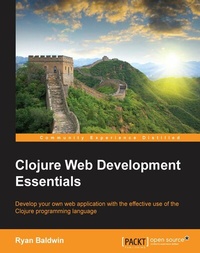
Clojure Web Development Essentials
Develop your own web application with the effective use of the Clojure programming language
Published on 8. July 2025
232 pages
978-1-78439-487-5 (ISBN)
Description

Key Features
Book DescriptionThis book is for anyone who's worked with Clojure and wants to use it to start developing applications for the Web. Experience or familiarity with basic Clojure syntax is a must, and exposure to Leiningen (or other similar build tools such as Maven) would be helpful.What you will learn
Generate a fully runnable web application using the Luminus Leiningen application template
Explore the basics of the underlying Ring framework and the Ring Server
Configure URL Routing, Logging, and some testing basics
Create new web pages using the Selmer template rendering library
Validate usersubmitted form data
Store and retrieve data to and from a database
Configure, package, and deploy the finished application
Who this book is for
Book DescriptionThis book is for anyone who's worked with Clojure and wants to use it to start developing applications for the Web. Experience or familiarity with basic Clojure syntax is a must, and exposure to Leiningen (or other similar build tools such as Maven) would be helpful.What you will learn
Generate a fully runnable web application using the Luminus Leiningen application template
Explore the basics of the underlying Ring framework and the Ring Server
Configure URL Routing, Logging, and some testing basics
Create new web pages using the Selmer template rendering library
Validate usersubmitted form data
Store and retrieve data to and from a database
Configure, package, and deploy the finished application
Who this book is for
All prices
More details
Edition
Digital original
Language
English
Place of publication
Birmingham
United Kingdom
Target group
US School Grade: College Graduate Student
Edition type
Digital original
File size
3,95 MB
ISBN-13
978-1-78439-487-5 (9781784394875)
Copyright in bibliographic data and cover images is held by Nielsen Book Services Limited or by the publishers or by their respective licensors: all rights reserved.
Schweitzer Classification
Other editions
Additional editions
Ryan Baldwin
Clojure Web Development Essentials
Book
02/2015
Packt Publishing
€55.50
Shipment within 3-4 weeks
Person
Baldwin Ryan :
Ryan Baldwin is a theatre major turned computer science geek. Hailing from the prairies of Western Canada, Ryan has been developing software on a wide array of platforms and technologies since 2001. Once, he wrote a crazy system application that compiled XSD Schema Docs into XAML forms that performed two-way binding with underlying XML documents in .NET WPF. Why? Because it had to be done. Another time, he worked on a project that would mash multiple social networks together, allowing users to find out who they were indirectly "connected" to (something akin to 6 Degrees of Kevin Bacon). It was eventually shelved. In 2012, he relocated to Toronto, where he works with the University Health Network, developing systems and tools that facilitate patient information exchange. You can often find him wearing headphones and jittering in coffee shops.
Ryan Baldwin is a theatre major turned computer science geek. Hailing from the prairies of Western Canada, Ryan has been developing software on a wide array of platforms and technologies since 2001. Once, he wrote a crazy system application that compiled XSD Schema Docs into XAML forms that performed two-way binding with underlying XML documents in .NET WPF. Why? Because it had to be done. Another time, he worked on a project that would mash multiple social networks together, allowing users to find out who they were indirectly "connected" to (something akin to 6 Degrees of Kevin Bacon). It was eventually shelved. In 2012, he relocated to Toronto, where he works with the University Health Network, developing systems and tools that facilitate patient information exchange. You can often find him wearing headphones and jittering in coffee shops.
Content
Table of Contents
Getting Started With Luminus
Ring and the Ring Server
Logging
URL Routing and Template Rendering
Handling Form Input
Testing in Clojure
Getting Started With the Database
Reading Data From the Database
Database Transactions
Session And Cookies
Environment Configurations and Deployment
Using Korma - A DSL for Accessing the Database the Database
Getting Started With Luminus
Ring and the Ring Server
Logging
URL Routing and Template Rendering
Handling Form Input
Testing in Clojure
Getting Started With the Database
Reading Data From the Database
Database Transactions
Session And Cookies
Environment Configurations and Deployment
Using Korma - A DSL for Accessing the Database the Database

