

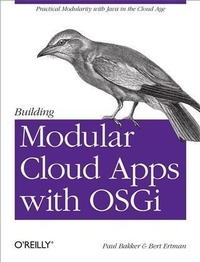
Building Modular Cloud Apps with OSGi
Practical Modularity with Java in the Cloud Age
Published on 9. September 2013
210 pages
978-1-4493-4513-6 (ISBN)
Description

If youre an experienced Java developer in the enterprise, this practical, hands-on book shows you how to use OSGi to design, develop, and deploy modular cloud applications. Youll quickly learn how to use OSGi, through concise code examples and a set of best practices derived from the authors experiences with real-world projects.Through the course of this book, youll learn to develop modern web applications with tools and techniques such as RESTful Web Services, NoSQL, provisioning, elasticity, Auto Scaling, hotfixes, and automatic failover. Code samples are available from GitHub.Work with dynamic OSGi services to create modular applicationsExplore the basics of OSGi bundles and modular application designLearn advanced topics, including semantic versioning, integration testing, and configuring componentsUnderstand OSGi pitfalls, anti-patterns, and features you should avoidCreate a modular architecture for cloud-based web applicationsDiscover how maintainability, extensibility, scalability, and testability are affected by modular designGet a look at various options for creating web applications with a modular approachInteract with persistent storage services, including relational databases and NoSQLExamine alternatives for deploying modular applications to the cloud
More details
Other editions
Additional editions
Paul Bakker | Bert Ertman
Building Modular Cloud Apps with OSGi
Practical Modularity with Java in the Cloud Age
Book
10/2013
1st Edition
O'Reilly
€24.00
Shipment within 10-20 days
Content
- Intro
- Copyright
- Table of Contents
- Preface
- Who Should Read This Book
- How This Book Is Organized
- Conventions Used in This Book
- Using Code Examples
- Safari® Books Online
- How to Contact Us
- Acknowledgments
- Part I. Introducing Modularity in Java
- Chapter 1. Modularity Introduction
- Dealing with Increasing Complexity
- Divide and Conquer
- Service Oriented Architecture All Over Again?
- A Better Look at Modularity and What It Really Means
- Design Time Modularity
- Runtime Modularity
- Modularity Solutions
- OSGi
- Jigsaw
- JBoss Modules
- Maven
- Choosing a Solution: OSGi
- What Is OSGi?
- OSGi in the Real World
- Tooling
- Bndtools
- Maven with the BND Maven Plug-in
- Eclipse Tycho
- NetBeans and IntelliJ
- Chapter 2. Basic Concepts of OSGi
- Hiding Implementations
- Import Package Myths
- Depending on Other Modules
- Service Dynamics
- The Bundle Format
- Bundle-SymbolicName
- Bundle-Name
- Bundle-Version
- Import-Package
- Export-Package
- Bundle-Activator
- Running an OSGi Application
- The Framework Lifecycle
- Chapter 3. Creating the First OSGi Application
- Prerequisites
- Getting Started
- Creating an API Bundle
- Creating an OSGi Service
- Running the Code
- Using the Agenda Service
- Service Instances
- Understanding Service Dynamics
- Services and Bundle States
- Debugging Services
- Having Multiple Service Implementations
- Service Properties
- Service Ranking
- Service Registration and Deregistration Callbacks
- Injecting Multiple Service Implementations and the Whiteboard Pattern
- Lifecycle Callbacks
- Injecting BundleContext and DependencyManager
- Chapter 4. Advanced OSGi
- Semantic Versioning
- Provider and Consumer Types
- Baselining in Bndtools
- Semantic Bundle Versioning
- Integration Testing
- Writing Integration Tests
- Running Integration Tests
- Configuring Services
- Managed Services
- Configuring a Managed Service
- Required Configuration
- Managed Service Factories
- MetaType
- Providing Configuration
- Log Service
- Installing and Using the LogService
- Logging Performance
- Extender Pattern
- Event Admin
- Using Event Admin
- Aspect Services
- The Bundle Cache
- Chapter 5. Pointers and Pitfalls
- Better Understanding OSGi Specifications
- Require Bundle
- Fragment Bundles
- Loading Extra System Packages
- Profilers, Coverage Tools, and Bootpath Delegation
- Dealing with Non-OSGi Libraries
- Transitive Dependencies
- Classloading Problems in Libraries and Frameworks
- Passing the Bundle Classloader Manually
- Handling Classpath Scanning
- The Low-Level Service API
- Registering Services
- Using Services
- Service Tracker
- Dynamic Classloading
- DynamicImport-Package
- Optional Import-Package
- Part II. Developing Cloud Applications
- Chapter 6. Cloud Application Architecture
- Technology Stack
- The Amdatu Project
- The Layered Architecture
- Inside a Bundle
- API Bundles
- Separation of Concerns
- Services Are Responsible for Their Own Data
- Bndtools Project Structure
- Comparing with SOA Again
- Remoting
- Chapter 7. Architectural Capabilities
- Maintainability
- Extensibility
- Scalability
- Testability
- Chapter 8. Creating Web Applications
- Modular Web Applications
- HTTP Service
- Taking It One Step Further with Servlets
- Adding Filters into the Mix
- Handling Web Resources Automatically
- Rethinking Web Applications
- RESTful Web Services
- Getting Started
- Implementing an Agenda Resource
- Extending the Agenda Resource
- Simplified Object Mapping
- Self-Documenting RESTful Endpoints
- Modularizing RESTful Resources
- Modular User Interfaces Using HTML 5
- Token Based Security
- Using the Token Provider
- Web Application Bundles
- OpenSocial
- Getting Started
- Creating Gadgets
- Chapter 9. Persistence
- Relational Databases
- JDBC
- Object Relational Mapping with JPA
- NoSQL
- Document Stores
- Using MongoDB as a Document Store
- Getting Started
- Implementing a Persistent Service
- Using the MongoDB Query System
- Taking It Back to the Web
- Part III. Deploying Applications in the Cloud
- Chapter 10. Deployment
- Understanding OSGi Runtimes
- Choosing an OSGi Framework for Deployment
- IaaS versus PaaS versus SaaS
- A Modular PaaS
- Apache ACE
- Installing Apache ACE
- Starting Deployment Targets
- Creating a Deployment
- Incremental Updates
- Deploying Configuration
- Parameterized Configuration
- Solving Deployment Issues
- Configuring the Apache ACE Launcher
- Autoscaling
- Chapter 11. Alternative Deployment Methods
- Packaging an Application as an Executable JAR
- Application Servers
- Oracle GlassFish Application Server
- RedHat JBoss Application Server
- IBM WebSphere® Application Server
- Apache Karaf
- Eclipse Virgo
- Appendix A. Example Application
- Introduction
- Finding and Running the Source Code
- Layered View
- Component View
- Development View
- Modularized Frontend
- Authentication
- Configuration Admin
- Scheduled Jobs
- Event Admin
- Testing
- Index
- About the Authors
