

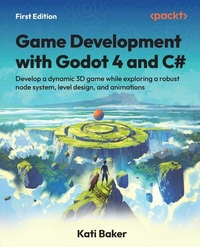
Game Development with Godot 4 and C#
Description

Key Features
Acquire the design skills and knowledge needed to craft compelling 3D projects in Godot
Unlock the seamless synergy between Godot and C# to create immersive gaming experiences
Utilize your C# expertise to build a solid foundation in game development
Purchase of the print or Kindle book includes a free PDF eBook
*Email sign-up and proof of purchase required
Book DescriptionGodot is a versatile, open-source game engine that empowers developers with creative freedom and ownership of their work. Written by a game developer and designer who's been creating games since her first game jam in 2016, this comprehensive guide helps you gain the essential skills you need to embark on an exciting journey into the realm of game development with Godot 4 and C#. This book guides you through the installation of the Godot Engine and introduces you to the powerful capabilities of C# within it. The chapters will help you smoothly integrate C# into your Godot project as you learn how to create a captivating 3D adventure game by exploring topics including project organization, player controller creation, world design, and user-friendly UI development. As you progress, you'll delve into advanced game development aspects such as audio integration, pathfinding algorithms, and dynamic lighting. You'll also get to grips with accessibility considerations in game development and effective bug reporting techniques. Toward the end, you'll discover the vibrant Godot community and gain access to a wealth of resources to further improve your game development skills. By the end of this Godot book, you'll have built a complete 3D adventure game and gained a solid foundation to continue creating your own games.What you will learn
Deepen your understanding of C# functionality within the Godot Engine
Master Godot's versatile node system and leverage its full potential
Elevate your gaming experience with advanced audio, pathfinding, and dynamic lighting techniques
Explore fundamental design principles to craft compelling levels and efficient systems
Recognize the importance of accessibility considerations in game development
Access a variety of supplementary resources to advance your skills and journey with Godot
Effortlessly transition from Godot 3 to the latest version, Godot 4
Who this book is forThis book is for software developers and individuals with a shared passion for game development who possess a foundational programming background, particularly with familiarity in C#. Students pursuing game development studies and technical professionals within the realm of software development will also find this book helpful. While a programming background is beneficial, no prior experience with Godot is required, making it accessible to learners of all levels and an ideal starting point for those looking to embark on their journey of learning and mastering this powerful game engine.
All prices
More details
Other editions
Additional editions
Person
Content
Introducing Godot 4
Understanding How C# Works in Godot
Organizing and Setting Up a Project for a 3D Action Game
Creating Our Player Controller
Creating Our Game World
Developing and Managing the User Interface
Adding Sound Effects and Music
Adding Navigation and Pathfinding
Setting Up Lighting in Godot
Understanding Accessibility and Additional Features
Exporting Your Game
Contributing to Godot and Additional Resources
Next Steps as a Godot Developer
Preface
Godot is an open source game engine that enables developers to create interesting and unique projects, mainly video games. While Godot has a built-in scripting language called GDScript, C# has, over time, gained more support, especially in Godot 4.
Dedicated to Godot 4 and C#, this book guides you through creating a 3D project in Godot, using C# as the programming language from start to finish. In writing this book, I wanted to share my personal experience with Godot alongside my professional experience as a C# developer.
In this book, we will first discuss the relationship between the two and then spend time setting up our development environment. After that, we'll look at how best to organize our project to keep the assets and scripts as orderly as possible.
Once we have our development environment configured, we'll explore the various components to create a 3D action game. Some of those components will include a player controller, animations, user interface, sound effects, and pathfinding. Within each section, we'll discover more features built into Godot's engine and how best to leverage those features in our project.
As we wrap up a vertical slice of our 3D action game, we'll look at third-party plugins and applications that can improve our development life cycle. The last step for our project will be to export the game and publish it on the itch.io platform.
Finally, we will explore outside the game engine into the Godot community and see what other resources are available to Godot developers, such as C#-specific communities and other notable creators in the space.
Most of the features included in this book have been updated to Godot 4.4, and although the UI may change, the idea behind the usage can still be applied to future versions of Godot.
Who this book is for
This book is for developers and creators seeking more knowledge about the Godot Engine, specifically using Godot with C#. Experience with an object-oriented programming language is required to get the most out of this book.
What this book covers
Chapter 1, Introducing Godot 4, introduces the Godot Engine, including what makes it a viable game engine choice, and specific features that make it a worthwhile choice in game development projects.
Chapter 2, Understanding How C# Works in Godot, walks through the relationship between the Godot Engine and C#, as well as setting up a development environment to work fluidly between the two.
Chapter 3, Organizing and Setting Up a Project for a 3D Action Game, explores two different schools of thought when it comes to organizing a project for the rest of the book.
Chapter 4, Creating Our Player Controller, focuses on the player controller, creating animations, and keying controls to player actions.
Chapter 5, Creating Our Game World, illustrates the importance of level design, how to import a variety of assets, and how to add collision meshes to them for use in a level.
Chapter 6, Developing and Managing the User Interface, spends time creating a main menu to access the level and adding some simple animations to the UI.
Chapter 7, Adding Sound Effects and Music, explores sound buses and how to use them for either sound effects or music, and brings them together for UI, player actions, and level music.
Chapter 8, Adding Navigation and Pathfinding, implements navigation and pathfinding for a non-player character to autonomously move throughout the level.
Chapter 9, Setting Up Lighting in Godot, discusses lighting in a variety of ways, specifically for global illumination and interior lighting.
Chapter 10, Understanding Accessibility and Additional Features, reviews the project so far and highlights accessibility components, expanding the UI to accommodate a Settings screen.
Chapter 11, Exporting Your Game, walks through the process of exporting the project to multiple platforms and how it can be played by people outside the project.
Chapter 12, Contributing to Godot and Additional Resources, dives into how to contribute to the engine and provides feedback on issues while also highlighting third-party plugins to utilize in the project.
Chapter 13, Next Steps as a Godot Developer, explores the wider Godot community outside the engine, specifically C#-focused spaces.
Appendix: Transitioning from Godot 3 to Godot 4, provides insight on whether creators should upgrade to Godot 4, the benefits of doing so, and the process to upgrade.
To get the most out of this book
Prior programming knowledge is beneficial in getting the most out of this book. It's targeted at programmers with some experience but little to no Godot experience. No other technical set up is required as this book will walk you through everything you need.
To complete the exercises and examples provided in this book, you will need to download and install Godot Engine 4.5.1. You can download Godot Engine 4.5.1 (.NET version) from the official website at https://godotengine.org/download/archive/4.5.1-stable/.
Download the example code files
The code bundle for the book is hosted on GitHub at https://github.com/PacktPublishing/Game-Development-with-Godot-4-and-C-Sharp. We also have other code bundles from our rich catalog of books and videos available at https://github.com/PacktPublishing. Check them out!
Download the color images
We also provide a PDF file that has color images of the screenshots/diagrams used in this book. You can download it here: https://packt.link/gbp/9781805124139.
Conventions used
There are a few text conventions used throughout this book.
CodeInText: Indicates code words in text, database table names, folder names, filenames, file extensions, pathnames, dummy URLs, user input, and X (formerly Twitter) handles. For example: "Again, when await is read within an async method, it will not move on to the next line of code until the code to the right of the await word has finished executing."
A block of code is set as follows:
public void OnPlayClicked() { GD.Print("Play button clicked"); animPlayer.Play("MenuTransition"); audioPlayer.Play(); HideMenu(); } public async void HideMenu() { await Task.Delay(TimeSpan.FromSeconds(1)); this.Visible = false; } Bold: Indicates a new term, an important word, or words that you see on the screen. For instance, words in menus or dialog boxes appear in the text like this. For example: "Enable the Autoplay checkbox and, most importantly, set the Bus property to Music."
Warnings or important notes appear like this.
Tips and tricks appear like this.
Get in touch
Feedback from our readers is always welcome.
General feedback: If you have questions about any aspect of this book or have any general feedback, please email us at customercare@packt.com and mention the book's title in the subject of your message.
Errata: Although we have taken every care to ensure the accuracy of our content, mistakes do happen. If you have found a mistake in this book, we would be grateful if you reported this to us. Please visit http://www.packt.com/submit-errata, click Submit Errata, and fill in the form.
Piracy: If you come across any illegal copies of our works in any form on the internet, we would be grateful if you would provide us with the location address or website name. Please contact us at copyright@packt.com with a link to the material.
If you are interested in becoming an author: If there is a topic that you have expertise in and you are interested in either writing or contributing to a book, please visit http://authors.packt.com/.
Subscribe to Game Dev Assembly Newsletter!
We are excited to introduce Game Dev Assembly, our brand-new newsletter dedicated to everything game development. Whether you're a programmer, designer, artist, animator, or studio lead, you'll get exclusive insights, industry trends, and expert tips to help you build better games and grow your skills. Sign up today and become part of a growing community of creators, innovators, and game changers.
https://packt.link/gamedev-newsletter
Scan the QR code to join instantly!
Share your thoughts
Once you've read Game Development with Godot 4 and C#, we'd love to hear your thoughts! Please click here to go...
