

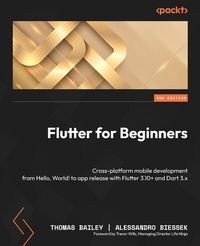
Flutter for Beginners
Cross-platform mobile development from Hello, World! to app release with Flutter 3.10+ and Dart 3.x
3rd Edition
Published on 13. October 2023
406 pages
978-1-83763-053-0 (ISBN)
Description

Follow this step-by-step illustrated guide to launch your own Flutter apps and gain hands-on experienceKey Features - Get up to speed with the basics of Dart programming and delve into Flutter development
- Learn about Flutter widgets, plugins, and animations to create a high-quality, user-friendly app
- Package and deploy your Flutter apps to achieve native-like performance
- Purchase of the print or Kindle book includes a free PDF eBook
Book DescriptionThere have been many attempts at creating frameworks that are truly cross-platform, but most struggle to create a native-like experience at high-performance levels. Flutter achieves this with an elegant design and a wealth of third-party plugins, solidifying its status as the future of mobile app development. If you are a mobile developer who wants to create rich and expressive native apps with the latest Google Flutter framework, this book is for you. You'll start with the basics of cross-platform development frameworks, specifically Flutter. You'll then explore the Dart programming language which is the foundation of the Flutter framework. Next, you'll get a feel for Flutter and how to create your first app, followed by an exploration of the various popular plugins that supplement the Flutter framework. Finally, you'll explore testing and app release, including some common glitches that you may experience. By the end of this book, you'll be well-equipped to create and release a basic Flutter app along with gaining a solid understanding of the Flutter framework and Dart language.What you will learn - Understand the Flutter framework and cross-platform development
- Acclimate the fundamentals of the Dart programming language
- Explore Flutter widgets, the core widget library, and stateful and stateless widgets
- Discover the complete development lifecycle, including testing and debugging
- Get familiar with both the mobile and web app release processes
- Dig deeper into more advanced Flutter concepts like animation
- Explore common Flutter plugins ad how to use them
- Discover the Flutter community and how to stay up-to-date
Who this book is forIf you are an existing mobile developer seeking a better way to develop cross-platform apps, an existing software developer looking to explore mobile app development, or someone investigating mobile apps and simply wants to know what the Flutter fuss is about, this is the book for you. Prior knowledge of Flutter and Dart is not required.
- Learn about Flutter widgets, plugins, and animations to create a high-quality, user-friendly app
- Package and deploy your Flutter apps to achieve native-like performance
- Purchase of the print or Kindle book includes a free PDF eBook
Book DescriptionThere have been many attempts at creating frameworks that are truly cross-platform, but most struggle to create a native-like experience at high-performance levels. Flutter achieves this with an elegant design and a wealth of third-party plugins, solidifying its status as the future of mobile app development. If you are a mobile developer who wants to create rich and expressive native apps with the latest Google Flutter framework, this book is for you. You'll start with the basics of cross-platform development frameworks, specifically Flutter. You'll then explore the Dart programming language which is the foundation of the Flutter framework. Next, you'll get a feel for Flutter and how to create your first app, followed by an exploration of the various popular plugins that supplement the Flutter framework. Finally, you'll explore testing and app release, including some common glitches that you may experience. By the end of this book, you'll be well-equipped to create and release a basic Flutter app along with gaining a solid understanding of the Flutter framework and Dart language.What you will learn - Understand the Flutter framework and cross-platform development
- Acclimate the fundamentals of the Dart programming language
- Explore Flutter widgets, the core widget library, and stateful and stateless widgets
- Discover the complete development lifecycle, including testing and debugging
- Get familiar with both the mobile and web app release processes
- Dig deeper into more advanced Flutter concepts like animation
- Explore common Flutter plugins ad how to use them
- Discover the Flutter community and how to stay up-to-date
Who this book is forIf you are an existing mobile developer seeking a better way to develop cross-platform apps, an existing software developer looking to explore mobile app development, or someone investigating mobile apps and simply wants to know what the Flutter fuss is about, this is the book for you. Prior knowledge of Flutter and Dart is not required.
All prices
More details
Other editions
Additional editions
Thomas Bailey | Alessandro Biessek
Flutter for Beginners
Cross-platform mobile development from Hello, World! to app release with Flutter 3.10+ and Dart 3.x
Book
10/2023
3rd Edition
Packt Publishing
€82.00
Shipment within 3-4 weeks
Previous edition
Thomas Bailey | Alessandro Biessek
Flutter for Beginners
An introductory guide to building cross-platform mobile applications with Flutter 2.5 and Dart
E-Book
09/2024
2nd Edition
Packt Publishing
from
€43.19
Available for download
Content
- Cover
- Title Page
- Copyright
- Dedication
- Foreword
- Contributors
- Table of Contents
- Preface
- Part 1: Learning the Core Concepts
- Chapter 1: What Is Flutter and Why Should I Use It?
- Technical requirements
- What is Flutter?
- Backed by Google
- Fuchsia OS and Flutter
- Dart
- One code base to rule them all
- Open source framework
- Hello Flutter - a first glimpse of Flutter
- Installing Flutter
- Development environment
- Hello world!
- Widgets, widgets, everywhere
- Flutter rendering
- Flutter - rendering by itself
- Composability
- Immutability
- Everything is a widget
- Building and running Flutter
- Debug mode
- Release mode
- Profile mode
- Supported platforms
- The pubspec.yaml file
- Running the generated project
- Summary
- Chapter review questions
- Further reading
- Chapter 2: An Introduction to Dart
- Technical requirements
- Getting started with Dart
- The evolution of Dart
- How to run Dart
- Introducing the structure of the Dart language
- Hands-on with Dart
- Variables and data types
- Variable declaration
- Null safety
- Built-in types
- final and const
- dynamic and using 'as'
- Dart operators
- Control flows and looping
- if/else
- while and do-while loops
- for loops
- break and continue
- switch
- Hands-on, continued
- Functions and methods
- Function parameters
- Summary
- Questions
- Further reading
- Chapter 3: Flutter versus Other Frameworks
- Native development
- Developer skillset
- Project management
- Defect reports
- Performance
- Platform features
- Hot reload
- User experience
- App size
- New platforms
- Retired platforms
- Development resources
- Overview
- Cross-platform frameworks
- React Native
- Xamarin
- Cordova
- Framework popularity
- The Flutter community
- Events
- News and discussion
- Resources
- Flutter strengths and weaknesses
- Strengths
- Weaknesses
- Live Flutter apps
- Summary
- Questions
- Further reading
- Chapter 4: Dart Classes and Constructs
- Object orientation in Dart
- Objects and classes
- Other OOP artifacts
- Encapsulation
- Inheritance and composition
- Abstraction
- Polymorphism
- Functions as objects
- Understanding classes in Dart
- Class structure
- Constructors
- Class inheritance
- Abstract classes
- Interfaces
- Mixins
- Files and imports
- The enum type
- Using generics
- When and why to use generics
- Asynchronous programming
- Dart Futures
- Dart Isolates
- Summary
- Questions
- Further reading
- Part 2: Building a Basic Flutter App
- Chapter 5: Building Your User Interface through Widgets
- Technical requirements
- Stateful/stateless widgets
- Stateless widgets
- Stateful widgets
- Inherited widgets
- The widget key property
- Built-in widgets
- Display widgets
- User interaction widgets
- Layouts
- Advanced widgets (gestures, animations, and transformations)
- Summary
- Questions
- Further reading
- Chapter 6: Handling User Input and Gestures
- Technical requirements
- Handling user gestures
- Pointers
- Gestures
- GestureDetector
- Gestures in Material widgets
- A deeper look at the stateful widget life cycle
- Key life cycle states
- Mounted
- Input widgets and forms
- Getting input through the onChanged callback
- Getting input through a controller
- Form and FormField
- Accessing FormField's state
- Form
- Custom input and FormField
- Creating custom inputs
- Custom input widget example
- Summary
- Questions
- Further reading
- Chapter 7: Let's Get Graphical!
- Technical requirements
- Make me pretty
- Using colors
- Text style
- Container decoration
- Buttons
- The Scaffold widget
- Drawer
- Snackbar
- And there's much more.
- Creating elegant content lists
- Understanding image types in Flutter
- Out-of-the-box support
- SVG
- Lottie files
- Slivers
- Lists with navigation
- SliverAppBar
- Summary
- Questions
- Further reading
- Chapter 8: Routing - Navigating between Screens
- Technical requirements
- Understanding the Navigator widget
- Navigator 1.0 and 2.0
- Navigator
- Navigator 1.0
- Navigator 2.0
- Screen transitions
- PageRouteBuilder
- Custom transitions in practice
- Passing data between screens
- Passing state in widget parameters
- InheritedWidget
- BLoC
- Redux
- Other options
- Summary
- Questions
- Further reading
- Part 3: Turning a Simple App into an Awesome App
- Chapter 9: Flutter Plugins - Get Great Functionality for Free!
- Technical requirements
- What is a plugin?
- Benefits
- Drawbacks
- Where can I find plugins?
- How do I add a plugin to my project?
- The pubspec.yaml file
- flutter pub
- Using a plugin in your code
- How do plugins work on iOS and Android?
- MethodChannel
- CocoaPods
- Gradle
- Common issues
- Plugin breaking change
- Plugin not working
- PR not merged
- Inconsistent dependencies
- MissingPluginException
- Summary
- Questions
- Further reading
- Chapter 10: Popular Third-Party Plugins
- Technical requirements
- Exploring Firebase plugins
- Firebase registration
- Connecting the Flutter app to Firebase
- FlutterFire plugins
- Firebase initialization
- Authentication
- Realtime Database
- Firestore
- Analytics and Crashlytics
- Cloud Storage
- AdMob
- Cloud Functions
- ML with Google ML Kit
- Messaging
- Understanding Google Maps and Places
- Exploring mobile device features
- Camera and QR codes
- Opening web pages
- Local storage
- Video
- Payment providers
- In-app purchases
- Opening files
- Plugins to help with your app support
- App version
- Device information
- Summary
- Questions
- Further reading
- Chapter 11: Using Widget Manipulations and Animations
- Technical requirements
- Transforming widgets with the Transform class
- The Transform widget
- Understanding the Matrix4 class
- Exploring the types of transformations
- Introducing animations
- The Animation&T& class
- AnimationController
- CurvedAnimation
- Tween
- Using animations
- Rotate animation
- Scale animation
- Translate animation
- Using AnimatedBuilder
- The AnimatedBuilder class
- Revisiting our animation
- Implicitly animated widgets
- AnimatedContainer
- AnimatedFoo
- Summary
- Questions
- Further reading
- Part 4: Testing and Releasing Your App
- Chapter 12: Testing and Debugging
- Technical requirements
- Unit testing
- The Dart test package
- Writing unit tests
- Unit test mocking
- Widget testing
- The WidgetTester class
- Widget test example
- Running a widget test
- Debugging your app
- Debugging in the IDE
- Additional debugging features
- DevTools
- The widget inspector
- Profile mode
- Summary
- Questions
- Further reading
- Chapter 13: Releasing Your App to the World
- Technical requirements
- Preparing your app for deployment
- Preparing the stores
- Preparing for the web
- Releasing your app on Android
- AndroidManifest and build.gradle
- Building and uploading your appbundle
- Releasing your app on iOS
- App Store Connect
- Xcode
- Building and uploading
- Releasing your app on the web
- Firebase hosting
- PWA support
- Tracking app usage and crashes
- Crashlytics
- Google Analytics
- Summary
- Questions
- Further reading
- Index
- About Packt
- Other Books You May Enjoy
