

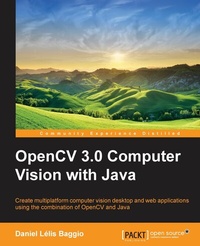
OpenCV Computer Vision with Java
Create multiplatform computer vision desktop and web applications using the combination of OpenCV and Java
Published on 8. July 2025
174 pages
978-1-78328-398-9 (ISBN)
Description

Key Features
Book DescriptionIf you are a Java developer, student, researcher, or hobbyist wanting to create computer vision applications in Java then this book is for you. If you are an experienced C/C++ developer who is used to working with OpenCV, you will also find this book very useful for migrating your applications to Java. All you need is basic knowledge of Java, with no prior understanding of computer vision required, as this book will give you clear explanations and examples of the basics.What you will learn
Create powerful GUIs for computer vision applications with panels, scroll panes, radio buttons, sliders, windows, and mouse interaction using the popular Swing GUI widget toolkit
Stretch, shrink, warp, and rotate images, as well as apply image transforms to find edges, lines, and circles, and even use Discrete Fourier Transforms (DFT)
Detect foreground or background regions and work with depth images with a Kinect device
Learn how to add computer vision capabilities to rock solid Java web applications allowing you to upload photos and create astonishing effects
Track faces and apply mixed reality effects such as adding virtual hats to uploaded photos
Filter noisy images, work with morphological operators, use flood fill, and threshold the important regions of an image
Open and process video streams from webcams or video files
Who this book is forIf you are a Java developer, student, researcher, or hobbyist wanting to create computer vision applications in Java then this book is for you. If you are an experienced C/C++ developer who is used to working with OpenCV, you will also find this book very useful for migrating your applications to Java.
Book DescriptionIf you are a Java developer, student, researcher, or hobbyist wanting to create computer vision applications in Java then this book is for you. If you are an experienced C/C++ developer who is used to working with OpenCV, you will also find this book very useful for migrating your applications to Java. All you need is basic knowledge of Java, with no prior understanding of computer vision required, as this book will give you clear explanations and examples of the basics.What you will learn
Create powerful GUIs for computer vision applications with panels, scroll panes, radio buttons, sliders, windows, and mouse interaction using the popular Swing GUI widget toolkit
Stretch, shrink, warp, and rotate images, as well as apply image transforms to find edges, lines, and circles, and even use Discrete Fourier Transforms (DFT)
Detect foreground or background regions and work with depth images with a Kinect device
Learn how to add computer vision capabilities to rock solid Java web applications allowing you to upload photos and create astonishing effects
Track faces and apply mixed reality effects such as adding virtual hats to uploaded photos
Filter noisy images, work with morphological operators, use flood fill, and threshold the important regions of an image
Open and process video streams from webcams or video files
Who this book is forIf you are a Java developer, student, researcher, or hobbyist wanting to create computer vision applications in Java then this book is for you. If you are an experienced C/C++ developer who is used to working with OpenCV, you will also find this book very useful for migrating your applications to Java.
All prices
More details
Edition
Digital original
Language
English
Place of publication
Birmingham
United Kingdom
Target group
Adult education
College/higher education
US School Grade: College Graduate Student
Edition type
Digital original
File size
5,04 MB
ISBN-13
978-1-78328-398-9 (9781783283989)
Copyright in bibliographic data and cover images is held by Nielsen Book Services Limited or by the publishers or by their respective licensors: all rights reserved.
Schweitzer Classification
Other editions
Additional editions
Daniel Lélis Baggio
OpenCV Computer Vision with Java
Book
06/2015
Packt Publishing
€50.10
Shipment within 3-4 weeks
Person
Baggio Daniel Lelis :
Daniel Lelis Baggio has started his works in computer vision through medical image processing at InCor (Instituto do Coracao - Heart Institute) in Sao Paulo, Brazil, where he worked with intra-vascular ultrasound (IVUS) image segmentation. After that he has focused on GPGPU and ported that algorithm to work with NVidia's Cuda. He has also dived into 6 degrees of freedom head tracking with Natural User Interface group through a project called EHCI (http://code.google.com/p/ehci/ ). He also wrote "Mastering OpenCV with Practical Computer Vision Projects" from Packt Publishing.
Daniel Lelis Baggio has started his works in computer vision through medical image processing at InCor (Instituto do Coracao - Heart Institute) in Sao Paulo, Brazil, where he worked with intra-vascular ultrasound (IVUS) image segmentation. After that he has focused on GPGPU and ported that algorithm to work with NVidia's Cuda. He has also dived into 6 degrees of freedom head tracking with Natural User Interface group through a project called EHCI (http://code.google.com/p/ehci/ ). He also wrote "Mastering OpenCV with Practical Computer Vision Projects" from Packt Publishing.
Content
Table of Contents
Setting up OpenCV for Java
Handling Matrices, Files, Cameras and GUIs
Filtering Images
Image Transforms
Tracking Faces and Eyes with Haar Cascades
Detecting Foreground/Background Regions and Depth with Kinect device
OpenCV on the Server side
Setting up OpenCV for Java
Handling Matrices, Files, Cameras and GUIs
Filtering Images
Image Transforms
Tracking Faces and Eyes with Haar Cascades
Detecting Foreground/Background Regions and Depth with Kinect device
OpenCV on the Server side

