

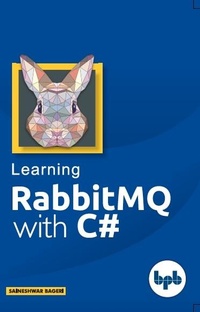
Learning RabbitMQ With C#
A magical tool for the IT world
1st Edition
Published on 15. January 2018
108 pages
978-93-88511-12-4 (ISBN)
Description

No detailed description available for "Learning RabbitMQ With C#".
More details
Other editions
Additional editions
Saineshwar Bageri
Learning RabbitMQ With C#
Book
07/2018
BPB Publications
€32.37
Article not available for order
Content
- Cover
- Learning Rabbitmq With C#
- Copyright
- Table of Contents
- Preface
- Acknowledgement
- RabbitMQ Introduction
- What is RabbitMQ?
- Why and when should we use RabbitMQ?
- What is AMQP?
- RabbitMQ Setup
- What is Erlang
- Installing Erlang
- Downloading RabbitMQ
- Installing RabbitMQ
- Starting RabbitMQ Server
- RabbitMQ Exchanges
- What are the Exchanges?
- Adding Exchanges
- RabbitMQ Queues
- What is the Queue?
- Parameters of Queues in Details
- Adding Queue
- Binding in RabbitMQ
- What is Binding
- RabbitMQ Users
- Currently Supported by the Management Plugin
- Creating Users
- Setting Privilege to Access Virtual Hosts
- RabbitMQ Virtual Hosts
- What are Virtual Hosts?
- Creating Virtual host
- Creating Users
- Setting Privilege to Access Virtual Hosts
- Connections
- Channels
- Note for Mode
- Note for Prefetch count
- Publishing Message
- Snapshot after Publishing Message
- Reading Message
- Snapshot while Reading the Message
- Delete Message
- Publish Message Using C# to RabbitMQ
- Creating RequestRabbitMQ Application
- Adding RabbitMQ.Client NuGet Package
- Adding Direct Exchange
- Adding Queue
- Binding the Demoqueue with demoExchange
- Adding a Directmessages Class
- Consume Message Using C# to RabbitMQ
- Adding RabbitMQ.Client NuGet Package
- Code snippet of MessageReceiver class
- Queue is Empty
- Queue after Publishing Message
- Using RabbitMQ Direct Message Exchanges with .Net Application
- Types of Exchanges
- Creating RequestRabbitMQ Application
- Adding RabbitMQ.Client NuGet Package
- Adding Direct Exchange
- Adding Queue
- Binding the request.queue with request.exchange
- Adding a Directmessages Class
- Now Let's See queue status request.queue
- Creating RabbitMQConsumer Application
- Adding RabbitMQ.Client NuGet Package
- Queue after publishing Message
- Conclusion
- Using RabbitMQ Topic Message Exchanges with .Net Application
- What is the Topic Exchange?
- Creating RequestRabbitMQ Application
- Adding RabbitMQ.Client NuGet Package
- Adding Topic Exchange
- Adding Queue
- Binding the topic.delhi.queue with topic.exchange
- Adding a Topicmessages Class
- Published Message to "topic.bombay.queue
- Creating RabbitMQConsumer Application
- Adding RabbitMQ.Client NuGet Package
- The queue has one Request which we have published
- Published Message to topic.delhi.queue
- Published Message to "topic.delhi.queue
- Consumed Message from topic.delhi.queue
- Conclusion
- Using RabbitMQ Fanout Message Exchanges with .Net Application
- What is a Fanout Exchange?
- Adding RabbitMQ.Client NuGet Package
- Adding Fanout Exchange
- Adding Queue
- Adding a Fanoutmessages Class
- Published Message to all queues of "fanout.exchange
- Creating RabbitMQConsumer Application
- Adding RabbitMQ.Client NuGet Package
- Conclusion
- Using RabbitMQ Headers Message Exchanges with .Net Application
- What is a Headers exchange?
- Creating RequestRabbitMQ Application
- Adding RabbitMQ.Client NuGet Package
- Adding Fanout Exchange
- Binding the Queues
- Adding a Headersmessages Class
- Creating RabbitMQConsumer Application
- Adding RabbitMQ.Client NuGet Package
- The queue has one request which we have published
- Conclusion
