

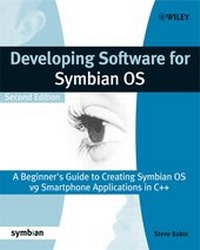
Developing Software for Symbian OS
A Beginner's Guide to Creating Symbian OS v9 Smartphone Applications in C++
2nd Edition
Published on 2. August 2008
460 pages
978-0-470-72646-4 (ISBN)
Description

Many problems encountered by engineers developing code forspecialized Symbian subsystems boil down to a lack of understandingof the core Symbian programming concepts. Developing Software forSymbian OS remedies this problem as it provides a comprehensivecoverage of all the key concepts. Numerous examples anddescriptions are also included, which focus on the concepts theauthor has seen developers struggle with the most. The book coversdevelopment ranging from low-level system programming to end userGUI applications. It also covers the development and packagingtools, as well as providing some detailed reference and examplesfor key APIs. The new edition includes a completely new chapter onplatform security.
The overall goal of the book is to provide introductory coverage ofSymbian OS v9 and help developers with little or no knowledge ofSymbian OS to develop as quickly as possible. There are few peoplewith long Symbian development experience compared to demand, due tothe rapid growth of Symbian in recent years, and developingsoftware for new generation wireless devices requires knowledge andexperience of OS concepts. This book will use many comparisonsbetween Symbian OS and other OSes to help in that transition.
Get yourself ahead with the perfect introduction to developingsoftware for Symbian OS.
The overall goal of the book is to provide introductory coverage ofSymbian OS v9 and help developers with little or no knowledge ofSymbian OS to develop as quickly as possible. There are few peoplewith long Symbian development experience compared to demand, due tothe rapid growth of Symbian in recent years, and developingsoftware for new generation wireless devices requires knowledge andexperience of OS concepts. This book will use many comparisonsbetween Symbian OS and other OSes to help in that transition.
Get yourself ahead with the perfect introduction to developingsoftware for Symbian OS.
More details
Other editions
Additional editions
Steve Babin
Developing Software for Symbian OS 2nd Edition
A Beginner's Guide to Creating Symbian OS v9 Smartphone Applications in C++
Book
10/2007
Wiley
€53.90
Article exhausted; check different version
Person
Steve Babin works at IBM developing enterprise software for smartphones based on Symbian OS and MIcrosoft Windows Mobile. He has a BSEE from Louisiana State University and over 20 years of software development and leadership experience on a variety of products - including medical devices, Java accelerators, avionics, Internet appliances, and system-on-chip silicon devices - using numerous operating systems. Steve is married to Sharon and has a daughter named Hillary. They live in Austin, TX. He is an Accredited Symbian Developer.
Content
Foreword (Jo Stichbury)
Foreword (Warren Day)
Biography.
Author Acknowledgments.
Symbian Press Acknowledgments.
Symbian OS Code Conventions and Notations Used in the Book.
1. Smartphones and Symbian OS.
1.1 Notes on this New Edition.
1.2 Smartphone Concepts.
1.3 Smartphone Features.
1.4 The Mobile OS.
1.5 Symbian OS - A Little History.
1.6 Symbian OS Smartphones.
1.7 Other Smartphone Operating Systems.
2. Symbian OS Quick Start.
2.1 What Do You Need to Get Started?
2.2 Firing Up the Development Tools.
2.3 Simple Example Application.
2.4 Building and Executing on the Emulator.
2.5 A Carbide.c++ Project.
2.6 Building for the Smartphone.
3. Symbian OS Architecture.
3.1 Components in Symbian OS.
3.2 Multitasking in Symbian OS.
3.3 Shared Code: Libraries, DLLs, and Frameworks.
3.4 Client-Server Model.
3.5 Memory in Symbian OS.
3.6 The Kernel.
3.7 Active Objects and Asynchronous Functions.
3.8 GUI Architecture.
3.9 High-Performance Graphics.
3.10 The Communication Architecture.
3.11 Application Engines and Services.
3.12 Platform Security.
4. Symbian OS Programming Basics.
4.1 Use of C++ in Symbian OS.
4.2 Non-standard C++ Characteristics.
4.3 Basic Data Types.
4.4 Symbian OS Classes.
4.5 Exception Error Handling and Cleanup.
4.6 Libraries.
4.7 Executable Files.
4.8 Naming Conventions.
4.9 Summary.
5. Symbian OS Build Environment.
5.1 SDK Directory Structure.
5.2 Build System Overview.
5.3 Basic Build Flow.
5.4 Build Targets.
5.5 What is a UID?
5.6 The Emulator.
5.7 Building Shared Libraries.
5.8 DLL Interface Freezing.
5.9 Installing Applications on the Smartphone.
6. Strings, Buffers, and Data Collections.
6.1 Introducing the Text Console.
6.2 Descriptors for Strings and Binary Data.
6.3 The Descriptor Classes.
6.4 Descriptor Methods.
6.5 Converting Between 8-Bit and 16-Bit Descriptors.
6.6 Dynamic Buffers.
6.7 Templates in Symbian OS.
6.8 Arrays.
6.9 Other Data Collection Classes.
7. Platform Security and Symbian Signed.
7.1 What is Platform Security?
7.2 What Platform Security is Not.
7.3 What this Means to a Developer.
7.4 Capabilities for API Security.
7.5 Application Signing in Symbian.
7.6 Getting Your Application Symbian Signed.
7.7 Developer Certificates.
8. Asynchronous Functions and Active Objects.
8.1 Asynchronous Functions.
8.2 Introducing Active Objects.
8.3 The Active Scheduler.
8.4 Active Scheduler Error Handling.
8.5 Active Object Priorities.
8.6 Canceling Outstanding Requests.
8.7 Removing an Active Object.
8.8 Active Object Example.
8.9 Active Object Issues.
8.10 Using Active Objects for background Tasks.
9. Processes, Threads, and Synchronization.
9.1 Processes.
9.2 Using Threads on Symbian OS.
9.3 Sharing Memory Between Processes.
9.4 Memory Chunks.
9.5 Thread Synchronization.
10. Client-Server Framework.
10.1 Client-Server Overview.
10.2 A Look at the Client-Server Classes.
10.3 Client-Server Example.
11. Symbian OS TCP/IP Network Programming.
11.1 Introduction to TCP/IP.
11.2 Network Programming Using Sockets.
11.3 Symbian OS Socket API.
11.4 Example: Retrieving Weather Information.
11.5 Making a Network Connection.
12. GUI Application Programming.
12.1 Symbian OS User Interfaces.
12.2 Anatomy of a GUI Application.
12.3 Application Classes.
12.4 Resource Files.
12.5 Dialogs.
12.6 Symbian OS Controls.
12.7 View Architecture.
12.8 Application Icon and Caption.
References.
Index.
Foreword (Warren Day)
Biography.
Author Acknowledgments.
Symbian Press Acknowledgments.
Symbian OS Code Conventions and Notations Used in the Book.
1. Smartphones and Symbian OS.
1.1 Notes on this New Edition.
1.2 Smartphone Concepts.
1.3 Smartphone Features.
1.4 The Mobile OS.
1.5 Symbian OS - A Little History.
1.6 Symbian OS Smartphones.
1.7 Other Smartphone Operating Systems.
2. Symbian OS Quick Start.
2.1 What Do You Need to Get Started?
2.2 Firing Up the Development Tools.
2.3 Simple Example Application.
2.4 Building and Executing on the Emulator.
2.5 A Carbide.c++ Project.
2.6 Building for the Smartphone.
3. Symbian OS Architecture.
3.1 Components in Symbian OS.
3.2 Multitasking in Symbian OS.
3.3 Shared Code: Libraries, DLLs, and Frameworks.
3.4 Client-Server Model.
3.5 Memory in Symbian OS.
3.6 The Kernel.
3.7 Active Objects and Asynchronous Functions.
3.8 GUI Architecture.
3.9 High-Performance Graphics.
3.10 The Communication Architecture.
3.11 Application Engines and Services.
3.12 Platform Security.
4. Symbian OS Programming Basics.
4.1 Use of C++ in Symbian OS.
4.2 Non-standard C++ Characteristics.
4.3 Basic Data Types.
4.4 Symbian OS Classes.
4.5 Exception Error Handling and Cleanup.
4.6 Libraries.
4.7 Executable Files.
4.8 Naming Conventions.
4.9 Summary.
5. Symbian OS Build Environment.
5.1 SDK Directory Structure.
5.2 Build System Overview.
5.3 Basic Build Flow.
5.4 Build Targets.
5.5 What is a UID?
5.6 The Emulator.
5.7 Building Shared Libraries.
5.8 DLL Interface Freezing.
5.9 Installing Applications on the Smartphone.
6. Strings, Buffers, and Data Collections.
6.1 Introducing the Text Console.
6.2 Descriptors for Strings and Binary Data.
6.3 The Descriptor Classes.
6.4 Descriptor Methods.
6.5 Converting Between 8-Bit and 16-Bit Descriptors.
6.6 Dynamic Buffers.
6.7 Templates in Symbian OS.
6.8 Arrays.
6.9 Other Data Collection Classes.
7. Platform Security and Symbian Signed.
7.1 What is Platform Security?
7.2 What Platform Security is Not.
7.3 What this Means to a Developer.
7.4 Capabilities for API Security.
7.5 Application Signing in Symbian.
7.6 Getting Your Application Symbian Signed.
7.7 Developer Certificates.
8. Asynchronous Functions and Active Objects.
8.1 Asynchronous Functions.
8.2 Introducing Active Objects.
8.3 The Active Scheduler.
8.4 Active Scheduler Error Handling.
8.5 Active Object Priorities.
8.6 Canceling Outstanding Requests.
8.7 Removing an Active Object.
8.8 Active Object Example.
8.9 Active Object Issues.
8.10 Using Active Objects for background Tasks.
9. Processes, Threads, and Synchronization.
9.1 Processes.
9.2 Using Threads on Symbian OS.
9.3 Sharing Memory Between Processes.
9.4 Memory Chunks.
9.5 Thread Synchronization.
10. Client-Server Framework.
10.1 Client-Server Overview.
10.2 A Look at the Client-Server Classes.
10.3 Client-Server Example.
11. Symbian OS TCP/IP Network Programming.
11.1 Introduction to TCP/IP.
11.2 Network Programming Using Sockets.
11.3 Symbian OS Socket API.
11.4 Example: Retrieving Weather Information.
11.5 Making a Network Connection.
12. GUI Application Programming.
12.1 Symbian OS User Interfaces.
12.2 Anatomy of a GUI Application.
12.3 Application Classes.
12.4 Resource Files.
12.5 Dialogs.
12.6 Symbian OS Controls.
12.7 View Architecture.
12.8 Application Icon and Caption.
References.
Index.
