

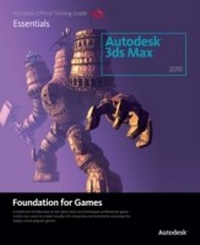
Learning Autodesk 3ds Max 2010 Foundation for Games
1st Edition
Published on 12. November 2012
352 pages
978-1-136-13782-2 (ISBN)
Description

3ds Max XXXX: presently under NDA.
Learning 3ds Max XXXX Foundation is the key to unlocking the power of Autodesk 3ds Max, directly from the creators of one of the world's most powerful 3D animation and effects software products. Get hands on experience with the innovative tools and powerful techniques available in the new version of 3ds Max, through all new project-based lessons. Projects will include valuable game assets and examples. Topics will include modeling, animation, materials & mapping, rendering.
Autodesk will be contributing assets (models and images) from high-profile studios. The DVD will include: 30-day trial of Max XXXX, bonus short films, demos, hotkey reference, free models from turbosquid.
Learning 3ds Max XXXX Foundation is the key to unlocking the power of Autodesk 3ds Max, directly from the creators of one of the world's most powerful 3D animation and effects software products. Get hands on experience with the innovative tools and powerful techniques available in the new version of 3ds Max, through all new project-based lessons. Projects will include valuable game assets and examples. Topics will include modeling, animation, materials & mapping, rendering.
Autodesk will be contributing assets (models and images) from high-profile studios. The DVD will include: 30-day trial of Max XXXX, bonus short films, demos, hotkey reference, free models from turbosquid.
Reviews / Votes
"It is an excellent text... I have been campaigning to the publishers for years to include colour images in their 3D training texts. They have always said it was too expensive. The difference with this Autodesk text is that they did it right."James Graham
Associate Professor
Department of New Media
Faculty of Fine Arts
University of Lethbridge
Lethbridge, Alberta
Canada
More details
Language
Other
Place of publication
London
United Kingdom
Publishing group
Taylor & Francis Ltd
Target group
Professional and scholarly
File size
33,24 MB
ISBN-13
978-1-136-13782-2 (9781136137822)
Copyright in bibliographic data and cover images is held by Nielsen Book Services Limited or by the publishers or by their respective licensors: all rights reserved.
Schweitzer Classification
Other editions
Additional editions

Autodesk
Guia Oficial 3ds Max
Book
11/2010
1st Edition
Editora Campus
€62.08
Article exhausted; check different version
Book
10/2009
1st Edition
Focal Press
€49.51
Withdrawn from sale
Person
Autodesk's Media and Entertainment division produces award-winning software tools designed for digital media creation, management and delivery across all disciplines: from film and television visual effects, color grading and editing to animation, game development, web/interactive, and design visualization. Autodesk Media and Entertainment is based in Montreal, Quebec, Canada.
Content
Autodesk 3ds Max | Foundation | Table of Contents
Project 1
Lesson 1 Primitives
Lesson 2 Adding Details
Lesson 3 Materials and Texture Maps
Lesson 4 Animation Basics
Lesson 5 Working with Autodesk 3ds Max
Project 2
Lesson 6 Editable Poly Modeling
Lesson 7 Adding Details
Lesson 8 Creating a Skeleton
Lesson 9 Skinning
Lesson 10 Morph Targets
Project 3
Lesson 11 Materials
Lesson 12 Maps
Lesson 13 Unwrapping UVs
Lesson 14 Texturing the Character
Project 4
Lesson 15 Walk Cycle
Lesson 16 More Animation
Lesson 17 Motion Capture
Lesson 18 Motion Mixer
Project 5
Lesson 19 The Camera
Lesson 20 Basic Lighting
Lesson 21 mental ray
Lesson 22 - Rendering
Project 1
Lesson 1 Primitives
Lesson 2 Adding Details
Lesson 3 Materials and Texture Maps
Lesson 4 Animation Basics
Lesson 5 Working with Autodesk 3ds Max
Project 2
Lesson 6 Editable Poly Modeling
Lesson 7 Adding Details
Lesson 8 Creating a Skeleton
Lesson 9 Skinning
Lesson 10 Morph Targets
Project 3
Lesson 11 Materials
Lesson 12 Maps
Lesson 13 Unwrapping UVs
Lesson 14 Texturing the Character
Project 4
Lesson 15 Walk Cycle
Lesson 16 More Animation
Lesson 17 Motion Capture
Lesson 18 Motion Mixer
Project 5
Lesson 19 The Camera
Lesson 20 Basic Lighting
Lesson 21 mental ray
Lesson 22 - Rendering
