

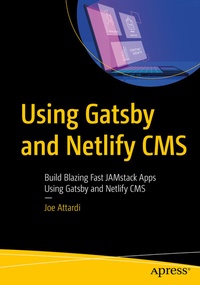
Using Gatsby and Netlify CMS
Description

Leverage the powerful new combination of Gatsby and Netlify CMS, a free open source content management solution, to build blazing fast apps. This book shows you how to create a React-powered website using the Gatsby framework for the frontend, and Netlify CMS as the content backend.
Through the course of the book you'll gradually build a website for a coffee shop that includes a blog and a bakery/coffee menu that is customizable through Netlify CMS. The project starts with a bare-bones Gatsby site to which you'll add functionality such as setting up/configuring the CMS, creating different types of content, and writing some Gatsby glue code to consume the Markdown data via plugins. When done, you'll be well-equipped to build on your existing JavaScript and React knowledge to effectively use Gatsby and Netlify CMS for yourself or your clients.
Using Gatsby and Netlify CMS is an ideal guide for anyone looking to build their own sites and managetheir own content without having to deal with creating Markdown files or Git repositories.
What You'll Learn
-
Clone repositories, install dependencies and deploy on Netlify
- Configure Netlify Identity and Git Gateway
- Use Netlify CMS Content Manager
- Source blog data using Gatsby plugin
- Manage dynamic page reactions using Gatsby Node APIs
- Work with pagination, content and menus
- Customize Netlify CMS
Who This Book Is For
Experienced JavaScript developers with a good handle on React who want to learn how to build a maintainable Gatsby powered site. Basic familiarity with Gatsby is assumed but not required.
More details
Other editions
Additional editions
Person
Joe Attardi is a software engineer specializing in front-end development. He has over 15 years' experience working with JavaScript, HTML, and CSS, and has worked extensively with front-end technologies such as Angular and React. He currently works at Salesforce, and has worked in the past with companies such as Dell and Nortel. He is also the author of Modern CSS (Apress, 2020). He lives in the Boston area with his wife and son. You can find him on Twitter at @JoeAttardi.
Content
1. Introduction to Netlify CMS.- 2. Gatsby Crash Course.- 3. Setting Up the Example Project.- 4. Setting Up Netlify CMS.- 5. The Netlify CMS Application.- 6. Sourcing Blog Data.- 7. Dynamic Page Creation.- 8. Blog Pagination.- 9. Adding More Content.- 10. Creating the Coffee Menu.- 11. Working with Images.- 12. Customizing the CMS.- 13. The Editorial Workflow.- 14. Wrap Up.
