

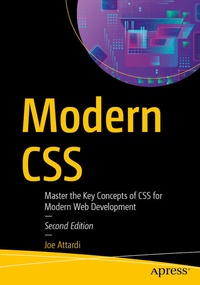
Modern CSS
Description

Come on a tour of modern CSS. This example-driven book demonstrates the concepts by showing code examples, screenshots, and diagrams to help clearly communicate the information.
You'll start with the very basics of CSS: box model, colors, selectors and combinators, and specificity. Then gradually move through more intermediate topics - styling text, positioning, Z-index and stacking contexts, gradients, borders, and then to more advanced topics such as transforms, transitions, animations, flexbox, and CSS grid.
There is a lot of discussion about how hard CSS is, and how intimidated some people are by it, but it doesn't have to be this way. Modern CSS uses a logical and understandable approach to break down and clearly explain the ins and outs of CSS.
This new edition has been fully updated keeping in mind the changes that CSS has undergone in the last four years and the new features and APIs that have been introduced. The chapter on CSS grids has been updated extensively and now includes a section on CSS subgrids. The book will guide you through recent topics such as nested CSS rules, the :is and :has pseudo-classes, scroll-driven animations, container queries, and more.
What You'll Learn :
- Work with the syntax of CSS selectors and calculate specificity
- Use styling techniques, fonts and text styling
- Review custom properties (variables)
- Explore the different ways an element can be transformed
- Use animating elements with CSS transitions
- Position elements using Flexbox layout
- Understand the basics of responsive design
Who This Book Is For
Anyone who has some experience with HTML, and some CSS, but might not be familiar with some of the newer concepts like flexbox or grid. Also, those looking for a refresher in those areas.
More details
Other editions
Additional editions
Previous edition
Person
Joe Attardi is a software engineer from the Boston area, specializing in front-end development. He has over 20 years of experience working with web technologies such as JavaScript, TypeScript, HTML, and CSS. He has built rich front-end experiences for companies such as Dell, Constant Contact, and Salesforce. He is the author of Using Gatsby and Netlify CMS (Apress, 2020) and Web API Cookbook (O'Reilly, 2024). You can find him on X at @JoeAttardi.
Content
Chapter 1. Introduction to CSS.- Chapter 2. CSS Rules and Selectors.- Chapter 3. Basic CSS Concepts.- Chapter 4. Basic Styling.- Chapter 5. Backgrounds and Gradients.- Chapter 6. Text Styling.- Chapter 7. Layout and Positioning.- Chapter 8. Transforms.- Chapter 9. Transitions and Animations.- Chapter 10. Flexbox.- Chapter 11. CSS Grid.- Chapter 12. Responsive Design.- Chapter 13. Wrap-up.
