

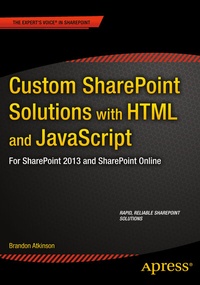
Custom SharePoint Solutions with HTML and JavaScript
Description

The content and screenshots in this book are based on SharePoint 2013. The techniques shown can also be applied to SharePoint 2016.
Custom SharePoint Solutions with HTML and JavaScript shows you how to build and customize SharePoint solutions to suit a wide range of business needs. You don't need a background in Microsoft technologies; you'll learn how to rapidly build and customize sites entirely on the front end, starting with out-of-the-box features and extending them with HTML and JavaScript code.
The book starts with an introduction to working with SharePoint on the front end, and how this can help you avoid common pitfalls associated with deploying custom code on the server. You'll start by using SharePoint's browser-based tools to place and manipulate out-of-the-box web parts on a page. Then learn to inject some simple HTML and JavaScript to manipulate these web parts, and use JSLink to rapidly style and manipulate data in the List web part. You'll also see examples of how to build your own custom web parts using HTML, JavaScript and CSS.
For those who want to dive deeper into JavaScript on SharePoint, chapters cover working directly with built-in JavaScript methods and properties and the JavaScript object model (JSOM), and how to work with the powerful new REST API, which gives you the ultimate flexibility over what you do with your data.
Whatever your background, whether it's web development, working with SharePoint on the server side, or if you're a SharePoint user looking to learn new skills, Custom SharePoint Solutions with HTML and JavaScript will show you how to get what you want from SharePoint, quickly and reliably.
Reviews / Votes
"The book is rather easy to read, starting with using of SharePoint browser-based tools. . The book is informative and well written, if you follow it you would be able to customize a SharePoint site." (Vitosh Academy, vitoshacademy.com, January, 2016)
More details
Other editions
Additional editions
Person
Content
Chapter 1: Setting Up Your Environment
Chapter 2: Introduction to SharePoint Front End Solutions
Chapter 3: Content Editor and Script Editor Web Parts
Chapter 4: Working With SharePoint's Built-in JavaScript Methods and Properties
Chapter 5: The JavaScript Object Model
Chapter 6: Working With Data Using the REST API
Chapter 7: Building Custom Web Parts Using HTML and JavaScript
Chapter 8: Using JSLink to Style List Web Parts
Chapter 9: Content Search Web Part and Display Templates
