

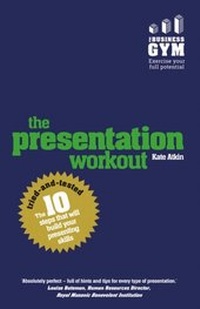
Presentation Workout, The
The 10 Tried-And-Tested Steps That Will Build Your Presenting And Pitching
1st Edition
Published on 11. August 2015
224 pages
978-1-292-07672-0 (ISBN)
Description

Arm yourself with everything you need to quickly become an expert presenter.
The Presentation Workout has been specially designed to help you perfect the art of presenting in any situation. Packed full of practical advice and easy-to-follow techniques, our 10-step improvement plan will show you how to enhance your skills and ensure you deliver a polished performance every time.
Test yourself - Establish your strengths and weakness with our pre-workout assessment
Follow the 10 Steps - Discover the skills that every presenter needs to succeed
Take action - Learn how to build your new knowledge into your everyday performance
Face your fears - Increase your confidence and confront the 10 most common presenting challenges
The full text downloaded to your computer
With eBooks you can:
search for key concepts, words and phrases
make highlights and notes as you study
share your notes with friends
eBooks are downloaded to your computer and accessible either offline through the Bookshelf (available as a free download), available online and also via the iPad and Android apps.
Upon purchase, you'll gain instant access to this eBook.
Time limit
The eBooks products do not have an expiry date. You will continue to access your digital ebook products whilst you have your Bookshelf installed.
The Presentation Workout has been specially designed to help you perfect the art of presenting in any situation. Packed full of practical advice and easy-to-follow techniques, our 10-step improvement plan will show you how to enhance your skills and ensure you deliver a polished performance every time.
Test yourself - Establish your strengths and weakness with our pre-workout assessment
Follow the 10 Steps - Discover the skills that every presenter needs to succeed
Take action - Learn how to build your new knowledge into your everyday performance
Face your fears - Increase your confidence and confront the 10 most common presenting challenges
The full text downloaded to your computer
With eBooks you can:
search for key concepts, words and phrases
make highlights and notes as you study
share your notes with friends
eBooks are downloaded to your computer and accessible either offline through the Bookshelf (available as a free download), available online and also via the iPad and Android apps.
Upon purchase, you'll gain instant access to this eBook.
Time limit
The eBooks products do not have an expiry date. You will continue to access your digital ebook products whilst you have your Bookshelf installed.
All prices
More details
Edition
1. Auflage
Language
English
Place of publication
United Kingdom
ISBN-13
978-1-292-07672-0 (9781292076720)
Copyright in bibliographic data and cover images is held by Nielsen Book Services Limited or by the publishers or by their respective licensors: all rights reserved.
Schweitzer Classification
Other editions
Additional editions
Kate Atkin
Presentation Workout, The
The 10 Tried-And-Tested Steps That Will Build Your Presenting And Pitching
Book
07/2015
1st Edition
Pearson Business
€18.49
Shipment within 10-20 days
Person
Kate Atkin is an inspirational speaker, facilitator and author on Presentation Skills. Recognised as the Most Outstanding Trainer in JCI UK, Kate is also a World Debating Champion, number one Speech Evaluator in the UK and Ireland (2007) with Toastmasters International and European runner up in the JCI public speaking competition.
Kate holds a Master of Applied Positive Psychology degree and is a regular speaker on the mindset needed to generate flourishing and confidence. She works with companies and individuals who wish to bring about positive change.
Kate holds a Master of Applied Positive Psychology degree and is a regular speaker on the mindset needed to generate flourishing and confidence. She works with companies and individuals who wish to bring about positive change.
Content
About the author
Author's acknowledgements
Publisher's acknowledgements
Introduction
Self-assessment questionnaire
PART 1 10 steps to present with style
Step 1 What is the purpose of your presentation?
Step 2 Understand your audience and connect with them
Step 3 Structure your presentation and craft your words
Step 4 Get the opening right
Step 5 Get your audience involved
Step 6 Use of visual aids, body language and dress codes
Step 7 Improve the clarity of your presentation
Step 8 How to handle questions
Step 9 How to deliver your presentation with confidence
Step 10 Close powerfully and review your presentation
Part 2 10 presenting skills in action
Skill 1 Presenting to sell a product
Skill 2 Presenting a concept or idea
Skill 3 Presenting to motivate and inspire
Skill 4 Presenting change
Skill 5 Presenting a team brief
Skill 6 Presenting a new project
Skill 7 Presenting at a meeting
Skill 8 Presenting on a conference call or webinar
Skill 9 Presenting data
Skill 10 Presenting in 5 minutes
Part 3 10 common presenting challenges
Challenge 1 How do I prepare with no time to prepare?
Challenge 2 How do I fit it all in, with little time available?
Challenge 3 How do I get people to listen and engage?
Challenge 4 How do I get people to take action?
Challenge 5 How do I manage interruptions?
Challenge 6 How do I manage difficult people?
Challenge 7 How do I deal with questions?
Challenge 8 How do I handle nerves?
Challenge 9 How do I remember what I want to say?
Challenge 10 How do I make a boring subject interesting?
Putting it into action: the mentor toolkit
How to work with a manager, mentor or colleague to put your new skills into action
Self-assessment questionnaire
Bibliography and further reading
Index
Author's acknowledgements
Publisher's acknowledgements
Introduction
Self-assessment questionnaire
PART 1 10 steps to present with style
Step 1 What is the purpose of your presentation?
Step 2 Understand your audience and connect with them
Step 3 Structure your presentation and craft your words
Step 4 Get the opening right
Step 5 Get your audience involved
Step 6 Use of visual aids, body language and dress codes
Step 7 Improve the clarity of your presentation
Step 8 How to handle questions
Step 9 How to deliver your presentation with confidence
Step 10 Close powerfully and review your presentation
Part 2 10 presenting skills in action
Skill 1 Presenting to sell a product
Skill 2 Presenting a concept or idea
Skill 3 Presenting to motivate and inspire
Skill 4 Presenting change
Skill 5 Presenting a team brief
Skill 6 Presenting a new project
Skill 7 Presenting at a meeting
Skill 8 Presenting on a conference call or webinar
Skill 9 Presenting data
Skill 10 Presenting in 5 minutes
Part 3 10 common presenting challenges
Challenge 1 How do I prepare with no time to prepare?
Challenge 2 How do I fit it all in, with little time available?
Challenge 3 How do I get people to listen and engage?
Challenge 4 How do I get people to take action?
Challenge 5 How do I manage interruptions?
Challenge 6 How do I manage difficult people?
Challenge 7 How do I deal with questions?
Challenge 8 How do I handle nerves?
Challenge 9 How do I remember what I want to say?
Challenge 10 How do I make a boring subject interesting?
Putting it into action: the mentor toolkit
How to work with a manager, mentor or colleague to put your new skills into action
Self-assessment questionnaire
Bibliography and further reading
Index
