

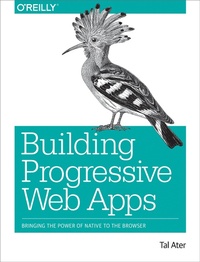
Building Progressive Web Apps
Bringing the Power of Native to the Browser
Published on 8. August 2017
288 pages
978-1-4919-6162-9 (ISBN)
Description

Move over native apps. New progressive web apps have capabilities that will soon make you obsolete. With this hands-on guide, web developers and business execs will learn howand whyto develop web apps that take advantage of features that have so far been exclusive to native apps. Features that include fast load times, push notifications, offline access, homescreen shortcuts, and an entirely app-like experience.By leveraging the latest browser APIs, progressive web apps combine all of the benefits of native apps, while avoiding their issues. Throughout the book, author Tal Ater shows you how to improve a simple website for the fictional Gotham Imperial Hotel into a modern progressive web app. Plus:Understand how service workers work, and use them to create sites that launch in an instant, regardless of the users internet connectionCreate full-screen web apps that launch from the phone's homescreen just like native appsRe-engage users with push notifications, even days after they have left your siteEmbrace offline-first and build web apps that gracefully handle loss of connectivityExplore new UX opportunities and challenges presented by progressive web apps
More details
Other editions
Additional editions
Book
07/2017
O'Reilly
€50.00
Article not available at the moment
Content
- Cover
- Copyright
- Table of Contents
- Preface
- Who This Book Is For
- What This Book Covers
- Conventions Used in This Book
- Using Code Examples
- O'Reilly Safari
- How to Contact Us
- Acknowledgments
- Chapter 1. Introducing Progressive Web Apps
- The Web Strikes Back
- The Current Mobile Landscape
- The Progressive Web App Advantage
- The Tab, the Web, and the Service Worker
- Chapter 2. Your First Service Worker
- Setting Up Our Sample Project
- Welcome to the Gotham Imperial Hotel
- Getting to Know the Code
- The Current Offline Experience
- Creating Your First Service Worker
- What Is Progressive Enhancement?
- HTTPS and Service Workers
- Fetching Content from the Web
- Capturing Offline Requests
- Creating HTML Responses
- Understanding Service Worker Scope
- Summary
- Chapter 3. The CacheStorage API
- What CacheStorage Is and, More Importantly, What It Is Not
- Deciding When to Cache
- Storing Requests in CacheStorage
- Retrieving Requests from CacheStorage
- Caching in Our Sample App
- Matching the Right Response to Each Request
- HTTP Caching and HTTP Headers
- Summary
- Chapter 4. Service Worker Lifecycle and Cache Management
- The Service Worker Lifecycle
- The Service Worker Lifetime and the Importance of waitUntil
- Updating a Service Worker
- Why We Need to Manage the Cache
- Cache Management and Clearing Old Caches
- Reusing Cached Responses
- Configuring the Server to Serve the Right Caching Headers
- Developer Tools
- The Console
- Have You Tried Turning It Off and On Again?
- Inspect CacheStorage and IndexedDB
- Network Throttling and Simulating Offline Conditions
- Lighthouse
- Summary
- Chapter 5. Embracing Offline-First
- What Is Offline-First?
- Common Caching Patterns
- Mix and Match: Creating New Patterns
- Planning Our Caching Strategy
- Implementing Our Caching Strategy
- Application Shell Architecture
- Including Content in the Initial Render
- Implementing App Shell
- Achievement Unlocked
- Summary
- Chapter 6. Storing Data Locally with IndexedDB
- What Is IndexedDB
- Using IndexedDB
- Opening a Database Connection
- Database Versioning/Modifying an Object Store
- Adding Data to an Object Store
- Reading Data from an Object Store
- IndexedDB Version Management
- Reading Objects With a Cursor
- Creating Indices
- Reading Data Using an Index
- Limiting a Cursor's Range
- Setting a Cursor's Direction
- Updating Objects in an Object Store
- Deleting Objects from an Object Store
- Deleting All Objects from an Object Store
- Handling Bubbling IndexedDB Errors
- IndexedDB for SQL Ninjas
- IndexedDB in Practice
- The Database That Was Promised
- IndexedDB Housekeeping
- Using IndexedDB in the Service Worker
- The IndexedDB Ecosystem
- PouchDB
- localForage
- Dexie.js
- IndexedDB Promised
- Summary
- Chapter 7. Ensuring Offline Functionality with Background Sync
- How Background Sync Works
- The SyncManager
- Accessing SyncManager
- Registering Events
- Sync Events
- Event Tags
- Getting a List of Registered Sync Events
- Last Chances
- Passing Data to the Sync Event
- Maintaining an Action Queue in IndexedDB
- Maintaining a Queue of Requests in IndexedDB
- Passing Data in the Sync Event Tag
- Adding Background Sync to Our App
- Summary
- Chapter 8. Service Worker to Page Communication with Post Messages
- Window to Service Worker Messaging
- Service Worker to All Open Windows Messaging
- Service Worker to Specific Window Messaging
- Keeping the Line of Communication Open with a MessageChannel
- Communicating Between Windows
- Posting Messages from a Sync Event to the Page
- Summary
- Chapter 9. Grabbing Homescreen Real Estate with Installable Web Apps
- Installable Web Apps
- How Browsers Decide When to Show an App Install Banner
- Anatomy of a Web App Manifest
- Backwards, Sideways, and Future Compatibility
- Summary
- Chapter 10. Reach Out with Push Notifications
- Life of a Pushed Notification
- The Notification API
- The Push API
- Push + Notification
- Creating Notifications
- Requesting Permission for Notifications
- Showing Notifications
- Adding Notification Support to Gotham Imperial Hotel
- Subscribing a User to Push Events
- Generating Public and Private VAPID Keys
- Generating a GCM key
- Creating a New Subscription
- Subscribing Gotham Imperial Hotel Users to Push Messages
- Sending Push Events from the Server
- Listening for Push Events and Showing Notifications
- Interrogating Notifications
- Summary
- Chapter 11. Progressive Web App UX
- Grace and Trust
- Communicating State from the Service Worker
- Communicating with Progressive UI KITT
- Common Messages in Progressive Web Apps
- Caching Complete
- Page Cached
- Action Failed But Will Complete When User Regains Connectivity
- Notifications Enabled
- Choosing the Right Words
- Always Be Closing
- Progressive Web App Design
- Your Design Should Reflect Changing Conditions
- Your Design Should Fit Its Environment
- Your Design Should Adapt to the Particularities of Each Medium
- Your Design Should Instill Confidence and Inform the User
- Your Design Should Help the User and Your Business Achieve Their Goals
- Taking Charge of the Install Prompt
- Measuring and Aiming for Performance with RAIL
- Summary
- Chapter 12. What's Next for PWAs
- Accepting Payments with the Payment Request API
- User Management with the Credential Management API
- Real-Time Graphics with WebGL
- Futuristic APIs with Speech Recognition
- Virtual Reality in the Browser with WebVR
- Easy Sharing to and from Your App
- Slick Media Playing UIs
- The Next Great Era
- Appendix A. Service Workers: A Great Opportunity to Adopt ES2015
- Template Literals
- Arrow Functions
- Object Destructuring
- More ES2015
- Appendix B. Full-Page Interstitials or: How I Learned to Hate the Door Slam
- Appendix C. CORS Versus NO-CORS
- Index
- About the Author
- Colophon
