

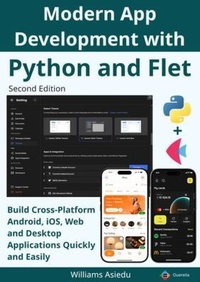
Modern App Development with Python and Flet
Description

Python is one of the most popular programming languages in the world, widely used in fields such as artificial intelligence, data science, automation, and web development. However, for many years Python lacked a modern, unified toolkit for building beautiful cross-platform applications for mobile, desktop, and the web.
Enter Flet - a powerful UI framework built on the rendering engine of Flutter. Flet allows developers to create modern, interactive user interfaces using only Python, eliminating the need to learn multiple languages or complex frontend technologies.
With Flet, developers can write an application once and deploy it across multiple platforms including Android, iOS, Windows, macOS, Linux, and the Web. Applications built with Flet can be packaged and distributed through major stores such as Google Play Store, Apple App Store, and Microsoft Store, or hosted directly as web applications.
Modern App Development with Python and Flet is a practical and comprehensive guide designed to help you master this exciting framework from the ground up. The book walks you through everything you need to know-from installing Flet and building your first application to designing advanced interfaces and deploying production-ready apps.
Inside this book, you will learn how to:
Build beautiful cross-platform applications using Python
Work with layouts, containers, buttons, and interactive controls
Create forms, input systems, and user navigation
Implement notifications, dialogs, and menus
Use gestures, media playback, and file handling
Design charts, graphics, and data visualizations
Use built-in services such as device features and system tools
Package and deploy applications for Android, iOS, desktop platforms, and the web
The book includes clear explanations, practical examples, and numerous code samples that make learning straightforward and engaging. Whether you are a beginner exploring GUI development or an experienced Python programmer looking to build full applications, this guide provides the knowledge and tools you need.
With only basic Python knowledge, you will be able to design, build, and deploy professional mobile, desktop, and web applications using a single codebase.
Start your journey into modern cross-platform development with Python and Flet.
More details
Content
Preface
Graphical User Interface
Backend
Frontend
Python GUI Frameworks
Installation
Getting Started with Flet
Testing and Debugging Flet App
Color
Page
Theme
Window
Storage
Text
Markdown
SelectionArea
Divider
Icon
SafeArea
AppBar
FloatingActionButton
BottomAppBar
NavigationBar
NavigationDrawer
Image
CircleAvatar
Container
ShaderMask
Column
Row
Stack
GridView
ListView
ListTile
Card
BottomSheet
TextButton
IconButton
OutlinedButton
FilledButton
ElevatedButton
SegmentedButton
Chip
Button
GestureDetector
TextField
AutoComplete
SearchBar
Dropdown
DropdownM2
Radio
Checkbox
Switch
Slider
RangeSlider
DatePicker
CupertinoDatePicker
DateRangePicker
TimePicker
CupertinoTimerPicker
AlertDialog
SnackBar
ProgressBar
ProgressRing
Shimmer
Placeholder
Tabs
Page View
PopupMenuButton
ContextMenu
MenuBar
Draggable
DragTarget
Dismissible
InteractiveViewer
ExpansionTile
ExpansionPanelList
FilePicker
Audio
Video
DataTable
Paint
Canvas
AnimatedSwitcher
Charts
BarChart
PieChart
LineChart
Webview
Services
Clipboard
AudioRecorder
Geolocator
Gyroscope
HapticFeedback
ScreenBrightness
Connectivity
Accelerometer
Barometer
BrowserContextMenu
Share
UrlLauncher
Wakelock
Flashlight
SecureStorage
StoragePath
Battery
Magnetometer
PermissionHandler
ShakeDetector
UserAccelerometer
SemanticsService
Publishing and Deployment
Publishing
Important Build
Configuration Settings
Android Packaging for Deployment
Signing for Google Play Store
iOS Packaging for Deployment
