

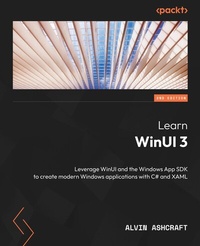
Learn WinUI 3
Leverage WinUI and the Windows App SDK to create modern Windows applications with C# and XAML
2nd Edition
Published on 31. October 2023
386 pages
978-1-80512-970-7 (ISBN)
Description

Unlock the power of WinUI and supercharge your Windows app development with.NET and C# using this beginner's guideKey Features - Find out how to create modern Windows apps with native UI controls
- Get to grips with modernizing existing desktop apps with a modern UI
- Leverage WinUI code to build apps for iOS, Android, the web, and more
- Purchase of the print or Kindle book includes a free PDF eBook
Book DescriptionWinUI 3 takes a whole new approach to delivering Windows UI components and controls and has the ability to deliver the same features across multiple versions of Windows. Learn WinUI 3 is a comprehensive introduction to WinUI and Windows apps for anyone who is new to WinUI and XAML applications. This updated second edition begins by helping you get to grips with the latest features in WinUI and shows you how XAML is used in UI development. The next set of chapters will help you set up a new Visual Studio environment, develop a new desktop project, incorporate the Model-View-ViewModel (MVVM) pattern in a WinUI project, and develop unit tests for ViewModel commands. Next, you'll cover the basics of data access from WinUI projects with a step-by-step approach. As you advance, you'll discover how to leverage the Fluent Design System to design beautiful WinUI applications. You'll also explore the contents and capabilities of the Windows Community Toolkit and learn how to create cross-platform apps with markup and code from your project using Uno Platform. The concluding chapters will teach you how to build, debug, and deploy apps to the Microsoft Store. By the end of this book, you'll have learned how to build WinUI applications from scratch and how to modernize existing desktop apps using WinUI 3 and the Windows App SDK.What you will learn - Discover the latest features of WinUI 3 and learn how to provide product feedback
- Understand the WinUI project structure and the app lifecycle
- Use the MVVM pattern in WinUI and discover open source MVVM projects
- Find out how to create a simple data store to save app data between sessions
- Get to grips with incorporating the concepts of Fluent Design into a WinUI app
- Discover how to use push notifications and app notifications in WinUI
- Reuse WinUI views and view models in a cross-platform Uno Platform app
Who this book is forThis book is for anyone looking to develop applications for Windows with a modern UI. If you're familiar with Windows desktop app development and want to enhance your knowledge of the latest Windows development techniques, this book is for you. Whether you're starting a new project or planning to modernize your existing Windows apps, this book will provide you with guidance. Hands-on experience with C# and.NET is expected, but no prior knowledge of WinUI or the Windows App SDK is required.
- Get to grips with modernizing existing desktop apps with a modern UI
- Leverage WinUI code to build apps for iOS, Android, the web, and more
- Purchase of the print or Kindle book includes a free PDF eBook
Book DescriptionWinUI 3 takes a whole new approach to delivering Windows UI components and controls and has the ability to deliver the same features across multiple versions of Windows. Learn WinUI 3 is a comprehensive introduction to WinUI and Windows apps for anyone who is new to WinUI and XAML applications. This updated second edition begins by helping you get to grips with the latest features in WinUI and shows you how XAML is used in UI development. The next set of chapters will help you set up a new Visual Studio environment, develop a new desktop project, incorporate the Model-View-ViewModel (MVVM) pattern in a WinUI project, and develop unit tests for ViewModel commands. Next, you'll cover the basics of data access from WinUI projects with a step-by-step approach. As you advance, you'll discover how to leverage the Fluent Design System to design beautiful WinUI applications. You'll also explore the contents and capabilities of the Windows Community Toolkit and learn how to create cross-platform apps with markup and code from your project using Uno Platform. The concluding chapters will teach you how to build, debug, and deploy apps to the Microsoft Store. By the end of this book, you'll have learned how to build WinUI applications from scratch and how to modernize existing desktop apps using WinUI 3 and the Windows App SDK.What you will learn - Discover the latest features of WinUI 3 and learn how to provide product feedback
- Understand the WinUI project structure and the app lifecycle
- Use the MVVM pattern in WinUI and discover open source MVVM projects
- Find out how to create a simple data store to save app data between sessions
- Get to grips with incorporating the concepts of Fluent Design into a WinUI app
- Discover how to use push notifications and app notifications in WinUI
- Reuse WinUI views and view models in a cross-platform Uno Platform app
Who this book is forThis book is for anyone looking to develop applications for Windows with a modern UI. If you're familiar with Windows desktop app development and want to enhance your knowledge of the latest Windows development techniques, this book is for you. Whether you're starting a new project or planning to modernize your existing Windows apps, this book will provide you with guidance. Hands-on experience with C# and.NET is expected, but no prior knowledge of WinUI or the Windows App SDK is required.
All prices
More details
Other editions
Additional editions
Alvin Ashcraft
Learn WinUI 3
Leverage WinUI and the Windows App SDK to create modern Windows applications with C# and XAML
Book
10/2023
2nd Edition
Packt Publishing
€49.70
Shipment within 3-4 weeks
Content
- Cover
- Title Page
- Copyright
- Dedication
- Contributors
- Table of Contents
- Preface
- Part 1: Introduction to WinUI and Windows Applications
- Chapter 1: Introduction to WinUI
- Technical requirements
- Before UWP - Windows 8 XAML applications
- Windows application UI design
- Windows Runtime (WinRT)
- User backlash and the path forward to Windows 10
- Windows 10 and UWP application development
- Language choice with UWP development
- Lifting app restrictions
- UWP backward compatibility
- What is XAML?
- Creating an adaptive UI for any device
- Powerful data binding
- Styling your UI with XAML
- Separating presentation from business logic
- What is WinUI?
- The first WinUI release
- The road to WinUI 3
- What's new in WinUI 3?
- Goodbye UWP?
- New features for WinUI 3 and the Windows App SDK
- The Windows App SDK and WinUI
- WinUI 3 compared to other Windows development frameworks
- WinUI versus UWP
- WinUI versus WPF
- WinUI versus Windows Forms (WinForms)
- Summary
- Questions
- Chapter 2: Configuring the Development Environment and Creating the Project
- Technical requirements
- Installing Visual Studio and Windows desktop development workloads
- Introducing the application idea
- Reviewing the application features
- WinUI in Desktop projects
- Creating your first WinUI project
- Anatomy of a WinUI in Desktop project
- Reviewing App.xaml
- Reviewing App.xaml.cs
- Reviewing MainWindow.xaml
- Reviewing MainWindow.xaml.cs
- Reviewing the project references
- Reviewing the project properties
- XAML basics
- Building the model
- Creating sample data
- Building the initial UI
- Completing the data-binding initialization
- Creating the DataTemplate and binding the UI
- Understanding WinUI and Windows App SDK
- Understanding the .NET app model
- Working with WinUI controls, properties, and events
- Adding a ListView header
- Creating the ComboBox filter
- Adding a new item button
- Summary
- Questions
- Chapter 3: MVVM for Maintainability and Testability
- Technical requirements
- Understanding MVVM
- MVVM - the big picture
- MVVM libraries for WinUI
- The MVVM Toolkit
- The Prism Library
- MVVMCross
- Choosing a framework for WinUI applications
- Understanding data binding in WinUI
- What are markup extensions?
- Binding markup extension
- x:Bind markup extension
- Updating View data with INotifyPropertyChanged
- Updating collection data with INotifyCollectionChanged
- Implementing MVVM in WinUI applications
- Working with events and commands
- Implementing ICommand
- Using commands in the View Model
- Updating the View
- Leveraging the MVVM Toolkit
- Summary
- Questions
- Chapter 4: Advanced MVVM Concepts
- Technical requirements
- Understanding the basics of DI
- Using DI with ViewModel classes
- Leveraging x:Bind with events
- Page navigation with MVVM and DI
- Migrating MainWindow to MainPage
- Adding ItemDetailsPage
- Adding new interfaces and services
- Creating a navigation service
- Creating a data service
- Increasing maintainability by consuming services
- Handling parameters in ItemDetailsPage
- Creating the ItemDetailsViewModel class
- Summary
- Questions
- Chapter 5: Exploring WinUI Controls
- Technical requirements
- Understanding what WinUI offers developers
- Animated visual player (Lottie)
- Navigation View
- Parallax view
- Rating control
- Exploring the WinUI 3 Gallery app for Windows
- Learning about the ScrollViewer control
- Reviewing what's new in WinUI 3 and the Windows App SDK
- Backward compatibility
- Fluent UI and modern look and feel
- Visual Studio tooling
- The WebView2 control
- What's new in the Windows App SDK
- Adding some new controls to the project
- Using the SplitButton control
- Adding a TeachingTip control to the Save button
- Summary
- Questions
- Chapter 6: Leveraging Data and Services
- Technical requirements
- Managing application state with app lifecycle events
- Exploring Windows application lifecycle events
- Lifecycle events of WinUI applications
- Additional lifecycle events with FrameworkElement objects
- Creating a SQLite data store
- What is SQLite?
- Adding SQLite as a data service
- Leveraging a Micro ORM to simplify data access
- Adding Dapper to the project
- Updating the data service's initialization
- Retrieving data via services
- Summary
- Questions
- Part 2: Extending WinUI and Modernizing Applications
- Chapter 7: Fluent Design System for Windows Applications
- Technical requirements
- What is the Fluent Design System?
- Exploring Fluent Design for Windows
- Controls
- Patterns
- Layout
- Input
- Style
- Incorporating Fluent Design in WinUI applications
- Updating the title bar
- Changing the style of MainPage
- Changing the style of ItemDetailsPage
- Using the Fluent XAML Theme Editor
- Colors
- Shapes
- Acrylic material and the Fluent Design System
- Use Mica in WinUI applications
- Incorporate Mica into My Media Collection
- Design resources and toolkits for Fluent Design
- Summary
- Questions
- Chapter 8: Adding Windows Notifications to WinUI Applications
- Technical requirements
- Overview of push notifications in the Windows App SDK
- Raw push notifications
- Cloud-based app notifications
- Local app notifications
- Using raw push notifications in WinUI applications
- Adding Windows app notifications with the Windows App SDK
- Summary
- Questions
- Chapter 9: Enhancing Applications with Community Toolkits
- Technical requirements
- Introducing the WCT
- Origins of the WCT
- Reviewing recent toolkit releases
- Exploring the WCT Gallery app
- Installing and launching the app
- Controls
- Using controls from the toolkit
- Creating the WinUI project
- Referencing WCT packages
- Adding data to the DataGrid control
- Adding controls to the MainWindow control
- Exploring the toolkit's helpers, services, and extensions
- Helpers
- Extensions
- .NET Community Toolkit features
- Summary
- Questions
- Chapter 10: Accelerating App Development with Template Studio
- Technical requirements
- Overview of Template Studio for WinUI
- Starting a new WinUI project with Template Studio
- Exploring the code generated by Template Studio
- Exploring the Core project
- Exploring the main project
- Exploring the MSTest project
- Template Studio extensions for other UI frameworks
- Template Studio for WPF
- Template Studio for Uno Platform
- Summary
- Questions
- Part 3: Build and Deploy on Windows and Beyond
- Chapter 11: Debugging WinUI Applications with Visual Studio
- Technical requirements
- Debugging in Visual Studio
- Debugging local applications
- Debugging remote applications
- Common XAML layout mistakes
- Improving your XAML with static code analysis
- Pinpointing data binding failures
- Common mistakes in data binding
- Using the XAML Binding Failures window
- Debugging live data with Live Visual Tree and Live Property Explorer
- Coding with XAML Hot Reload
- Debugging with Live Visual Tree and Live Property Explorer
- Summary
- Questions
- Chapter 12: Hosting a Blazor Application in WinUI
- Technical requirements
- Getting started with ASP.NET Core and Blazor
- A brief history of ASP.NET and ASP.NET Core
- What is Blazor?
- WebAssembly and client-side .NET development
- Creating a Blazor Wasm application
- Building a simple application for tracking tasks
- Exploring Blazor Wasm deployment options
- Deployment options for Blazor Wasm projects
- Publishing Blazor to Azure Static Web Apps hosting
- Pushing the project to GitHub
- Creating an Azure Static Web Apps resource
- Publishing an application with GitHub Actions
- Hosting your Blazor application in the WinUI WebView2
- Summary
- Questions
- Chapter 13: Take Your App Cross-Platform with Uno Platform
- Technical requirements
- An overview of Uno Platform
- Creating your first Uno Platform project
- Migrating WinUI XAML markup and code to Uno Platform
- Migrating the WinUI project code
- Migrating the WinUI XAML views
- Running on Android with WSA
- Running in the browser with WebAssembly
- Summary
- Questions
- Chapter 14: Packaging and Deploying WinUI Applications
- Technical requirements
- Discovering application packaging and MSIX basics
- MSIX
- Reviewing MSIX tools and resources
- Packaged applications and application identity
- Getting started with application packaging in Visual Studio
- Deploying applications with Windows Package Manager
- Adding a package to the community repository
- Using WinGet for package management
- Distributing applications with the Microsoft Store
- Preparing a free application for the Microsoft Store
- Uploading a package to the Store
- Sideloading WinUI applications with MSIX
- Creating an MSIX package for sideloading
- Sideloading an MSIX package
- Summary
- Questions
- Index
- About Packt
- Other Books You May Enjoy
