

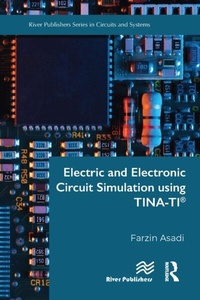
Electric and Electronic Circuit Simulation using TINA-TI (R)
1st Edition
Published on 22. September 2022
456 pages
978-1-000-77346-0 (ISBN)
Description

A circuit simulator is a computer program that permits us to see circuit behavior, i.e. circuit voltages and currents, without making the circuit. Use of a circuit simulator is a cheap, efficient, and safe way to study the behavior of circuits.
The Toolkit for Interactive Network Analysis (TINA (R)) is a powerful yet affordable SPICE based circuit simulation and PCB design software package for analyzing, designing, and real time testing of analog, digital, VHDL, MCU, and mixed electronic circuits and their PCB layouts. This software was created by DesignSoft. TINA-TI is a spinoff software program that was designed by Texas Instruments (TI (R)) in cooperation with DesignSoft which incorporates a library of pre-made TI components for the user to utilize in their designs.
This book shows how a circuit can be analyzed in the TINA-TI (R) environment. Students of engineering (for instance, electrical, biomedical, mechatronics, and robotics to name a few), engineers who work in the industry, and anyone who wants to learn the art of circuit simulation with TINA-TI can benefit from this book.
The Toolkit for Interactive Network Analysis (TINA (R)) is a powerful yet affordable SPICE based circuit simulation and PCB design software package for analyzing, designing, and real time testing of analog, digital, VHDL, MCU, and mixed electronic circuits and their PCB layouts. This software was created by DesignSoft. TINA-TI is a spinoff software program that was designed by Texas Instruments (TI (R)) in cooperation with DesignSoft which incorporates a library of pre-made TI components for the user to utilize in their designs.
This book shows how a circuit can be analyzed in the TINA-TI (R) environment. Students of engineering (for instance, electrical, biomedical, mechatronics, and robotics to name a few), engineers who work in the industry, and anyone who wants to learn the art of circuit simulation with TINA-TI can benefit from this book.
More details
Edition
1. Auflage
Language
English
Place of publication
London
United Kingdom
Publishing group
Taylor & Francis Ebooks
Target group
Professional and scholarly
Illustrations
1 Tables, color; 646 Halftones, color; 1 Halftones, black and white; 646 Illustrations, color; 1 Illustrations, black and white
ISBN-13
978-1-000-77346-0 (9781000773460)
Copyright in bibliographic data and cover images is held by Nielsen Book Services Limited or by the publishers or by their respective licensors: all rights reserved.
Schweitzer Classification
Other editions
Additional editions
Book
10/2024
1st Edition
River Publishers
€74.46
Article not available for order
Book
09/2022
1st Edition
River Publishers
€183.10
Article not available for order
Person
Farzin Asadi has a BSc in Electronics Engineering, MSc in Control Engineering, and PhD in Mechatronics Engineering. Currently, he is with the Department of Electrical and Electronics Engineering at Maltepe University, Istanbul, Turkey. Dr. Asadi has published more than 40 international papers and 15 books. He is also on the editorial board of 7 scientific journals. His research interests include switching converters, control theory, robust control of power electronics converters, and robotics.
Content
1. Simulation of Electric Circuits with TINA-TI (R) 2. Simulation of Electronic Circuits with TINA-TI (R)
