

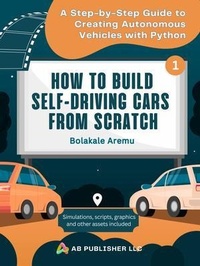
How to Build Self-Driving Cars From Scratch, Part 1
Description

This is part 1 of my 3-part training guide on how to build self-driving cars from scratch. This guide is bundled with a repository containing simulations, python scripts, graphics, and other useful assets. In this step-by-step guide, I'll teach you how to make an app that you can use to create a simulation where cars learn how to drive autonomously over racing tracks. Here's a break down of the contents of this guide.
Part 1: Car mechanics. In this part, you'll learn how to draw the car and control it with the keyboard. You will use a multimedia library for Python called Pyglet. (https://pyglet.org/). This is the only library you will use in this guide. This is a cross-platform windowing and multimedia library for Python. It's a powerful yet easy-to-use Python library for building games and other visually rich applications on Windows, macOS, and Linux.
Part 2: Neural network and genetic algorithm. You'll learn how to create the AI where you combine a neural network and genetic algorithm. You'll learn how to add sensors to the car and get output from them. To prevent the untrained network from car crashes, a genetic algorithm will be used to train the cars. This will help the cars to drive simple tracks.
Part 3: Challenges. You'll add some challenges to the system. Tracks get more complicated and will take advantage from the previous track training by storing and retrieving the car brains.
By the end of this training, you will have created self-driving cars that are capable of driving on unknown tracks by understanding how to steer, accelerate, and brake based on what cars see in front of them. Since autonomous cars need a brain of some kind, you know we need some AI (artificial intelligence). AI comes in many forms, but in this guide, you'll use a neural network where the weights are adjusted by a genetic algorithm.
Employment opportunities often come from work samples and concrete skills, rather than a college degree. So, you need to learn the practical aspect well enough. This guide will not only help you learn well and build a stunning portfolio, it will also provide you continuous help and support.
With this book and my dedicated 24/7 help and support team, there's nothing for you to fear. I have helped many Python developers update their automation development skills, launch successful careers and get hired for remote jobs. I notice that even the most ambitious beginners can run into problems, such as unable to decide where to begin. Sometimes they get completely lost on the way and therefore need further help.
In Chapter 3, I explain how to download my repository which contains all updates of the Python scripts (codes) and simulations used in this guide. Although I explain all the codes used in this guide clearly, if you need further help, just use my support link at the end of the Chapter.
The truth is everyone needs help at one point or the other to learn and build automation in their development journey. I can give you more challenges and their solutions in my subsequent trainings.
More details
Person
Content
0. Introduction
0.1. Getting Started
0.2. The Target Audience
0.3. How to Use This Guide
0.4. Who am I?
0.5. The Tool You Need
1. Neural Networks & Genetic Algorithms
2. Car Mechanics
2.1. Parking Lot
2.2. Keyboard Control
2.3. Off Road - Track Binary Matrix
2.4. Rounds
2.5. Heads Up Display
3. How to Download Simulations, Python Scripts, Graphics & Other Assets
3.1. Download link
3.2. How to Get Further Help & Support
3.3. Overview of Part 2
