

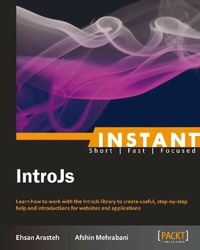
Instant IntroJs
Learn how to work with the IntroJs library to create useful, step-by-step help and introductions for websites and applications
Published on 13. January 2025
48 pages
978-1-78328-252-4 (ISBN)
Description

Learn how to work with the IntroJs library to create useful, step-by-step help and introductions for websites and applications
Key Features
Learn something new in an Instant! A short, fast, focused guide delivering immediate results
Quickly look up the features of the IntroJs library
Create step-by-step help and introductions for websites with minimum programming experience
Contains many examples of introductions including multi-page introductions
Learn how to customize and develop the IntroJs library
Learn how to use IntroJs with other server-side frameworks
Book DescriptionIntroJs is a JavaScript and CSS3 library, used to create simple step-by-step help pages or introductions for websites and applications to show the users new features or whole application parts quickly and concisely. Instant IntroJs is a reference to get started with IntroJs right away. Instant IntroJs teaches you how to work with key IntroJs methods and events to create awesome step-by-step introductions. This book contains numerous examples of introductions and help pages with detailed explanations. It also shows you how to customize the library with your preferred stylesheet or integrate it with other server-side frameworks. Instant IntroJs teaches you how to work with the IntroJs API, methods, and events to create step-by-step introductions for websites and applications. This book will give you the knowledge to make the preferred changes to IntroJs in order to build a customized introduction. Instant IntroJs provides many examples of introductions and helps you with using HTML attributes and JSON configurations, as well as some descriptions about how to use and integrate IntroJs with other server-side libraries, such as Ruby on Rails and PHP Yii. You will be provided with information about the latest features of IntroJs that include multi-page introductions, creating introductions using JSON configuration and HTML attributes, methods to change or customize the library, and more. Instant IntroJs provides full and detailed examples of step-by-step introductions to help you easily learn and use the latest version of the IntroJs library.What you will learn
Create step-by-step introductions for websites and applications
Use HTML attributes and JSON configuration to create introductions
Explore the main IntroJs functions and events
Integrate IntroJs with other server-side libraries such as Ruby on Rails and PHP Yii
Develop and customize the library to create custom introductions
Produce many types of introductions including multi-page introduction
Get to grips with the localization and use of the RTL version of IntroJs
Who this book is forThis book is for web designers who want to create an interactive step-by-step introduction for showing specific or all parts of an application or website to users. Basic JavaScript programming and knowledge of HTML and CSS is required. No knowledge of any other JavaScript libraries is needed.
Key Features
Learn something new in an Instant! A short, fast, focused guide delivering immediate results
Quickly look up the features of the IntroJs library
Create step-by-step help and introductions for websites with minimum programming experience
Contains many examples of introductions including multi-page introductions
Learn how to customize and develop the IntroJs library
Learn how to use IntroJs with other server-side frameworks
Book DescriptionIntroJs is a JavaScript and CSS3 library, used to create simple step-by-step help pages or introductions for websites and applications to show the users new features or whole application parts quickly and concisely. Instant IntroJs is a reference to get started with IntroJs right away. Instant IntroJs teaches you how to work with key IntroJs methods and events to create awesome step-by-step introductions. This book contains numerous examples of introductions and help pages with detailed explanations. It also shows you how to customize the library with your preferred stylesheet or integrate it with other server-side frameworks. Instant IntroJs teaches you how to work with the IntroJs API, methods, and events to create step-by-step introductions for websites and applications. This book will give you the knowledge to make the preferred changes to IntroJs in order to build a customized introduction. Instant IntroJs provides many examples of introductions and helps you with using HTML attributes and JSON configurations, as well as some descriptions about how to use and integrate IntroJs with other server-side libraries, such as Ruby on Rails and PHP Yii. You will be provided with information about the latest features of IntroJs that include multi-page introductions, creating introductions using JSON configuration and HTML attributes, methods to change or customize the library, and more. Instant IntroJs provides full and detailed examples of step-by-step introductions to help you easily learn and use the latest version of the IntroJs library.What you will learn
Create step-by-step introductions for websites and applications
Use HTML attributes and JSON configuration to create introductions
Explore the main IntroJs functions and events
Integrate IntroJs with other server-side libraries such as Ruby on Rails and PHP Yii
Develop and customize the library to create custom introductions
Produce many types of introductions including multi-page introduction
Get to grips with the localization and use of the RTL version of IntroJs
Who this book is forThis book is for web designers who want to create an interactive step-by-step introduction for showing specific or all parts of an application or website to users. Basic JavaScript programming and knowledge of HTML and CSS is required. No knowledge of any other JavaScript libraries is needed.
All prices
More details
Edition
Digital original
Language
English
Place of publication
Birmingham
United Kingdom
Target group
Professional and scholarly
US School Grade: College Graduate Student
Edition type
Digital original
File size
1,53 MB
ISBN-13
978-1-78328-252-4 (9781783282524)
Copyright in bibliographic data and cover images is held by Nielsen Book Services Limited or by the publishers or by their respective licensors: all rights reserved.
Schweitzer Classification
Other editions
Additional editions
Ehsan Arasteh | Afshin Mehrabani
Instant IntroJs
Learn how to work with the IntroJs library to create useful, step-by-step help and introductions for websites and applications
Book
09/2013
Packt Publishing
€28.30
Shipment within 3-4 weeks
Persons
Ehsan Arasteh currently works as the CTO and Software Architect at Yaraholding, a Tehranbased interactive agency and web development company. He has nine years experience in development with several languages, such as ASP.NET, C#, Java, PHP, and Python. He has also worked on banking projects, professional web applications, and so on. He is also the CEO of Usablica; a company that makes open source applications, such as IntroJs and Magnet. He started teaching C and C++ to high school students at the age of fourteen. He grew up with programming and started his professional life with his first official project when he was sixteen. It was his starting point in the official programming community. Since then, he has done a lot of projects as a developer, analyzer, consultant, architect, and project manager. He also came back to Academic Systems as an instructor in a game development institute, but he says, "Nothing is replaceable with coding". Afshin Mehrabani is an open source programmer. He is studying to be a computer software engineer. He started programming and web development when he was 12 years old, as well as starting with PHP. Later, he joined the Iran Technical and Vocational Training Organization. He secured the first place and received a gold medal in a competition which was conducted across the entire country in the area of web development. He became a member of the Iran National Foundation of Elite after producing a variety of new programming ideas. He was a software engineer at the Tehran Stock Exchange and is now the head of the web development team in the Yara Company. He cofounded the Usablica team in early 2012 to develop and produce usable applications. He is the author of IntroJs, WideArea, flood.js and some other open source projects. He has contributed to Socket.IO, Engine.IO, and some other open source projects. He is also interested in creating and contributing to open source applications, writing programming articles, and challenging himself with new programming technologies. He has written different articles about JavaScript, Node.js, HTML5, and MongoDB that have been published on different academic websites. Afshin has 5 years of experience in PHP, Python, C#, JavaScript, HTML5, and Node.js in many financial and stock trading projects.
Content
Table of Contents

