

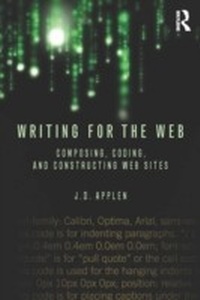
Writing for the Web
Composing, Coding, and Constructing Web Sites
1st Edition
Published on 5. September 2013
336 pages
978-1-136-92588-7 (ISBN)
Description

Writing for the Web unites theory, technology, and practice to explore writing and hypertext for website creation. It integrates such key topics as XHTML/CSS coding, writing (prose) for the Web, the rhetorical needs of the audience, theories of hypertext, usability and architecture, and the basics of web site design and technology. Presenting information in digestible parts, this text enables students to write and construct realistic and manageable Web sites with a strong theoretical understanding of how online texts communicate to audiences.
Key features of the book include:
Screenshots of contemporary Web sites that will allow students to understand how writing for and linking to other layers of a Web site should work.
Flow charts that describe how Web site architecture and navigation works.
Parsing exercises in which students break down information into subsets to demonstrate how Web site architecture can be usable and scalable.
Detailed step-by-step descriptions of how to use basic technologies such as file transfer protocols (FTP).
Hands-on projects for students to engage in that allow them to connect the various components in the text.
A companion website with downloadable code and additional pedagogical features: www.routledge.com/cw/applen
Writing for the Web prepares students to work in professional roles, as it facilitates understanding of architecture and arrangement of written content of an organization's texts.
Key features of the book include:
Screenshots of contemporary Web sites that will allow students to understand how writing for and linking to other layers of a Web site should work.
Flow charts that describe how Web site architecture and navigation works.
Parsing exercises in which students break down information into subsets to demonstrate how Web site architecture can be usable and scalable.
Detailed step-by-step descriptions of how to use basic technologies such as file transfer protocols (FTP).
Hands-on projects for students to engage in that allow them to connect the various components in the text.
A companion website with downloadable code and additional pedagogical features: www.routledge.com/cw/applen
Writing for the Web prepares students to work in professional roles, as it facilitates understanding of architecture and arrangement of written content of an organization's texts.
Reviews / Votes
Christy Desmet, U of Georgia: "I think that the book's greatest strength, as the author says, is bringing together different perspectives on websites into one book, which truly is a need for a growing kind of course. In the class we teach on writing for the web, we serve not only English majors but also computer science, telecommunications, journalism and business students, plus students from the New Media Institute. ... I think that offering a contract for publication is warranted. This proposal seems to be clear - even clearer than the XML book proposal was first time around - and shows the author's extensive teaching of the kind of course that the book would support."Alexis Hart, VMI: "Approaching web writing instruction from historical, theoretical, and hands-on perspectives reflects a current and appropriate approach to the subject. If the proposed textbook could manage to provide a manageable way to achieve these objectives within the framework of a single-semester course, it would be highly marketable. ... I would definitely expect to see a companion website to support this text. I'd like the website to include additional practice exercises, sample projects, links to further references, and perhaps even a communication space in which instructors and students could share ideas, arrange to link classes, etc. .... I've been on the lookout for a book such as Applen proposes here; I've even talked with colleagues about what I'd want such a textbook to include. It seems to me that Applen is well on the way to filling a gap in the textbook market. Therefore, I recommend offering a contract for publication."
Susan Feinberg, Illinois Institute of Technology: "The strengths are the topic, the level at which the topic is being presented, and the author who has taught the course. The weaknesses are the number of exercises to achieve learning. I would suggest building blocks of exercises so that the learner practices applications of concepts and codes, as is done in the Non-designers Design book by Robin Williams."
Carlos Evia, Virginia Tech: "If the author is going to present text editors as the right/easiest/only way to build a website in class, why not acknowledge or cover other alternatives like WYSIWYG editors or blogging platforms? A technical communication graduate who applies for a web writing job and only knows how to build a website by using hypertext would be at a great disadvantage today. If, however, the student knows different approaches and is proficient with coding (X)HTML and CSS, then this is a better picture..... Strengths:
Emphasizes the value of knowing how to handcode Hypertext as a resource for building a website
Connects website examples to their code origins so students can see the "backstage" process
Focuses on writing as the essence of the web.
Weaknesses:
Presents handcoding as the only/best way to build a website in a classroom
Does not acknowledge/propose open source or commercial technologies for making quick, free websites that can be as useful as handcoded sites
Does not cover WYSIWYG editors (I don't expect a how-to of, say, Dreamweaver, but some of those editors are industry standards)."
More details
Language
English
Place of publication
London
United Kingdom
Publishing group
Taylor & Francis Ltd
Target group
College/higher education
Product notice
Reflowable
Illustrations
82 s/w Abbildungen, 4 s/w Tabellen
4 Tables, black and white; 82 Illustrations, black and white
File size
28,34 MB
ISBN-13
978-1-136-92588-7 (9781136925887)
Copyright in bibliographic data and cover images is held by Nielsen Book Services Limited or by the publishers or by their respective licensors: all rights reserved.
Schweitzer Classification
Other editions
Additional editions
Book
06/2013
1st Edition
Routledge
€101.40
Shipment within 15-20 days
Book
06/2013
1st Edition
Routledge
€207.00
Shipment within 15-20 days
Person
J.D. Applen is an associate professor of English at the University of Central Florida. He is interested in writing and rhetoric, technical communication, the literature of science and technology, and the rhetoric of hypertext, digital archives, science, and the environment.
Content
Chapter 1 Old Media, New Media, and Knowledge
Chapter 2 The Internet and HTML
Chapter 3 Cascading Style Sheets
Chapter 4 Rhetoric and Writing
Chapter 5 Layout and Organization
Chapter 6 Major Web Site Projects
Chapter 2 The Internet and HTML
Chapter 3 Cascading Style Sheets
Chapter 4 Rhetoric and Writing
Chapter 5 Layout and Organization
Chapter 6 Major Web Site Projects
