

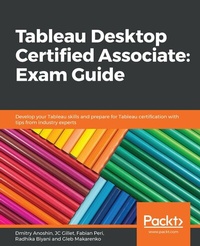
Tableau Desktop Certified Associate: Exam Guide
Develop your Tableau skills and prepare for Tableau certification with tips from industry experts
1st Edition
Published on 24. December 2019
370 pages
978-1-83898-664-3 (ISBN)
Description

Learn through hands-on exercises covering a variety of topics including data connections, analytics, and dashboards to effectively prepare for the Tableau Desktop Certified Associate examKey Features - Prepare for the Tableau Desktop Certified Associate exam with the help of tips and techniques shared by experts
- Implement Tableau's advanced analytical capabilities such as forecasting
- Delve into advanced Tableau features and explore best practices for building dashboards
Book DescriptionThe Tableau Desktop Certified Associate exam measures your knowledge of Tableau Desktop and your ability to work with data and data visualization techniques. This book will help you to become well-versed in Tableau software and use its business intelligence (BI) features to solve BI and analytics challenges. With the help of this book, you'll explore the authors' success stories and their experience with Tableau. You'll start by understanding the importance of Tableau certification and the different certification exams, along with covering the exam format, Tableau basics, and best practices for preparing data for analysis and visualization. The book builds on your knowledge of advanced Tableau topics such as table calculations for solving problems. You'll learn to effectively visualize geographic data using vector maps. Later, you'll discover the analytics capabilities of Tableau by learning how to use features such as forecasting. Finally, you'll understand how to build and customize dashboards, while ensuring they convey information effectively. Every chapter has examples and tests to reinforce your learning, along with mock tests in the last section. By the end of this book, you'll be able to efficiently prepare for the certification exam with the help of mock tests, detailed explanations, and expert advice from the authors. What you will learn - Apply Tableau best practices to analyze and visualize data
- Use Tableau to visualize geographic data using vector maps
- Create charts to gain productive insights into data and make quality-driven decisions
- Implement advanced analytics techniques to identify and forecast key values
- Prepare customized table calculations to compute specific values
- Answer questions based on the Tableau Desktop Certified Associate exam with the help of mock tests
Who this book is forThis Tableau certification book is for business analysts, BI professionals, and data analysts who want to become certified Tableau Desktop Associates and solve a range of data science and business intelligence problems using this example-packed guide. Some experience in Tableau Desktop is expected to get the most out of this book.
- Implement Tableau's advanced analytical capabilities such as forecasting
- Delve into advanced Tableau features and explore best practices for building dashboards
Book DescriptionThe Tableau Desktop Certified Associate exam measures your knowledge of Tableau Desktop and your ability to work with data and data visualization techniques. This book will help you to become well-versed in Tableau software and use its business intelligence (BI) features to solve BI and analytics challenges. With the help of this book, you'll explore the authors' success stories and their experience with Tableau. You'll start by understanding the importance of Tableau certification and the different certification exams, along with covering the exam format, Tableau basics, and best practices for preparing data for analysis and visualization. The book builds on your knowledge of advanced Tableau topics such as table calculations for solving problems. You'll learn to effectively visualize geographic data using vector maps. Later, you'll discover the analytics capabilities of Tableau by learning how to use features such as forecasting. Finally, you'll understand how to build and customize dashboards, while ensuring they convey information effectively. Every chapter has examples and tests to reinforce your learning, along with mock tests in the last section. By the end of this book, you'll be able to efficiently prepare for the certification exam with the help of mock tests, detailed explanations, and expert advice from the authors. What you will learn - Apply Tableau best practices to analyze and visualize data
- Use Tableau to visualize geographic data using vector maps
- Create charts to gain productive insights into data and make quality-driven decisions
- Implement advanced analytics techniques to identify and forecast key values
- Prepare customized table calculations to compute specific values
- Answer questions based on the Tableau Desktop Certified Associate exam with the help of mock tests
Who this book is forThis Tableau certification book is for business analysts, BI professionals, and data analysts who want to become certified Tableau Desktop Associates and solve a range of data science and business intelligence problems using this example-packed guide. Some experience in Tableau Desktop is expected to get the most out of this book.
More details
Other editions
Additional editions
Dmitry Anoshin
Tableau Desktop Certified Associate: Exam Guide
Develop your Tableau skills and prepare for Tableau certification with tips from industry experts
Book
12/2019
Packt Publishing
€51.60
Shipment within 3-4 weeks
Content
- Cover
- Title Page
- Copyright and Credits
- About Packt
- Contributors
- Table of Contents
- Preface
- Section 1: Getting Started with Tableau
- Chapter 1: Building Your Data Model
- Technical requirements
- Initial preparation
- The Global Superstore dataset
- Connecting to your data
- Connecting to the Global Superstore dataset
- The left pane
- The canvas
- The data grid
- The metadata grid
- Building your data model
- Preparing your data
- Working with data types
- Pivoting data
- Splitting fields
- Filtering data
- Combining data
- Joins
- The join types
- Cross-database joins
- Unions
- Blends
- Summary
- Questions
- Further reading
- Section 2: Answering Questions with Data
- Chapter 2: Working with Worksheets
- Introduction to worksheets
- The workbook menu
- Toolbar
- Exploring the Data and Analytics panes
- The Data pane
- Data pane fields
- Continuous data
- Discrete data
- Sets
- Parameters
- Calculated fields
- Hierarchies
- Grouping data fields
- Replace References
- The Analytics pane
- Analytics objects
- Summarize
- Model
- Custom
- Shelves and cards
- Shelves - Columns and Rows
- The Show Me chart guide
- The Marks card
- The Filters shelf
- The Pages shelf
- Summary
- Chapter 3: Analyzing Data Using Charts
- Technical requirements
- Key charts in Tableau
- Text tables (cross-tabs)
- Highlight tables
- Maps (symbol and filled)
- Bar charts
- Heat maps and treemaps
- Circle plots, side by side circles, and scatter plots
- Line charts
- Histograms
- Box and whisker plots (box plots)
- Gantt chart
- Combination charts
- Sorting your data
- Creating filters, sets, groups, and hierarchies
- Filters
- Sets
- Groups
- Hierarchies
- Formatting your visuals
- Summary
- Chapter 4: Visualizing Geographic Data
- Technical requirements
- Mapping basics
- Map navigation
- Pan and zoom
- Zoom in/out
- Zoom area
- Pan
- Geographic Search
- Marks selection
- Rectangular Selection
- Radial Selection
- Lasso Selection
- Scaling
- Map features - layering and custom territories
- Map Layers
- Custom territories
- Grouping locations
- Geocoding using other geographic fields
- Modifying locations
- Editing locations
- Importing and managing custom geocoding
- Extending an existing role
- Adding new roles
- Connecting to spatial data
- Using background images to plot spatial data
- Creating density maps
- Summary
- Chapter 5: Understanding Simple Calculations in Tableau
- Technical requirements
- Calculation basics
- When to use calculations
- Types of calculations
- Creating calculations
- Functions syntax
- Fields syntax
- Operator syntax
- Order of precedence of operators
- Literal expressions syntax
- Parameter syntax
- Comments syntax
- Building arithmetic calculations
- Aggregation options
- Building string calculations
- Functions related to obtaining substrings from a string
- Functions related to finding a substring within a string
- Functions related to formatting/standardizing a string
- Other important string functions
- Building date calculations
- Obtaining the current date/time
- Obtaining parts of a date
- Other date calculations
- Building logical statements
- Case statements
- IF statement
- IIF
- IFNULL and ISNULL
- Other functions
- Building grand totals and subtotals
- Summary
- Further reading
- Section 3: Advanced Tableau
- Chapter 6: Tableau Table Calculations
- Technical requirements
- General table calculations and background
- Structure of a view
- Defining the scope of a calculation
- Creating quick table calculations
- Different options for quick calculations
- Customizing table calculations
- Adapting a % Difference Calculation
- Defining a percent difference versus the first cell in the partition
- Using a different order
- Setting up manual table calculations
- Creating functions similar to quick table calculations
- Using the Lookup function
- Defining Window functions
- Practical examples
- Moving average
- Difference in average profit
- Summary
- Questions
- Further reading
- Chapter 7: Level of Detail Expressions
- Technical requirements
- Tableau's order of operations
- Surprising results
- The order
- Explaining the surprising results
- FIXED LOD calculations
- Order of operations
- Example 1 - lifetime sales value
- Example 2 - contributions
- Example 3 - cohorts
- INCLUDE LOD calculations
- Order of operations
- Example 1 - average customer lifetime value
- Example 2 - median of average days to ship by customer
- EXCLUDE LOD calculations
- Example 1 - contribution to total
- Example 2 - difference in average profit
- Data source constraints for LOD
- Summary
- Questions
- Further reading
- Chapter 8: Leveraging Analytics Capabilities
- Technical requirements
- Basic tools in the Tableau Analytics pane
- Using the options
- Creating reference lines
- Shortcuts in the Analytics bar
- Using reference bands
- Shortcuts in the Analytics bar
- Adding Distribution Bands
- Shortcuts in the Analytics bar
- Generating box plots
- Additional analytical options
- Totals
- Trend lines
- Clusters
- The summary card
- Using forecasting
- A practical example
- Summary
- Questions
- Further reading
- Chapter 9: Building Your Dashboards
- Introduction to dashboards
- Effective design practices
- Purpose
- Good design principles
- Limiting the number of sheets used
- Being clear and concise
- Constructing a cohesive story
- Exploring the Dashboard and Layout panes
- The Dashboard pane
- Sheets
- Objects
- Tiled versus floating objects
- Display settings
- Device preview
- The dashboard Layout pane
- Telling stories
- The Story pane
- The story Layout pane
- Summary
- Mock Test A + B (Assessment)
- Other Books You May Enjoy
- Index
